

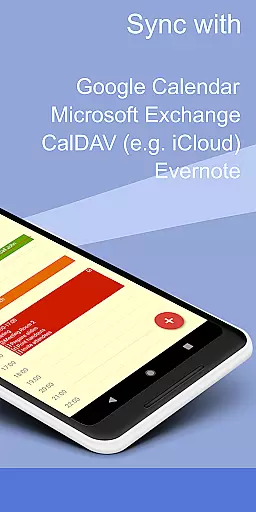
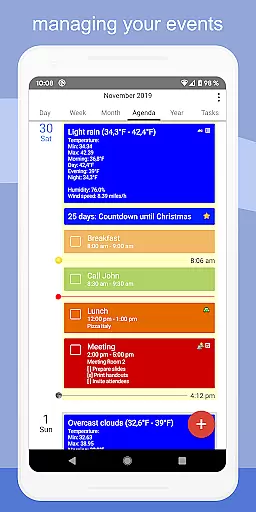
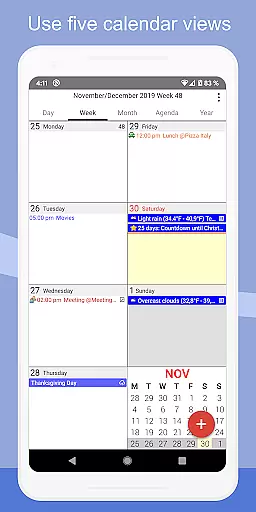
CalenGoo is a comprehensive productivity app designed to help users efficiently manage their events and tasks. This powerful tool offers extensive synchronization options, allowing seamless integration with Google Calendar, Exchange, CalDAV, and iCloud. Users can sync not only their future events but also access past events, ensuring a complete overview of their schedule.
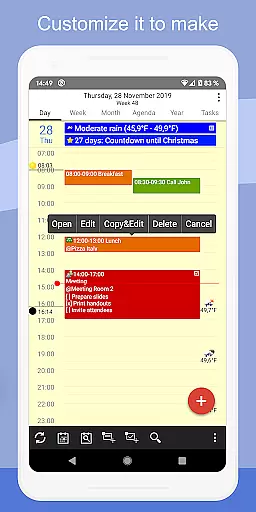
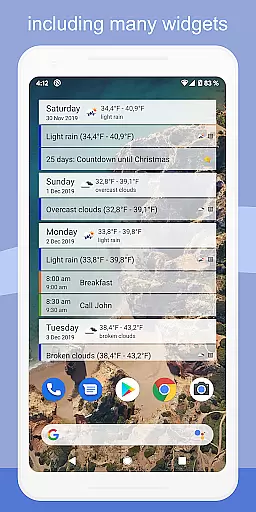
The app stands out with its customizable features, enabling users to tailor the interface and functionality to suit their preferences. With five types of calendar views, four styles of agenda views, and various widgets, CalenGoo provides versatile ways to organize and view your schedule. Additionally, it supports attaching photos, files, and Evernote notes to events, making it an all-in-one solution for personal and professional planning.
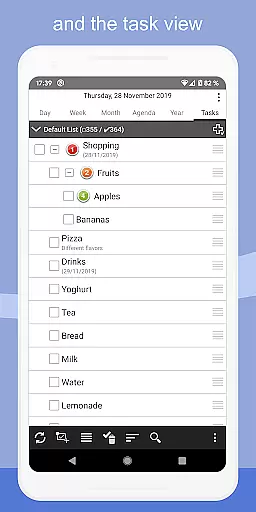
Whether you need weather forecasts, reminder functions, or the ability to print to PDF, CalenGoo has you covered. Its support for drag-and-drop event management, task integration, and contact linking ensures that users have all the tools they need at their fingertips. Ideal for those seeking a robust, flexible calendar solution, CalenGoo enhances productivity by streamlining event and task management.
CalenGoo boasts an array of features designed to enhance productivity and streamline scheduling. One of its standout capabilities is the extensive synchronization options, supporting Google Calendar, Exchange, CalDAV, and iCloud. This ensures that all your events and tasks are up-to-date across devices, providing a unified and consistent experience.
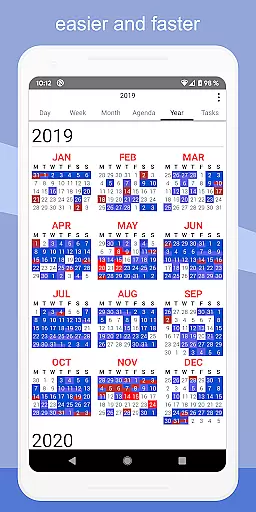
The app offers multiple viewing options, including day, week, month, agenda, and year views, each customizable to fit individual preferences. Users can take advantage of widgets to keep their schedules accessible on their home screen. The ability to attach photos, files, and Evernote notes to events adds another layer of utility, allowing for richer event details and easier access to related information.
CalenGoo also includes practical features such as weather forecasts, reminder notifications, and various task management tools. The app supports drag-and-drop functionality for moving and copying events, templates for frequently used events, and even a print-to-PDF function. With its dark and light themes, keyword-based color coding, and numerous configuration options, CalenGoo delivers a personalized and efficient user experience tailored to maximize productivity.
CalenGoo offers robust core task management features that cater to both personal and professional needs. The app allows users to sync tasks with multiple services including Google Calendar, Exchange, CalDAV, and iCloud, ensuring seamless integration across platforms.
One of the standout functionalities is the ability to attach photos, files, and even Evernoteu00ae notes to events, enhancing the depth of task information. This feature proves invaluable for users who need to associate visual or textual data with their scheduled activities.
The app also supports various reminder functions such as notifications, pop-up windows, spoken reminders, and different sounds. These options ensure that users never miss an important event or task deadline, thereby improving productivity and time management.
Additionally, CalenGoo provides templates for events, floating events, and completable events, allowing users to customize their task management experience according to their unique requirements. This flexibility makes it a powerful tool for organizing daily activities efficiently.
Cross-device synchronization is a critical feature of CalenGoo, enabling users to maintain consistency across all their devices. By syncing calendars with Google Calendar, Exchange, CalDAV, and iCloud, the app ensures that your schedule is always up-to-date, no matter which device you are using.
CalenGoo's direct sync capabilities with these services eliminate the need for intermediary steps, providing real-time updates and reducing the risk of data discrepancies. This reliable synchronization process enhances user confidence in the accuracy of their schedules and tasks.
Moreover, the app offers widgets for day, week, month, agenda, year, and task views, allowing users to see their events directly on their home screen. This immediate access to calendar information further reinforces the reliability of cross-device synchronization by keeping users informed at a glance.
With extensive configuration options available under 'Settings', users can fine-tune how their data is synchronized, ensuring optimal performance tailored to individual preferences. This level of customization solidifies CalenGoo's position as a dependable solution for managing tasks and events across multiple devices.
User-friendly interface
Extensive sync options
Customizable views
Rich feature set
Reliable support
Complex setup process
Occasional sync issues
Premium pricing
Heavy on resources
Steeper learning curve

QuickBooks Workforce lets teams view pay info and track time in one place.
 4.70
4.70
Take control of your clipboard with Clipper!
3.90
Unlock AutoNotification
4.00
Easiest event planning, volunteer signups & parent teacher conference scheduling
2.20
Activate Two Factor Authentication (2FA or Multi OTP), Password manager and more
4.10
Calendar 2023 widget for Android. Appointment scheduler, planner, and reminder
4.60
A beautiful digital clock with autostart and many other functions
4.70
Browse and view your photos and videos from the phone with photo & video hide.
4.10
Note taking, handwriting, record audio, PDF annotation, planner & journal
4.20
Protect and view your important info on your phone and tablet with eWallet®
4.80
Use powerful, industry-leading AI tools to generate visual charts from any data
4.80
Understand anything with a personalized AI research assistant
4.80
Okta MFA
4.70
Stay on top of your to-dos with Google Tasks, part of Google Workspace.
4.60
Planet Free VPN - The best Fast Unlimited and Secure VPN Without Logs
4.50
Tally and goal counter for Wear OS & mobile
4.50
This small app MUST BE INSTALLED after purchase, else license won't work
4.40
Cloud storage, automatic phone backup, and more.
4.10
The upgraded version of Name Wheel with AI and the power to add your own wheels.
4.4


User Reviews