
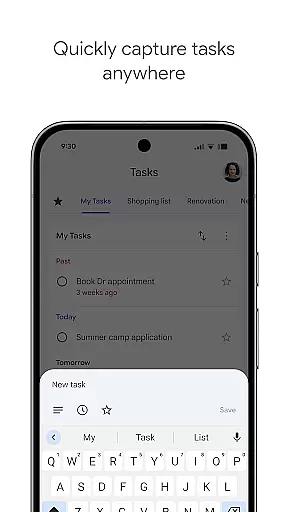
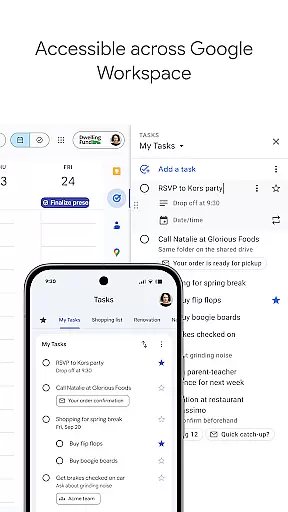
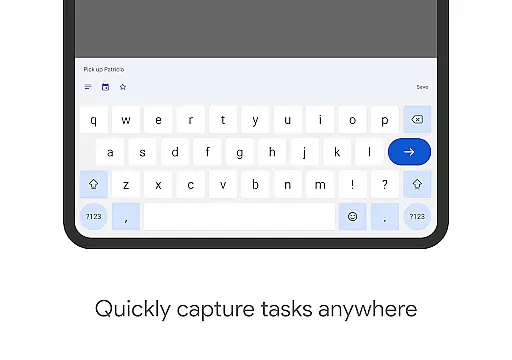
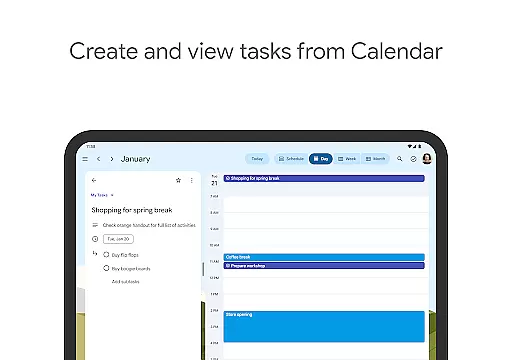
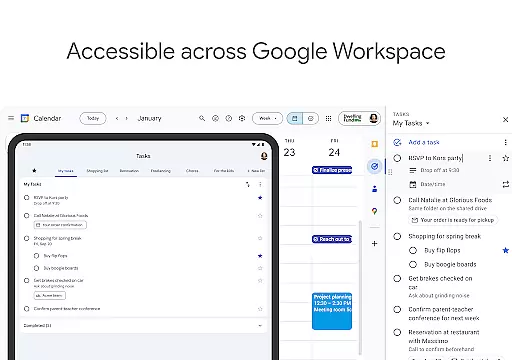
Google Tasks is a productivity app designed to help users manage their daily tasks efficiently. The app allows you to capture, organize, and track your to-dos from any location and at any time. With seamless synchronization across all devices, Google Tasks ensures that your lists are always up-to-date whether you're on your phone, tablet, or computer.
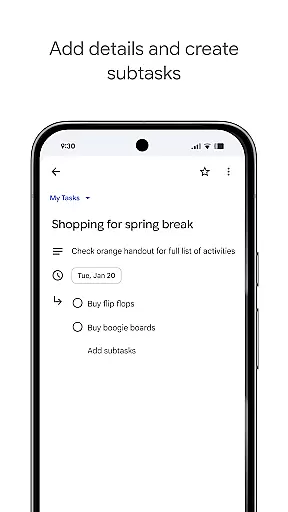
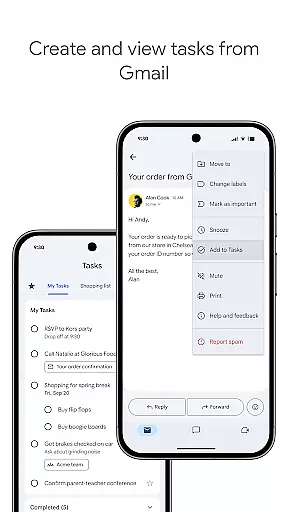
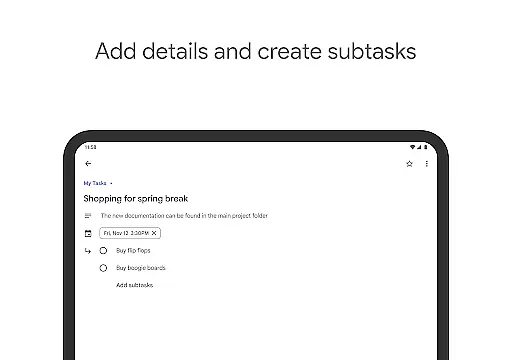
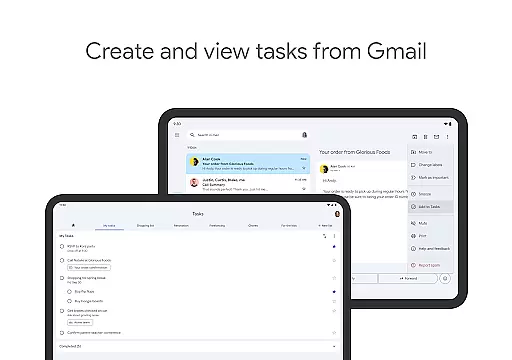
One of the standout features of Google Tasks is its deep integration with Gmail and Google Workspace, allowing you to create tasks directly from emails and prioritize them using stars or drag-and-drop functionality. You can also set reminders, break tasks into subtasks, and categorize them into different lists for better organization. This makes it an ideal tool for both personal use and professional task management.
Whether you're handling work projects or organizing personal errands, Google Tasks provides a simple yet powerful platform to ensure nothing falls through the cracks. Its intuitive interface and cross-platform availability make it a reliable companion for staying productive in today's fast-paced world.
Google Tasks offers a variety of features that enhance task management and productivity. One key feature is the ability to create multiple task lists, which helps users organize their responsibilities by category, priority, or project. Each list supports drag-and-drop reordering, enabling quick adjustments to task priorities without hassle.
Another notable capability is the integration with Gmail, where users can convert emails into actionable tasks with just a few taps. These tasks retain links back to the original email for easy reference, streamlining workflows significantly. Additionally, setting due dates and reminders ensures timely completion of important activities, while starred tasks allow users to highlight critical items requiring immediate attention.
For complex projects, Google Tasks supports subtasks, breaking larger objectives into manageable steps. Notifications keep users on track by alerting them when deadlines approach. Overall, these features combine to deliver a robust solution for anyone looking to improve their efficiency and stay organized across various aspects of life.
Google Tasks offers a robust core task management system that helps users stay organized and efficient. The app allows you to view, create, edit, and manage tasks from your mobile device, ensuring that your to-do list is always accessible.
One of the standout features is the ability to organize tasks into different lists based on topics or priorities. This helps users categorize their responsibilities effectively, making it easier to focus on what matters most at any given time.
The app also supports prioritization through drag-and-drop functionality, enabling users to reorder tasks effortlessly. Additionally, important tasks can be marked with a star, ensuring they stand out and receive the necessary attention.
With seamless integration across all devices, Google Tasks ensures that users can manage their responsibilities no matter where they are, providing a consistent and reliable experience.
Cross-device synchronization is a critical feature of Google Tasks, ensuring that your to-do lists are always up-to-date and accessible from any device. Whether you're using a smartphone, tablet, or computer, the app provides real-time updates so you can pick up right where you left off.
This synchronization extends to integrations with Gmail and Google Workspace, allowing users to create tasks directly from emails. Each task created this way includes a convenient link back to the original message, streamlining workflows and enhancing productivity.
Reliability is at the heart of Google Tasks' synchronization capabilities. Users can trust that their data will be accurately reflected across all platforms, eliminating the risk of missing important deadlines or losing track of responsibilities.
By leveraging Google's infrastructure, the app guarantees fast and secure syncing, giving users peace of mind that their information is safe and always available when needed.
User-friendly interface
Seamless cross-device sync
Deep Gmail integration
Flexible task prioritization
Subtask support for complex projects
Limited advanced features
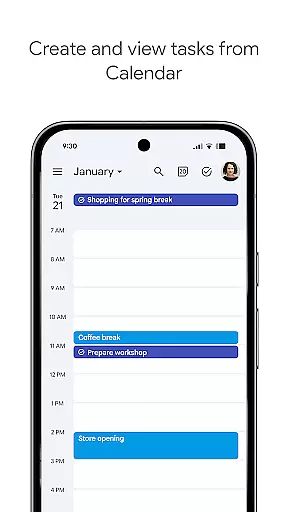
No built-in calendar view
Basic collaboration tools
Occasional sync delays
Few customization options

Secure, fast, open-source, VNC and SSH Remote Desktop for Windows, Linux and Mac
 4.70
4.70
Professional calendar app for Google Calendar, MS Outlook & Exchange
4.20
8 custom complications. Custom Time Fonts. Beautiful color schemes. A++ Design.
5.00
Protect and view your important info on your phone and tablet with eWallet®
4.80
Font maker keyboard with your own handwriting
4.10
PDF scanner & converter for files, photos, lottery, QR codes. One swipe away!
4.50
Cloud storage, automatic phone backup, and more.
4.10
* block pre-roll ads, pop-up and forced redirect ads * Samsung certification app
4.00
QuickEdit is a fast, stable and full featured text and code editor.
4.20
Native client for Forgejo and Gitea
5.00
CalenGoo is a very flexible and feature-rich calendar app
4.40
Share files & memories safely. Keep your photos and videos secure.
4.40
Automates browsing any website and notifies you of important changes or events
4.30
Access, manage and transfer files on Android, PC, Mac, NAS and cloud storages.
4.30
Device's storage information in a simple and clear graphical form (infographics)
4.10
Take control of your clipboard with Clipper!
3.90
Remotely view listen control and record cameras.
3.70
Make your handwriting beautiful, even more than pen on paper.
3.60
The upgraded version of Name Wheel with AI and the power to add your own wheels.
4.2


User Reviews