
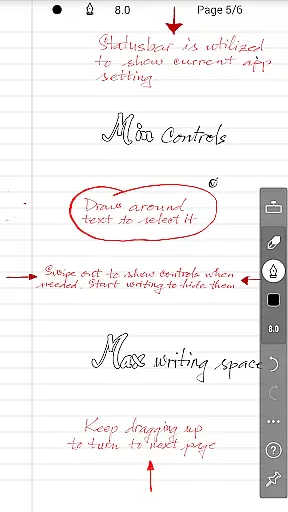
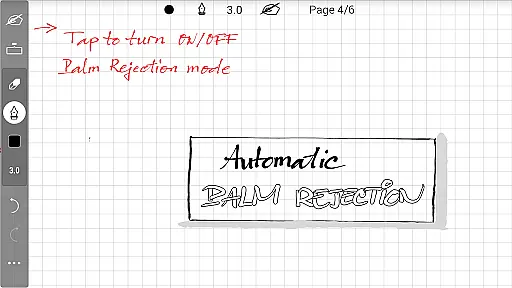
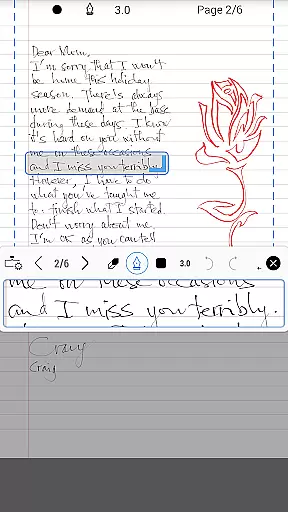
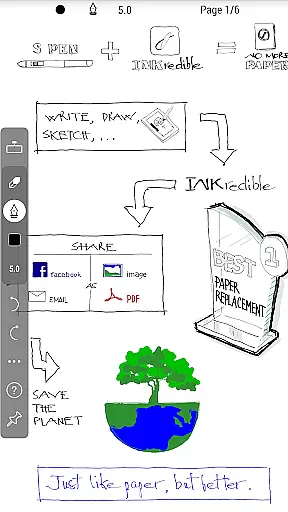
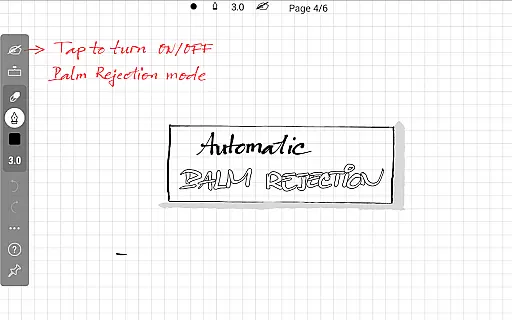
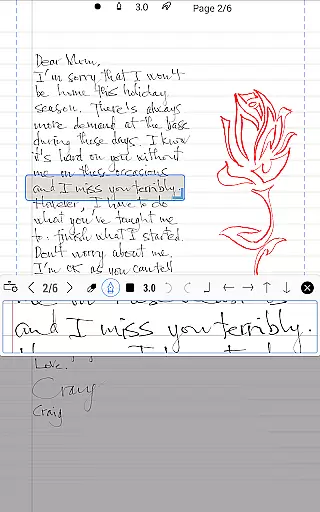
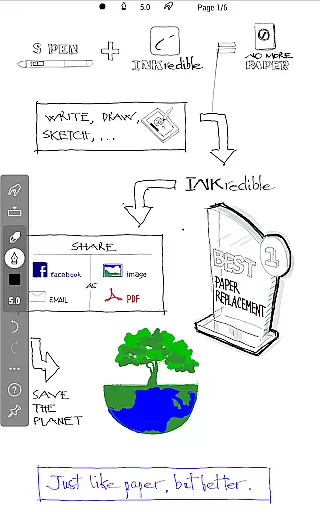
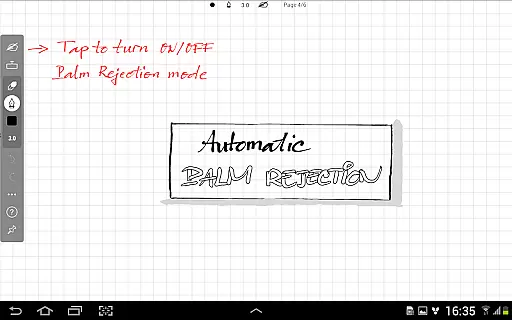
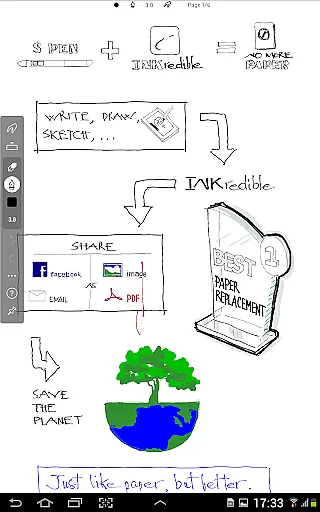
INKredible PRO is a premium handwriting app designed to deliver an exceptional writing experience on tablets. Priced at $9, it includes all in-app purchase features of the standard INKredible version along with free future updates. The app's advanced inking technology, inherited from the popular Notes Plus app, offers automatic palm and wrist rejection, making digital writing feel as natural as pen on paper.
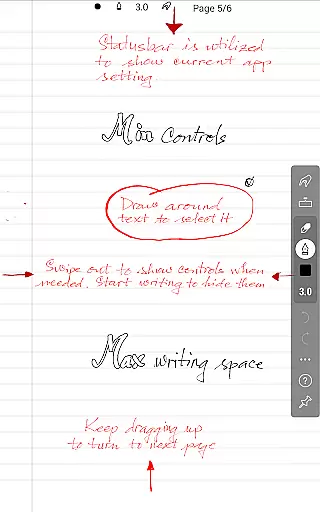
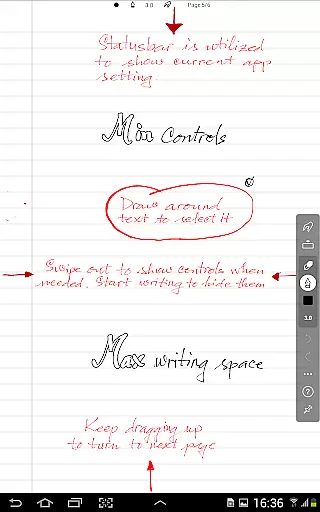
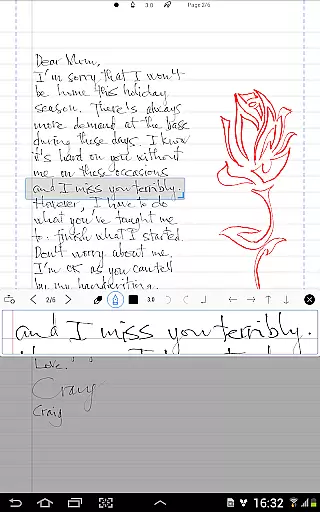
The app focuses on simplicity, providing a distraction-free environment with minimal UI elements. At the same time, its beautiful vector-graphics inking technology ensures your handwriting looks more elegant than on traditional paper. This makes INKredible PRO not only functional but also a joy to use for productivity purposes.
INKredible PRO stands out with its sophisticated manipulation of Bezier curves, which enhances the beauty of digital handwriting. This feature ensures that notes look crisp and clear at any resolution, whether for printing or displaying on-screen. The app's automatic palm rejection technology allows for a seamless writing experience without unintended touches interfering with your work.
With over three years of R&D in vector-graphics inking, INKredible PRO delivers a near-perfect writing experience. Its minimalist design removes distractions, offering users a blank canvas to write on, thus enhancing focus and productivity. These features make it ideal for students, professionals, and anyone who values the authenticity of handwriting in a digital format.
In the realm of productivity, core task management is pivotal for organizing and prioritizing tasks efficiently. INKredible PRO excels in this area by offering a streamlined interface that remains distraction-free.
With its singular focus on providing an outstanding writing experience, INKredible PRO eliminates unnecessary UI elements, allowing users to concentrate fully on their notes or tasks at hand. This approach enhances concentration and boosts productivity.
The app's dedication to a pure writing experience means that users can swiftly create and manage their handwritten notes with ease, akin to using traditional pen and paper but with added digital advantages.
By integrating advanced inking technology, INKredible PRO ensures that every stroke is captured accurately, making task management not only efficient but also visually pleasing, which can lead to increased user engagement and satisfaction.
Cross-device synchronization is essential for users who work across multiple devices. INKredible PRO addresses this need by ensuring reliable and consistent data availability wherever the user may be.
While the app description does not explicitly detail cloud services, apps of this caliber often include robust syncing capabilities. Users can expect their valuable notes and documents to be updated across all their devices in real time.
This reliability in synchronization means that whether switching from a tablet to a smartphone, users maintain seamless continuity in their workflow, thus enhancing both flexibility and productivity.
Moreover, the peace of mind that comes with knowing your data is safely stored and easily accessible on any compatible device adds significant value to the overall user experience provided by INKredible PRO.
Advanced palm rejection
Beautiful handwriting rendering
Distraction-free interface
Free future updates
High-resolution output
Premium price point
Limited to tablet use
No additional productivity tools
Requires learning curve
Fewer features than competitors

Secure, fast, open-source, VNC and SSH Remote Desktop for Windows, Linux and Mac
 4.70
4.70
Native client for Forgejo and Gitea
5.00
The upgraded version of Name Wheel with AI and the power to add your own wheels.
4.4
A lightweight JSON & XML files creator, editor and viewer (Premium Version)
4.40
Mind Map and brainstorm, note taking and idea collection
4.80
CalenGoo is a very flexible and feature-rich calendar app
4.40
Stay on top of your to-dos with Google Tasks, part of Google Workspace.
4.60
Font maker keyboard with your own handwriting
4.10
Translate text/voice/photos in 150+ languages. Offline & fast translator app.
4.50
Great calculator for Android named one of USA TODAY's "25 Essential Apps".
4.90
Seamlessly integrate data and reports to build your presentation to impress
4.80
Secure, fast, open-source, Remote Desktop Client for Windows and Linux with SSH
4.60
All document reader, all in one file viewer read PDF, DOCX, XLS, PPT, TXT files.
4.60
AI Chatbot and AI writing assistant powered by ChatGPT.
4.60
This small app MUST BE INSTALLED after purchase, else license won't work
4.40
Make apps & sites with natural language prompts
4.10
Take control of your clipboard with Clipper!
3.90
⏰ Finally a timer app which can run multiple timers simultaneously on your watch
3.90
Simple and reliable communication between inmates, friends and family
3.20


User Reviews