
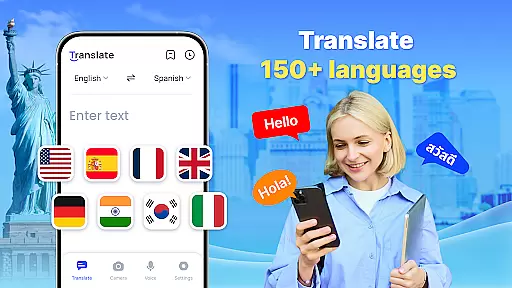

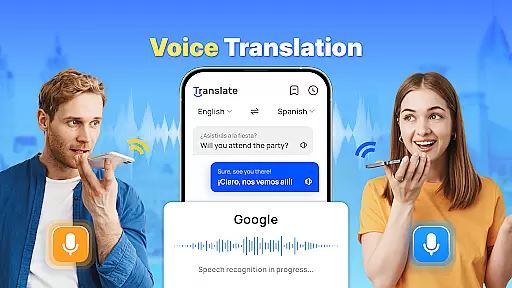
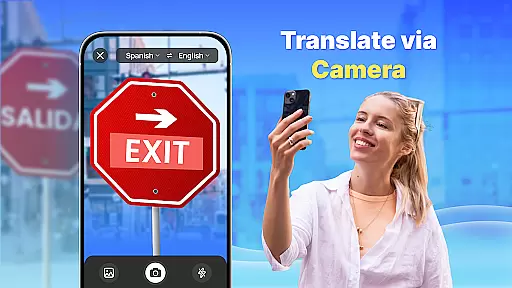

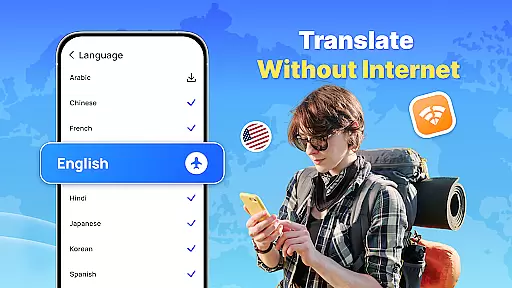
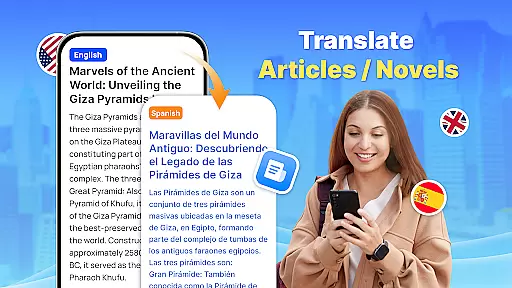
Translate - Translator is a versatile productivity app designed to break language barriers through its comprehensive translation capabilities. This free translator app supports text, voice, and photo translation across 150+ languages, making it an essential tool for travelers, students, and professionals alike.
The application's standout feature is its offline functionality, allowing users to translate languages without an internet connection. Whether you're traveling abroad, communicating with foreign colleagues, or learning new languages, this app provides accurate translations while saving data costs. The inclusion of advanced features like AI-powered photo translation and real-time voice recognition makes cross-cultural communication seamless and efficient.
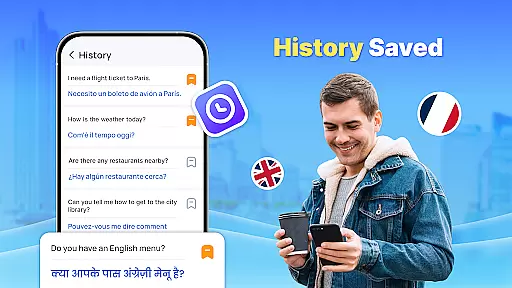
With its user-friendly interface and practical features such as the floating ball for quick translation and auto-detect language functionality, Translate - Translator enhances productivity by streamlining communication tasks. Users can save important translations, create collections of frequently used phrases, and easily share results with others, making it an indispensable tool for both personal and professional use.
Translate - Translator distinguishes itself through its diverse range of innovative features that cater to various translation needs. The app's instant text translation function supports over 150 languages, providing quick and accurate results for travel, business, and study purposes. Its intelligent auto-detect feature automatically identifies input languages, while the reverse translation function helps users verify translation accuracy.
One of the app's most impressive capabilities is its real-time voice translation powered by advanced speech recognition technology. This feature enables natural conversations between speakers of different languages, making international communication effortless. Additionally, the AI-powered photo translation function allows users to capture and translate text from images, menus, and documents, with the option to extract and copy both original and translated texts.
The offline translation mode ensures uninterrupted service regardless of internet availability, while the floating ball feature enables full-screen translation on any app or webpage. These features, combined with the ability to save and organize translation history, create a comprehensive translation solution that enhances productivity and facilitates seamless cross-cultural communication.
Core task management in a productivity app like Translate ensures that users can efficiently handle various translation tasks. This feature is crucial as it allows users to organize, prioritize, and execute their translation needs seamlessly.
The Translate app implements core task management by offering multiple translation modes including text, voice, and photo translation. Users can easily switch between these modes depending on their current needs, ensuring that each translation task is handled with the appropriate tool.
For users, this means they can rely on a single app for different types of translation tasks, enhancing their productivity. Whether traveling, conducting business, or learning new languages, users benefit from streamlined processes that save time and effort.
Ultimately, effective core task management translates into a superior user experience. By integrating features such as offline translation and quick access through a floating ball, Translate empowers users to overcome language barriers effortlessly, making cross-cultural interactions more accessible than ever.
Cross-device synchronization reliability is essential for users who operate on multiple devices and need consistent access to their data. In the context of the Translate app, this feature ensures that translations, saved phrases, and settings are synchronized across all user devices.
Translate achieves reliable synchronization by leveraging cloud technology. This allows users to start a translation task on one device and continue on another without losing progress. The synchronization process is automatic and operates in real-time, providing users with up-to-date information at all times.
Users gain peace of mind knowing their important translations and frequently used phrases are backed up and accessible from any device. This reliability fosters a seamless experience, particularly for those who depend on translations in dynamic environments such as travel or international business.
In summary, robust cross-device synchronization enhances the overall utility of the Translate app. It not only provides convenience but also supports users in maintaining productivity and continuity in their tasks, regardless of the device they are using.
Supports 150+ languages
Offline functionality
Real-time voice translation
AI-powered photo translation
User-friendly interface
Limited advanced features
Occasional accuracy issues
Ads in free version
Large file size
Requires permissions

All in one sketching tool. Technical and General drawing. Online Maps support.
 3.70
3.70
The Pro Version of Android's tiniest Notepad app. Just 0.3MB but feature-packed!
4.60
A lightweight JSON & XML files creator, editor and viewer (Premium Version)
4.40
Create and edit presentations with Google Slides, part of Google Workspace.
4.00
Experience and share your SolidWorks designs on your Android® phone and tablet.
2.50
This small app MUST BE INSTALLED after purchase, else license won't work
4.40
Secure your apps with lock screens, use custom themes and different features.
4.40
AT&T Internet customers can use this app to personalize their Wi-Fi network.
4.40
Browse and view your photos and videos from the phone with photo & video hide.
4.10
Use powerful, industry-leading AI tools to generate visual charts from any data
4.80
Quickly and easily keep track of your work shifts
4.70
Secure, fast, open-source, VNC and SSH Remote Desktop for Windows, Linux and Mac
4.70
Functional QR scanner and barcode reader that requires little storage space.
4.60
Calendar 2023 widget for Android. Appointment scheduler, planner, and reminder
4.60
When you Focus, so will your Bean in this cozy focus timer
4.30
Access, manage and transfer files on Android, PC, Mac, NAS and cloud storages.
4.30
Font maker keyboard with your own handwriting
4.10
Wake up & get tasks done! Add alarms & reminders on the Clock Launcher.
4.00
Simple and reliable communication between inmates, friends and family
3.20


User Reviews