
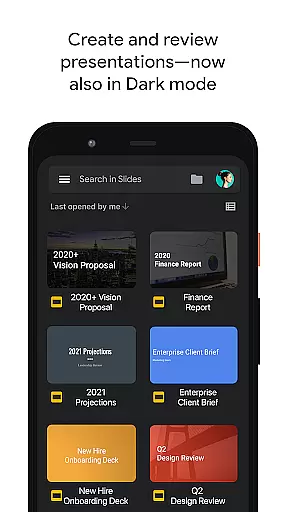
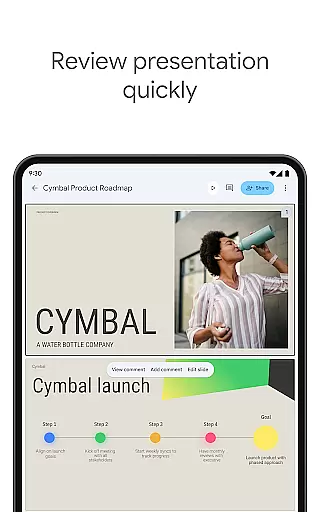
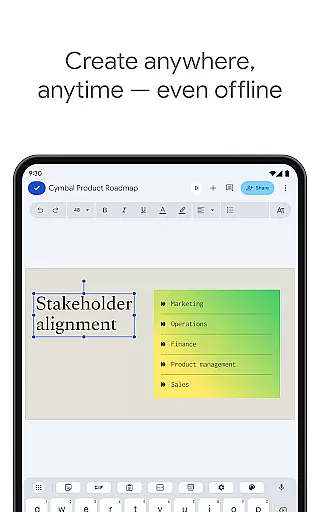
Google Slides is a powerful productivity app that allows users to create, edit, and collaborate on presentations directly from their Android devices. The app offers a comprehensive set of features including real-time collaboration, offline editing, and automatic saving. Whether you need to build a new presentation from scratch or refine an existing one, Google Slides provides all the necessary tools to make your work efficient and visually appealing.
One of the standout features of Google Slides is its seamless integration with other Google Workspace apps, making it easy to share and manage permissions across teams. Additionally, the app supports PowerPoint files, ensuring compatibility with other presentation software. With capabilities like video call presentations and smart suggestions for design, this app is suitable for both individual and team use in professional and educational settings.
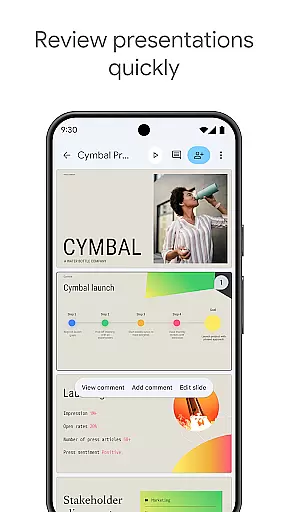
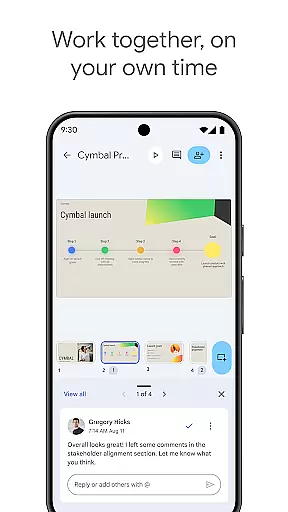
Google Slides stands out with its robust feature set tailored for productivity. Users can create and edit slides with a variety of formatting options for text and shapes, as well as add multimedia elements like videos and images. The app supports real-time collaboration, allowing multiple users to work on the same presentation simultaneously, regardless of their location.
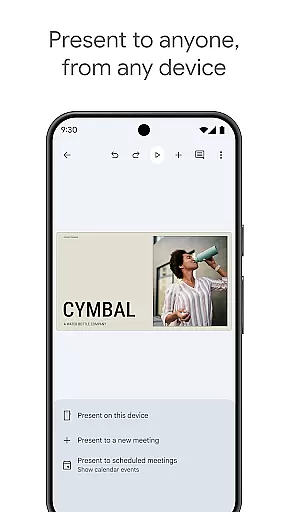
Another notable feature is the ability to present directly from mobile devices, which is ideal for on-the-go professionals. The app also integrates with Google Calendar for scheduling and joining video calls, enhancing remote collaboration. Furthermore, Google Slides automatically saves work in progress, eliminating the risk of data loss. These features collectively ensure a smooth and efficient user experience, whether working individually or as part of a team.
Google Slides excels in core task management by providing users with a comprehensive suite of tools to handle presentations efficiently. The app allows for seamless creation and editing of slides, enabling users to add, remove, or rearrange content effortlessly.
With real-time collaboration features, teams can work together on the same presentation simultaneously. This ensures that all members are on the same page, making it easier to manage tasks and responsibilities within a project.
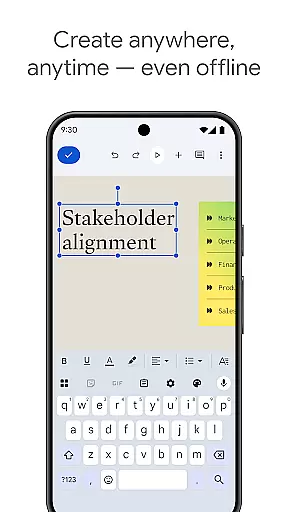
The application supports working offline, which means users can continue their productivity without interruption, even without an internet connection. All changes are synced automatically once the device reconnects, ensuring that no work is lost.
Additionally, Google Slides offers smart suggestions and templates that help streamline the design process, allowing users to create professional-looking presentations quickly. This functionality enhances task management by reducing the time needed to format and arrange slides.
Cross-device synchronization is a standout feature of Google Slides, ensuring that users have a reliable and consistent experience across all their devices. Whether you're using a PC, Mac, tablet, or smartphone, your presentations are always up-to-date and accessible.
This synchronization happens in real-time, meaning any changes made on one device are immediately reflected on all others. This reliability is crucial for users who need to switch between devices frequently, ensuring they never miss a beat in their workflow.
Moreover, the ability to present directly from a mobile device adds another layer of convenience. Users can practice and refine their presentations on-the-go, knowing that their latest updates will be there when they transition to a different device.
Google Slides also integrates smoothly with other Google Workspace apps, enhancing its synchronization capabilities. This interconnected ecosystem ensures that files and data flow seamlessly between applications, further boosting productivity and reliability.
User-friendly interface
Real-time collaboration
Automatic saving
PowerPoint compatibility
Offline access
Limited advanced features
Fewer templates than competitors
Requires internet for full functionality
Basic design tools
Dependent on Google ecosystem

AI Video AI Image Private LLM AI Browser Llama Gemma Ollama Connect LLM Studio
 4.0
4.0
A customizable calendar for your Wear OS watch
4.20
Seamlessly integrate data and reports to build your presentation to impress
4.80
Todo reminder
4.10
All in One PDF Reader: Manage, Read and Edit your Documents
4.20
Access, manage and transfer files on Android, PC, Mac, NAS and cloud storages.
4.30
Great calculator for Android named one of USA TODAY's "25 Essential Apps".
4.90
Simple notepad & memo. Take notes, to-do list, shopping list with reminders.
4.80
Daily processing of PDF documents.
4.40
Android Wallet Password Manager
4.80
Protect and view your important info on your phone and tablet with eWallet®
4.80
Understand anything with a personalized AI research assistant
4.80
Absolutely the best CNC machinist speed and feed calculator around. fswizard.com
4.60
To do list widget with a notebook organizer, checklist, simple shopping list
4.60
AI Chatbot and AI writing assistant powered by ChatGPT.
4.60
Secure your apps with lock screens, use custom themes and different features.
4.40
Intelligent AI Assistant
4.10
Easiest event planning, volunteer signups & parent teacher conference scheduling
2.20
A simple, portable logger for POTA, SOTA, Field Day, and more
4.4


User Reviews