
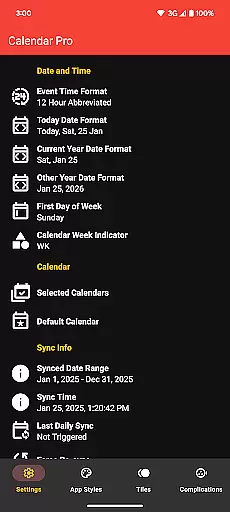
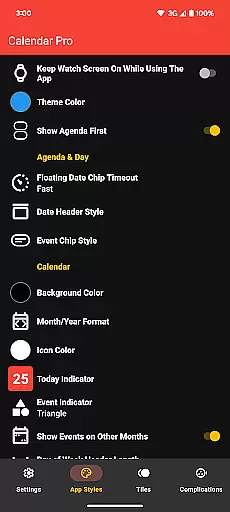
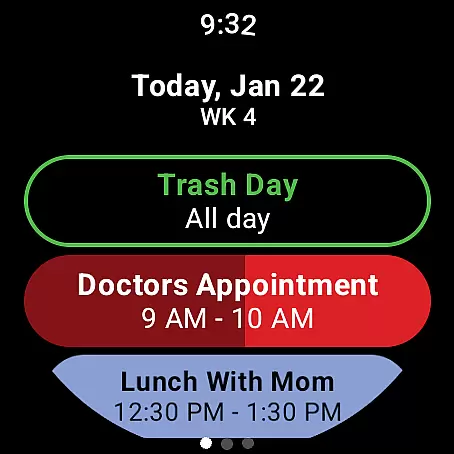
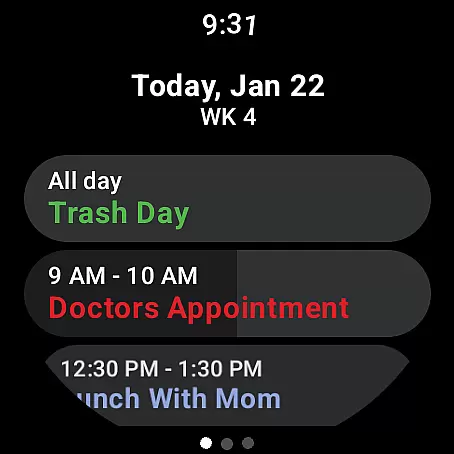
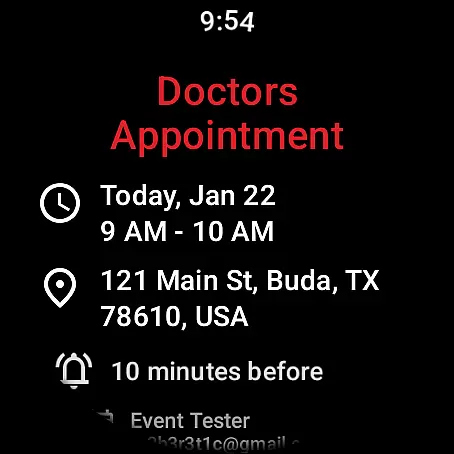
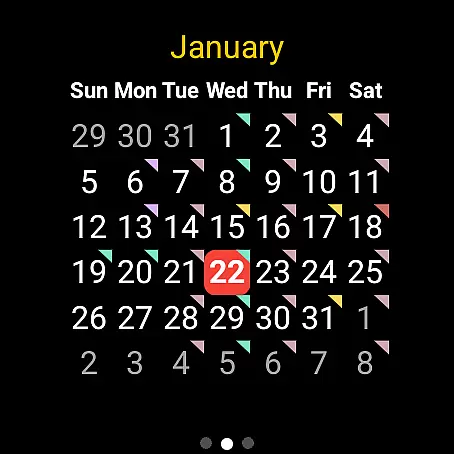
Calendar Pro for Wear OS is a comprehensive productivity tool designed to streamline your scheduling directly from your wrist. This app syncs all your phone calendars to your Wear OS watch, ensuring you have instant access to your schedule wherever you are. With the ability to add, edit, and delete events directly from your watch, it offers unparalleled convenience for managing your time.
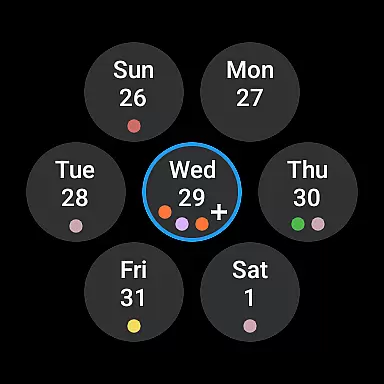
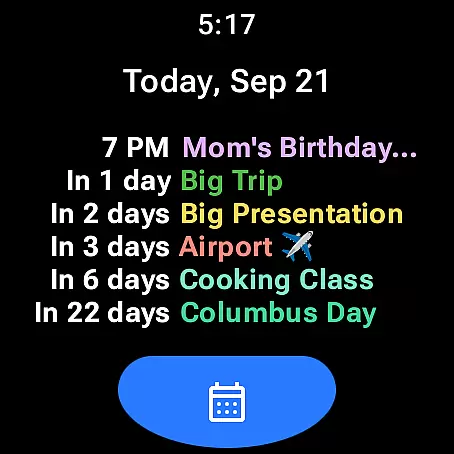
The app stands out with its fully customizable interface, allowing users to tailor their calendar views according to personal preferences. Whether it's through the month calendar with event indicators or the detailed agenda view, Calendar Pro ensures that you never miss an important event. Its support for multiple calendar services like Google Calendar, Outlook, and Samsung Calendar makes it versatile for both personal and professional use.
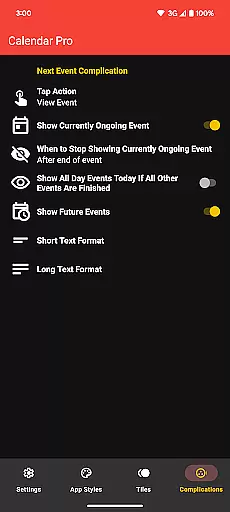
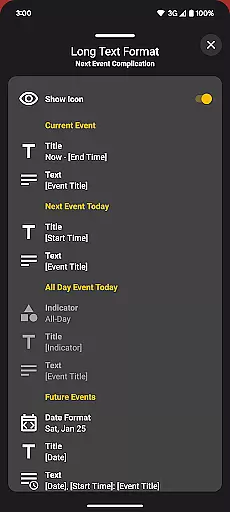
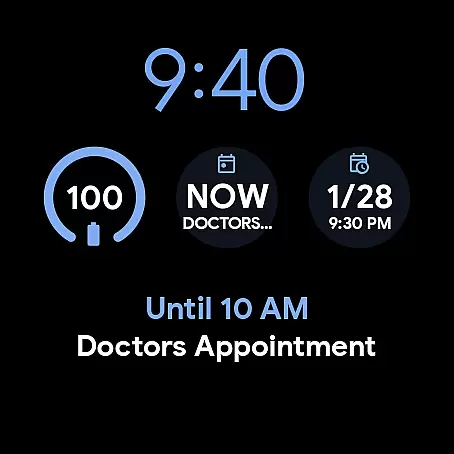
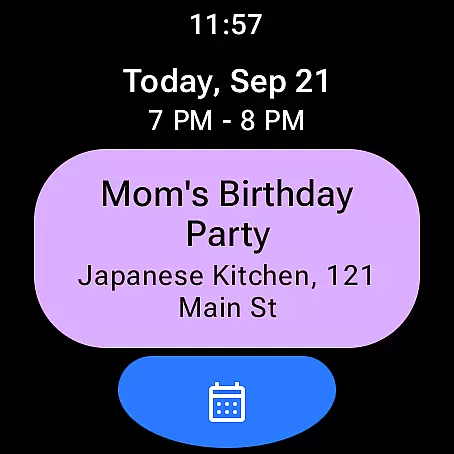
Designed for efficiency, Calendar Pro includes various watch tiles and complications that provide quick insights into upcoming events. The next event complication, multiple theme colors, and extensive customization options enhance user experience by delivering relevant information in a glance. Ideal for busy professionals and anyone looking to optimize their time management, this app proves to be an indispensable companion on your Wear OS device.
Calendar Pro for Wear OS boasts an impressive array of features that cater to diverse user needs. One of its standout capabilities is the synchronization of the next 12 months of events to your smartwatch, enabling long-term planning without needing your phone. The app allows direct interaction with your calendar by letting you add, edit, and delete events right from your wrist, which significantly boosts productivity.
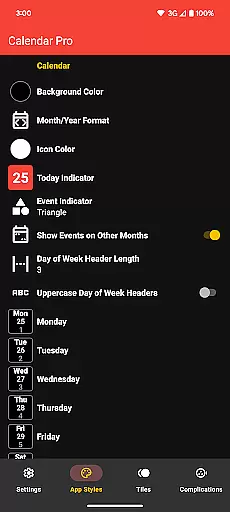
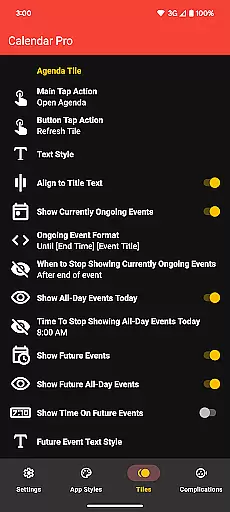
Customization is at the heart of Calendar Pro's design. Users can personalize their month calendar and agenda views extensively - from background colors and date formats to event indicator shapes and scaling options. These customizations ensure that each user's interface aligns perfectly with their aesthetic preferences and functional requirements. Additionally, specialized tiles such as Month Calendar Tile, Agenda Tile, Week Tile, and Next Event Tile offer different perspectives on your schedule.
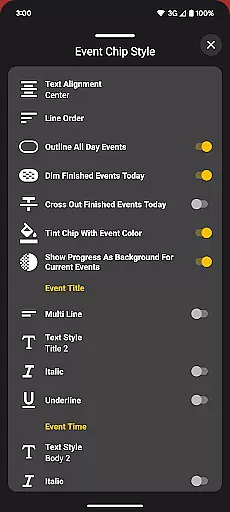
Beyond visual adjustments, Calendar Pro provides practical functionalities like dimming finished events, showing progress for ongoing ones, and outlining all-day events. It also supports complications that display current or upcoming events directly on your watch face. With compatibility across various calendar services including Google Calendar, Outlook, and Samsung Calendar, this app consolidates all your scheduling needs into one powerful platform, making it an essential tool for efficient time management.
Calendar Pro for Wear OS excels in core task management by offering users the ability to add, edit, and delete events directly from their Wear OS watch. This seamless interaction ensures that managing your schedule is not just confined to your phone or computer but is accessible right from your wrist.
The app syncs the next 12 months of events to your watch, providing a forward-looking view that helps in planning and organizing tasks efficiently. With customizable month calendars and agenda views, users can tailor the interface to suit their preferences, ensuring they see the most relevant information at a glance.
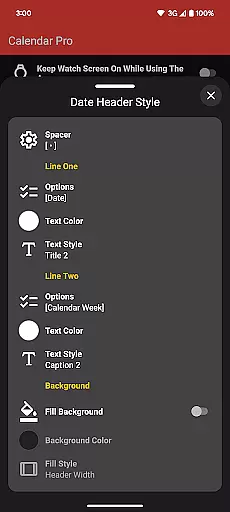
Customization options extend to various elements like background colors, date header styles, and event indicators, allowing users to focus on what's important to them. These features collectively enhance productivity by streamlining how users interact with their schedules, making it easier to manage time and commitments effectively.
Cross-device synchronization is a cornerstone of Calendar Pro for Wear OS, ensuring that all your calendars from your phone are reliably synced to your watch. This synchronization covers Google Calendar, Outlook Calendar, Samsung Calendar, DAVxu2075, and ICSxu2075, offering unparalleled compatibility across different calendar services.
The reliability of this synchronization means that users can trust the information displayed on their Wear OS device to be up-to-date and accurate. Whether you're viewing a month calendar, agenda, or specific event details, you can be confident that the data reflects the latest changes made on any linked device.
Moreover, the app supports real-time updates, ensuring that any modifications to your calendar are immediately reflected across all devices. This feature is crucial for maintaining an organized and efficient schedule, as it allows users to make informed decisions based on the most current information available, regardless of the device they are using.
User-friendly interface
Extensive customization options
Supports multiple calendar services
Direct event management on watch
No subscription required
Requires phone app installation
Limited to Wear OS devices
Complex setup for some users
Outlook support conditional
Samsung calendar limited to Samsung phones

Experience real multitasking on your Android!
 4.00
4.00
A lightweight JSON & XML files creator, editor and viewer (Premium Version)
4.40
Cloud storage, automatic phone backup, and more.
4.10
Subscribe to Webcal & .ics calendars and keep them up-to-date!
4.50
Code on-the-go with VScode for Android. Edit,debug and collaborate from mobile!!
3.10
Great calculator for Android named one of USA TODAY's "25 Essential Apps".
4.90
Best Tool for the professionals Electrician, Electrical contractors, etc.
4.90
A simple Whisper AI keyboard for reliable speech transcription and rewording
4.60
Secure your apps with lock screens, use custom themes and different features.
4.40
8 custom complications. Custom Time Fonts. Beautiful color schemes. A++ Design.
5.00
Multilingual translator for text, voice, and image translation!
4.90
Scientific calculator for Android - looks and operates like the real thing!
4.90
aCalendar+ makes your day, week and month
4.70
Calendar 2023 widget for Android. Appointment scheduler, planner, and reminder
4.60
To do list widget with a notebook organizer, checklist, simple shopping list
4.60
Send files, sync SMS, notifications & clipboard across devices via local network
4.40
Access, manage and transfer files on Android, PC, Mac, NAS and cloud storages.
4.30
Make your handwriting beautiful, even more than pen on paper.
3.60
A simple, portable logger for POTA, SOTA, Field Day, and more
4.5


User Reviews