
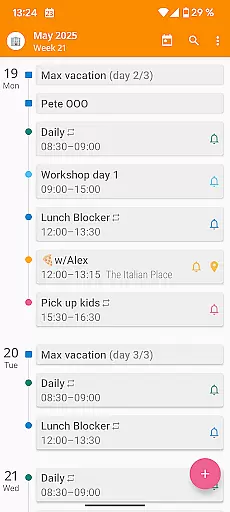

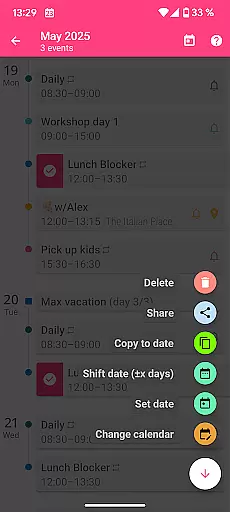
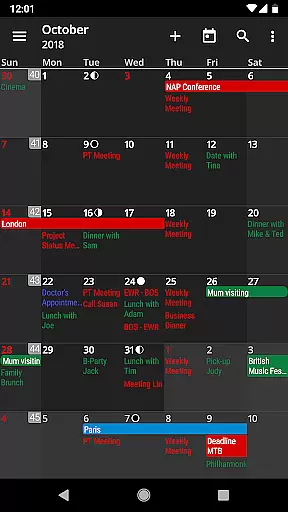
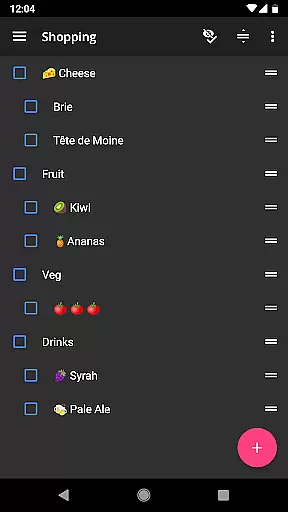
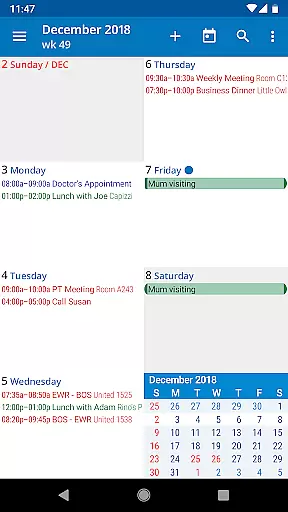
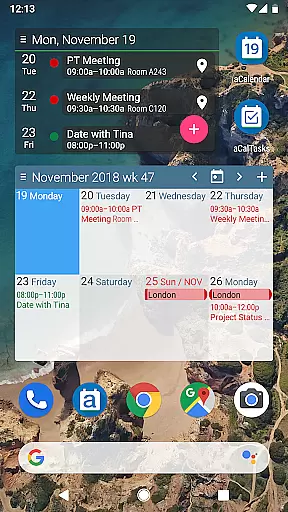
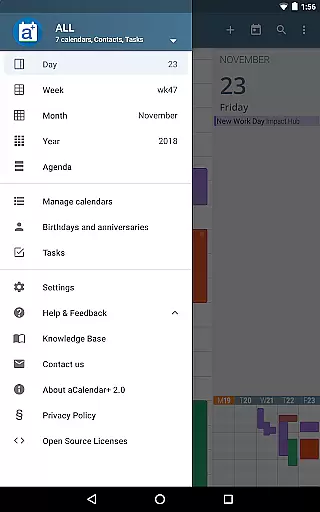
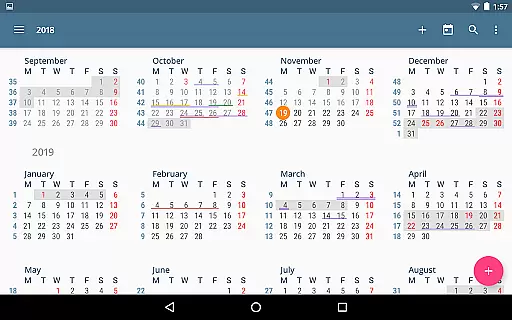
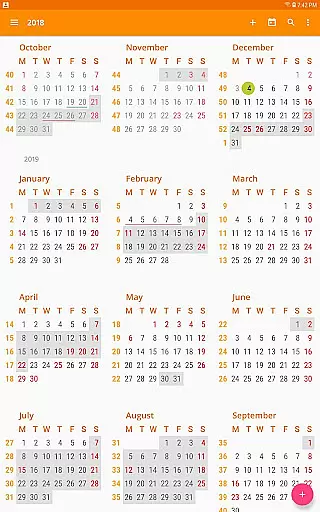
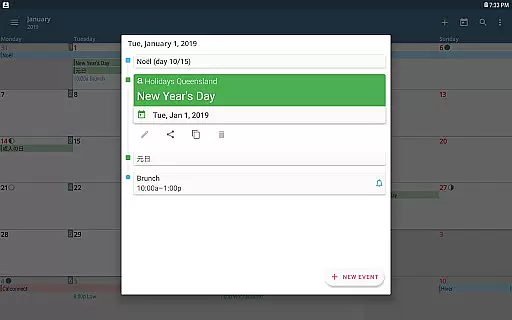
aCalendar+ is a premium productivity app that enhances your daily, weekly, and monthly planning with its robust calendar and task management features. The app offers an intuitive navigation system with smooth transitions between day, week, month, and year views, ensuring you stay organized effortlessly.
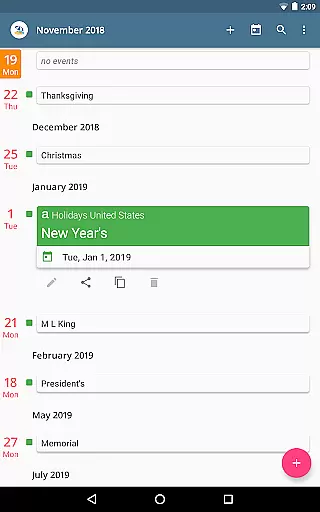
One of the standout features of aCalendar+ is its ability to manage public holidays and school holidays for various countries, customizable in the calendar list. Additionally, it supports advanced business functionalities such as inviting attendees, linking contacts, and managing tasks from Google Tasks or CalDAV/OpenTasks, making it ideal for both personal and professional use.
With over 100 color options for calendar events and flexible recurrence settings, aCalendar+ allows users to personalize their scheduling experience. The app also integrates seamlessly with Android's native calendar backend, ensuring reliable synchronization and easy access to birthdays and anniversaries with photos from your address book.
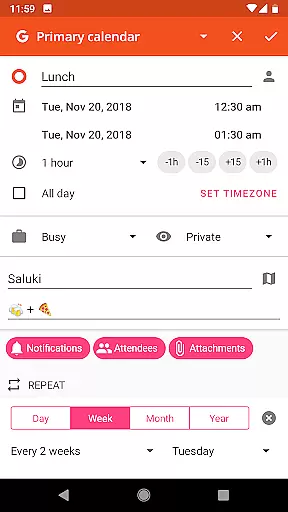
aCalendar+ stands out with its extensive feature set tailored for productivity enthusiasts. The app provides fullscreen widgets and flexible recurrence options like every 3 weeks, every 17 days, or custom patterns such as every Monday, Wednesday, and Friday, allowing precise event scheduling.
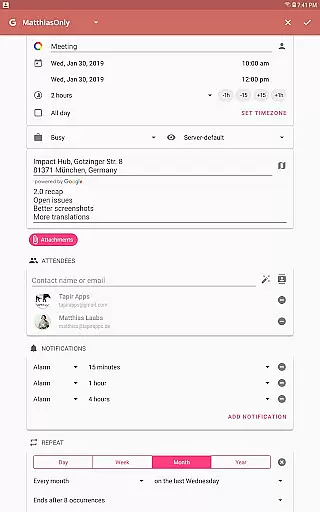
Users can enjoy additional customization with more colors for themes, UI, backgrounds, and events. The app supports per-event colors and custom event font sizes, enhancing readability and personalization. Business features include inviting attendees, managing private events, and sharing events as ICS files, catering to professional needs.
The app respects user privacy by not sending private data unless configured by the user. With translations in over 30 languages and configurable actions on various gestures, aCalendar+ ensures a user-friendly and accessible experience across different regions and preferences.
Effective task management is essential for productivity, and aCalendar+ excels in this area by offering comprehensive tools to manage your schedule. The app provides multiple views including day, week, month, and year, allowing users to organize and plan their time efficiently.
aCalendar+ stands out with its flexible recurrence options, enabling events to be scheduled every 3 weeks, every 17 days, or custom patterns like every Monday, Wednesday, and Friday. This level of customization ensures that users can tailor their calendars to fit complex scheduling needs.
In addition to managing personal tasks, the app supports business features such as inviting attendees, linking contacts, and setting private or busy statuses. These capabilities make it an ideal choice for professionals who need to coordinate with teams and manage their workload effectively.
The inclusion of Google Tasks and CalDAV/OpenTasks support further enhances the app's task management abilities, providing a centralized platform for all your to-dos and appointments. With these features, aCalendar+ empowers users to stay organized and on top of their responsibilities.
Reliable cross-device synchronization is crucial for maintaining consistency across multiple platforms, and aCalendar+ delivers this through seamless integration with Android's native calendar backend. This ensures that all your devices reflect the latest updates, keeping you in sync no matter where you are.
The app uses advanced synchronization protocols to ensure data integrity and timeliness. Whether you're updating an event on your phone or adding a task from your tablet, aCalendar+ guarantees that changes are promptly reflected across all linked devices, minimizing the risk of missed appointments or double bookings.
Moreover, aCalendar+ offers full support for various calendar services, including Google Calendar and CalDAV, ensuring compatibility with a wide range of devices and ecosystems. This versatility allows users to maintain a unified calendar experience, regardless of the devices they use.
With its commitment to privacy and security, aCalendar+ ensures that your data remains protected during synchronization. Users can trust that their information is safe, as the app only sends data when explicitly configured by the user, providing peace of mind while enjoying the benefits of cross-device functionality.
User-friendly interface
Extensive customization options
Advanced business functionalities
Reliable synchronization
Privacy-focused design
Premium version costs
Occasional sync delays
Limited free features
Complex settings for beginners
Ads in free version

Total remote control for your Android device, PC and cloud services (IFTTT)!
 4.20
4.20
Professional calendar app for Google Calendar, MS Outlook & Exchange
4.20
Direct Chat without saving contacts & Dual WA Account on Single Device
4.70
Android Wallet Password Manager
4.80
Protect and view your important info on your phone and tablet with eWallet®
4.80
Stay on top of your to-dos with Google Tasks, part of Google Workspace.
4.60
The ultimate file manager for rooted devices. The original and still the best.
4.00
Understand anything with a personalized AI research assistant
4.80
QuickEdit is a fast, stable and full featured text and code editor.
4.20
Scientific calculator for Android - looks and operates like the real thing!
4.90
QuickBooks Workforce lets teams view pay info and track time in one place.
4.70
A simple Whisper AI keyboard for reliable speech transcription and rewording
4.60
AI Chatbot and AI writing assistant powered by ChatGPT.
4.60
Easily read and manage all your PDF files
4.10
Customizable calendar widget for seamless event sync, planning & scheduling.
4.00
Smart PDF reader & editor to view, organize and manage PDF documents easily.
3.70
Code on-the-go with VScode for Android. Edit,debug and collaborate from mobile!!
3.10
Experience and share your SolidWorks designs on your Android® phone and tablet.
2.50
The upgraded version of Name Wheel with AI and the power to add your own wheels.
4.3


User Reviews