
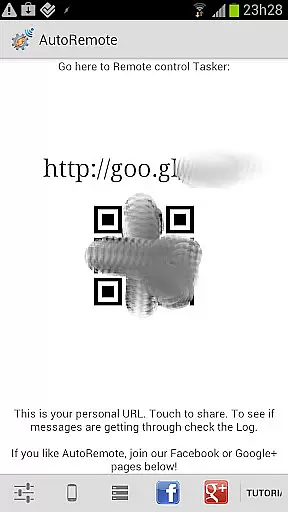
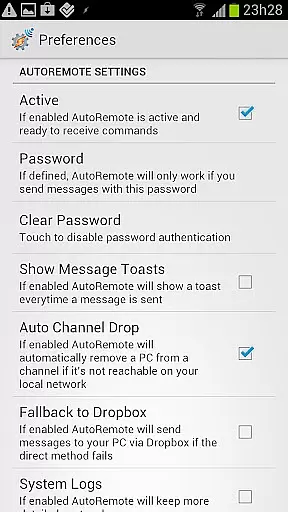
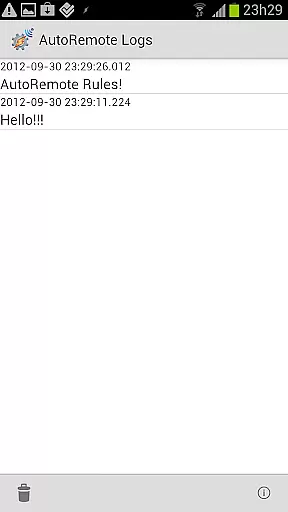
AutoRemote is a powerful productivity tool that allows users to remotely control their devices, including phones, PCs, and web services. With seamless IFTTT integration, it enables you to send push notifications between devices and trigger actions through Tasker or standalone apps. The app provides an unprecedented level of control, allowing you to manage your Android device from anywhere, control your PC or Chrome browser remotely, and even interact with hundreds of web services like Facebook or Twitter.
The true power of AutoRemote lies in its flexibility and advanced command system. You can set up bi-directional messaging between devices, share links or text via the Android Share menu, and create custom commands for specific tasks. Whether you want to locate a lost phone, receive spoken reminders, or fetch your phone's location, AutoRemote adapts to your needs. It's an essential tool for tech-savvy users seeking to automate and streamline their digital life.
AutoRemote stands out with its robust feature set tailored for productivity enthusiasts. One of its core capabilities is the ability to send and receive messages from virtually anywhere - be it a web browser, desktop, or integrated platforms like EventGhost and Zapier. This functionality allows users to trigger specific actions on their devices remotely, such as sending commands to perform tasks or retrieve information.
Another remarkable feature is its advanced matching options and flexible command system. Users can customize commands for various use cases, from simple tasks like finding a misplaced phone to complex workflows like receiving spoken shopping lists at a set time. Additionally, the device-to-device and PC-to-device messaging opens up possibilities for controlling multiple devices from a single point. For instance, you can request your phone's location and view it on another device's map. These features make AutoRemote an indispensable tool for automating everyday tasks and enhancing productivity.
At the heart of AutoRemote lies its robust core task management system, designed to streamline how you interact with your devices. This feature allows users to create and manage tasks that can be triggered remotely, ensuring seamless control over their Android device, PC, or web services.
The application leverages Tasker integration to enable complex workflows. For instance, users can set up profiles within Tasker that react to specific messages sent via AutoRemote. This could range from simple commands like sending a repetitive 'I'm here!' response when queried about the phone's location, to more intricate actions such as vocalizing a shopping list at a predetermined time.
By facilitating these customizable remote interactions, AutoRemote empowers users with unprecedented flexibility in managing their digital environment. Whether it's controlling smart home devices, triggering alerts, or automating routine processes, this functionality is central to enhancing productivity and convenience.
Cross-device synchronization is a critical component of AutoRemote, ensuring that commands and data are reliably transmitted across different platforms. With support for device-to-device and PC-to-device messaging, the app provides a stable communication channel that users can depend on for their remote control needs.
This reliability extends to sharing content directly through Androidu2019s Share menu, allowing links or text to be sent effortlessly between devices. Imagine discovering a YouTube video on your phone and instantly opening it on a tablet for a better viewing experienceu2014AutoRemote makes this possible with consistent performance.
Furthermore, by integrating with services like IFTTT, Zapier, and EventGhost, AutoRemote guarantees that messages sent from various sources are accurately received and processed. This level of cross-platform compatibility ensures that whether you're requesting your phone's location or automating tasks based on web events, the synchronization remains dependable and efficient.
User-friendly interface
IFTTT integration
Customizable commands
Bi-directional messaging
Cross-platform support
Requires technical knowledge
Limited beginner guidance
Premium features locked
Occasional bugs
Complex setup process

Experience real multitasking on your Android!
 4.00
4.00
Create study competitions, track your hours, and stay consistent with friends
4.3
PDF scanner & converter for files, photos, lottery, QR codes. One swipe away!
4.50
Simple and reliable communication between inmates, friends and family
3.20
All document reader, all in one file viewer read PDF, DOCX, XLS, PPT, TXT files.
4.60
Translate text/voice/photos in 150+ languages. Offline & fast translator app.
4.50
Great calculator for Android named one of USA TODAY's "25 Essential Apps".
4.90
Browse and view your photos and videos from the phone with photo & video hide.
4.10
Note taking, handwriting, record audio, PDF annotation, planner & journal
4.20
8 custom complications. Custom Time Fonts. Beautiful color schemes. A++ Design.
5.00
Multilingual translator for text, voice, and image translation!
4.90
Best Tool for the professionals Electrician, Electrical contractors, etc.
4.90
Simple notepad & memo. Take notes, to-do list, shopping list with reminders.
4.80
Automates browsing any website and notifies you of important changes or events
4.30
Access, manage and transfer files on Android, PC, Mac, NAS and cloud storages.
4.30
All in one sketching tool. Technical and General drawing. Online Maps support.
3.70
Find and delete junk files & block unwanted notifications & manage files
3.70
ID.me Authenticator is a simple and free Two Factor Authentication solution
3.50
Code on-the-go with VScode for Android. Edit,debug and collaborate from mobile!!
3.10


User Reviews