

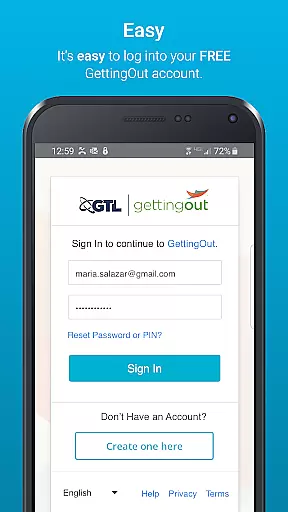
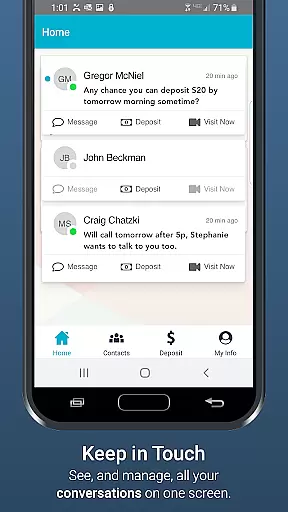
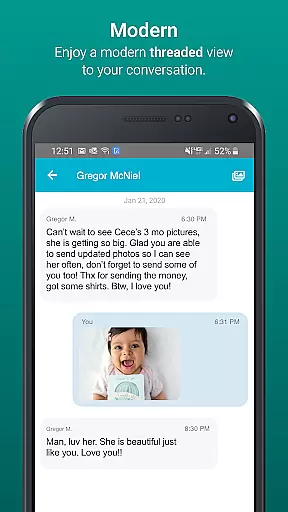
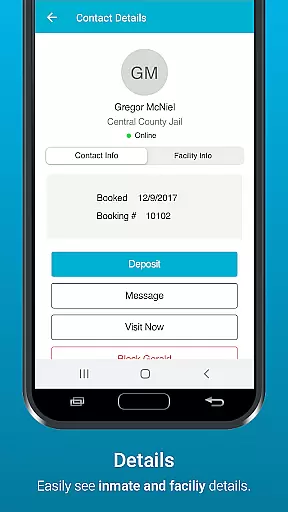
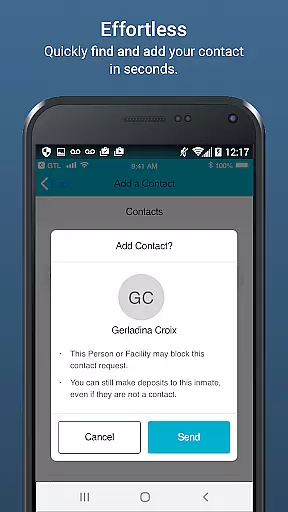
GTL's GettingOut mobile app revolutionizes communication for inmates and their loved ones. This productivity-focused application enables seamless interaction through messaging, media sharing, and account management.
Key features include a reliable deposit system, enhanced multimedia messaging, and comprehensive contact management. Families can now maintain meaningful connections with incarcerated members anytime, anywhere.
The app's greatest value lies in its ability to bridge distances, allowing users to stay emotionally connected while separated physically. Its intuitive interface makes staying in touch effortless for families and friends.
GettingOut offers robust communication tools tailored for inmate connections. The app's secure messaging platform supports text, photos, and videos across select facilities.
Advanced functionality includes seamless fund transfers, organized contact management, and multimedia sharing capabilities. Users can easily track transaction history and manage approved contacts.
What sets GettingOut apart is its focus on accessibility and reliability. The app maintains strict security protocols while providing 24/7 access to essential communication services, ensuring uninterrupted connectivity.
Effective task management is essential for maintaining productivity, especially in communication-centered applications like GTL's GettingOut. This app focuses on simplifying the process of staying connected with inmates by offering reliable tools to manage various tasks efficiently.
The GettingOut app allows users to handle multiple responsibilities such as making deposits, sending messages, and managing contacts all in one place. By integrating these features seamlessly, it ensures that users can focus on what truly matters u2013 maintaining meaningful relationships without getting bogged down by complicated processes.
For family and friends of inmates, this streamlined approach to task management means they can easily keep up with their communication needs. The app's intuitive design helps reduce the time and effort required to stay engaged, providing peace of mind and fostering stronger connections despite challenging circumstances.
In today's fast-paced world, having reliable cross-device synchronization is crucial for any productivity app. GTLu2019s GettingOut app excels in this area by ensuring that all communications and transactions are consistently updated across all devices. This means whether you're using a smartphone, tablet, or computer, your data remains current and accessible.
The app employs advanced syncing technologies to provide real-time updates. For instance, when you send a message or make a deposit, these actions are instantly reflected on any other device where the app is installed. This seamless synchronization ensures that users never miss an important interaction or update, enhancing the overall user experience.
By prioritizing cross-device reliability, GettingOut makes certain that users can switch between devices without losing any information or functionality. This level of dependability not only boosts productivity but also provides users with the flexibility they need to stay connected anytime, anywhere.
User-friendly interface
Secure communication
Multimedia support
Free to download
Reliable service
Limited facility support
Potential fees
Feature restrictions
Connectivity issues
Privacy concerns

Take control of your clipboard with Clipper!
 3.90
3.90
Mega cloud explorer plugin for Solid Explorer
3.80
Send files, sync SMS, notifications & clipboard across devices via local network
4.40
Smart PDF reader & editor to view, organize and manage PDF documents easily.
3.70
Easiest event planning, volunteer signups & parent teacher conference scheduling
2.20
Cloud storage, automatic phone backup, and more.
4.10
Seamlessly read, manage, and organize all your PDF files solution in one place
4.40
Browse and view your photos and videos from the phone with photo & video hide.
4.10
Discover Acode - a sleek, powerful IDE and code editor for Android.
4.30
Okta MFA
4.70
The AI assistant that thinks with you - write, code, and solve complex tasks
4.60
Translate text/voice/photos in 150+ languages. Offline & fast translator app.
4.50
When you Focus, so will your Bean in this cozy focus timer
4.30
Automates browsing any website and notifies you of important changes or events
4.30
Device's storage information in a simple and clear graphical form (infographics)
4.10
Todo reminder
4.10
Intelligent AI Assistant
4.10
* block pre-roll ads, pop-up and forced redirect ads * Samsung certification app
4.00
Create study competitions, track your hours, and stay consistent with friends
4.3


User Reviews