
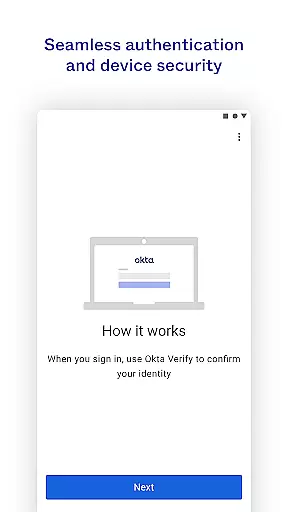
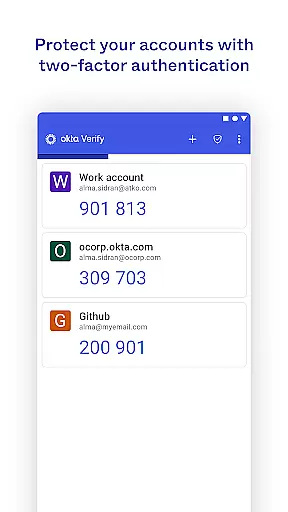
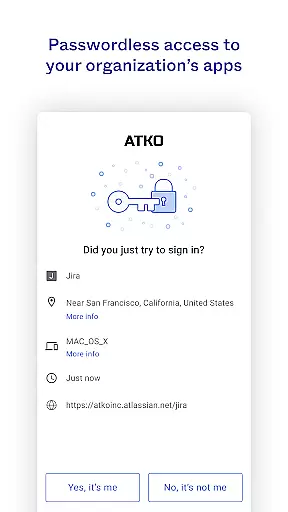
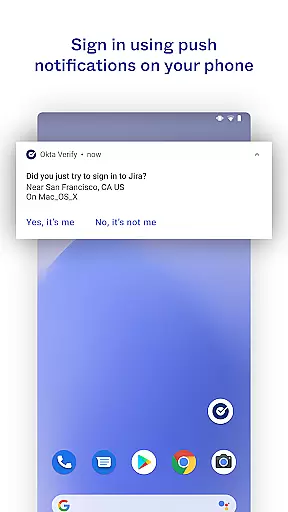
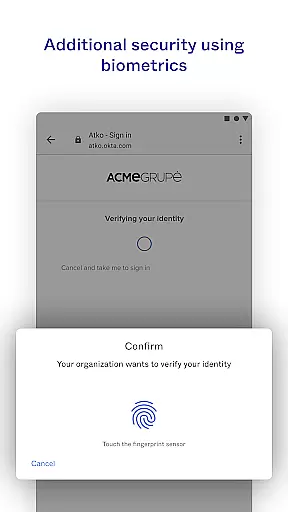
Okta Verify is a productivity-focused application designed to enhance security through two-step verification. This app ensures that only authorized users can access their accounts by providing multiple authentication methods. Users can choose between push notifications, temporary 6-digit codes, or biometric verification if enabled by their organization.
The app also allows for easy enrollment by scanning QR codes with the device camera. This feature streamlines the setup process while maintaining high-security standards. Okta Verify is particularly useful in corporate environments where secure access to applications is crucial, offering both convenience and robust protection against unauthorized access.
Okta Verify offers several key features that make it an essential tool for secure access. Firstly, it provides multiple verification methods including push notifications, which allow users to approve login requests directly from their mobile devices. Secondly, it generates time-based one-time passwords (TOTP) as 6-digit codes that refresh every 30 seconds, ensuring a high level of security.
Additionally, if enabled by the user's organization, Okta Verify supports biometric authentication such as fingerprint or facial recognition. The app also requires camera permissions to scan QR codes during the initial setup, simplifying the enrollment process. These features collectively ensure that users can access their apps securely and efficiently, making Okta Verify a comprehensive solution for modern authentication needs.
Okta Verify excels in core task management by streamlining the process of two-step verification. This ensures that only you can access your app accounts, providing an additional layer of security.
The app offers multiple verification methods including push notifications, temporary 6-digit codes, and biometrics if enabled by your organization. These options allow users to choose the most convenient method for their needs while maintaining high-security standards.
By integrating these advanced authentication features, Okta Verify simplifies the user experience. Users can quickly and securely verify their identity without compromising on usability or productivity.
Cross-device synchronization is a critical feature of Okta Verify, ensuring reliable access across all your devices. When enrolling your device with Okta, the app requests camera permission to scan a QR code, facilitating seamless integration.
This synchronization process guarantees that your verification preferences and settings are consistently applied, regardless of which device you use. Whether accessing apps from a smartphone, tablet, or computer, users experience uniform functionality and security protocols.
Ultimately, this reliability enhances user productivity by allowing secure and uninterrupted access to essential applications anytime, anywhere. The robust synchronization capabilities ensure that users remain connected and protected at all times.
Enhanced Security
User-Friendly Interface
Multiple Verification Methods
Biometric Support
Easy Enrollment Process
Requires Network Connectivity
Dependent on Organization Settings
Limited Customization Options
Potential Camera Permission Issues
Not Suitable for Personal Use

Secure, fast, open-source, VNC and SSH Remote Desktop for Windows, Linux and Mac
 4.70
4.70
Take control of your clipboard with Clipper!
3.90
Total remote control for your Android device, PC and cloud services (IFTTT)!
4.20
Android Wallet Password Manager
4.80
A lightweight JSON & XML files creator, editor and viewer (Premium Version)
4.40
Mind Map and brainstorm, note taking and idea collection
4.80
A Pixel Art watchface inspired by other iconic 90s designs for Wear OS devices!
4.40
Experience and share your SolidWorks designs on your Android® phone and tablet.
2.50
Seamlessly read, manage, and organize all your PDF files solution in one place
4.40
Native client for Forgejo and Gitea
5.00
8 custom complications. Custom Time Fonts. Beautiful color schemes. A++ Design.
5.00
Client for Nextcloud Deck
4.60
Calendar 2023 widget for Android. Appointment scheduler, planner, and reminder
4.60
To do list widget with a notebook organizer, checklist, simple shopping list
4.60
Docker, Kubernetes management over Portainer Mobile
4.40
Access, manage and transfer files on Android, PC, Mac, NAS and cloud storages.
4.30
Font maker keyboard with your own handwriting
4.10
Smart PDF reader & editor to view, organize and manage PDF documents easily.
3.70
IP Camera Viewer - Android TV : RTSP Surveillance camera viewer for Android TV
4.2


User Reviews