
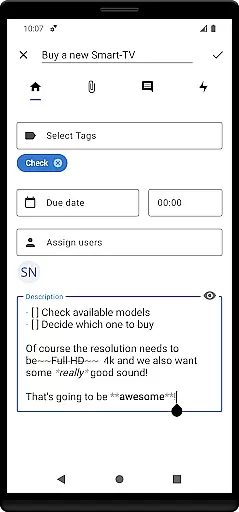

Nextcloud Deck is a productivity-focused application designed to streamline task management and team collaboration. This app allows users to create and organize tasks using customizable boards, lists, and cards, making it an ideal tool for both personal and professional project management.
A key feature of Nextcloud Deck is its offline functionality, ensuring that users can manage their tasks even without an internet connection. The app also supports multiple accounts, enabling seamless switching between different workspaces. With additional features like tags, attachments, activities, and comments, Deck provides a comprehensive solution for organizing and tracking projects efficiently.
The app's dark mode and multilingual support enhance user experience, catering to diverse preferences and global accessibility. Whether you're managing a small team or handling complex workflows, Nextcloud Deck offers the tools needed to keep everything in order and boost productivity.
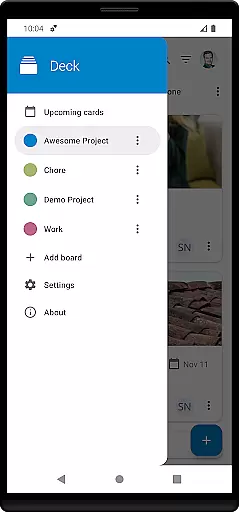
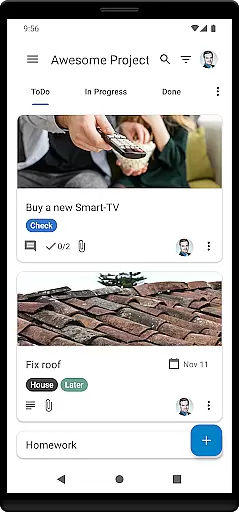
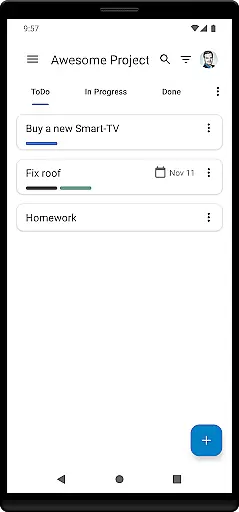
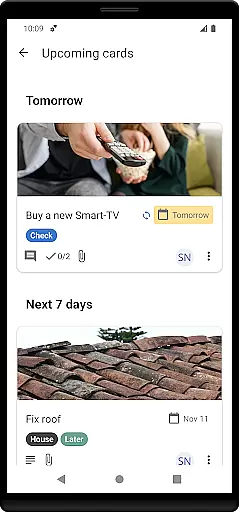
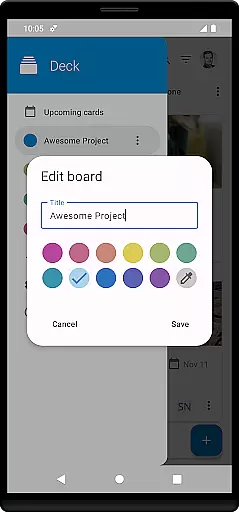
Nextcloud Deck stands out with its robust set of features tailored for efficient task management. One of its core functionalities is the ability to manage cards, lists, and boards, which helps users break down complex projects into manageable tasks. This visual approach not only simplifies organization but also enhances team collaboration by providing clear task assignments and progress tracking.
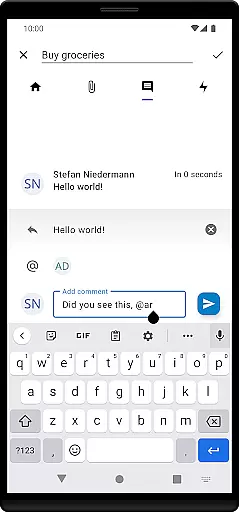
In addition to task management, Nextcloud Deck supports advanced features such as tags, attachments, activities, and comments. Tags allow for easy categorization and filtering of tasks, while attachments enable users to include relevant files directly within cards. The activity stream and comment system facilitate real-time communication and updates, ensuring that all team members are kept in the loop.
Usability is further enhanced by the app's offline capabilities and dark mode. Users can continue working without an internet connection, with changes syncing automatically once online. Dark mode reduces eye strain during extended use, offering a comfortable viewing experience. These thoughtful features make Nextcloud Deck a versatile and powerful tool for anyone looking to improve their productivity.
Nextcloud Deck offers a robust platform for managing tasks efficiently through its card, list, and board system. This structure allows users to organize their projects into manageable units, ensuring clarity and focus.
The app supports multiple accounts, enabling users to handle various projects or collaborate with different teams from a single interface. Its offline functionality ensures that productivity is not hampered by lack of internet connectivity, allowing uninterrupted access to your tasks.
With features like tags, attachments, activities, and comments, Deck provides comprehensive tools for tracking progress and maintaining communication within teams. These capabilities ensure that all project-related information is centralized and easily accessible.
Cross-device synchronization is a cornerstone of Nextcloud Deck's productivity suite, ensuring that all your devices reflect the latest updates to your boards in real-time. This seamless integration across smartphones, tablets, and desktops keeps everyone on the same page.
The requirement of the Nextcloud Android app alongside Deck enhances this synchronization, providing a reliable bridge between your mobile and desktop environments. This setup guarantees that changes made on one device are immediately available on others.
Furthermore, Deck's support for multiple languages and its dark mode feature enhance accessibility and usability across different regions and user preferences. This inclusivity ensures that language barriers do not hinder productivity.
User-friendly interface
Offline functionality
Multiple account support
Comprehensive task management
Multilingual support
Requires Nextcloud setup
Limited standalone features
No built-in calendar
Dependent on third-party integrations
Advanced features need technical knowledge

Wake up & get tasks done! Add alarms & reminders on the Clock Launcher.
 4.00
4.00
Smart PDF reader & editor to view, organize and manage PDF documents easily.
3.70
Remotely view listen control and record cameras.
3.70
Secure, fast, open-source, Remote Desktop Client for Windows and Linux with SSH
4.60
Customizable calendar widget for seamless event sync, planning & scheduling.
4.00
App lock - lock apps with fingerprint, password, pin or pattern, protect privacy
4.70
A beautiful digital clock with autostart and many other functions
4.70
Daily processing of PDF documents.
4.40
Set up, print, and get support—in one place
4.20
8 custom complications. Custom Time Fonts. Beautiful color schemes. A++ Design.
5.00
Great calculator for Android named one of USA TODAY's "25 Essential Apps".
4.90
Use powerful, industry-leading AI tools to generate visual charts from any data
4.80
Quickly and easily keep track of your work shifts
4.70
App Lock with fingerprint, password: Lock apps & hide photos with lock screens
4.60
Functional QR scanner and barcode reader that requires little storage space.
4.60
Device's storage information in a simple and clear graphical form (infographics)
4.10
Make apps & sites with natural language prompts
4.10
⏰ Finally a timer app which can run multiple timers simultaneously on your watch
3.90
A Revolutionary All-in-One Artificial Intelligence Tools
3.80


User Reviews