


Microsoft Excel is the leading spreadsheet application that empowers users to create, edit, and share professional-grade spreadsheets on mobile devices. The app provides a comprehensive suite of tools for budgeting, data analytics, chart creation, and financial management. With its intuitive interface, Excel allows users to work with complex calculations, build detailed charts, and manage budgets efficiently while on the go.
Excel's standout feature is its ability to seamlessly integrate advanced functionality into a mobile platform. Users can access modern templates for budgets, accounting, and task lists, as well as leverage familiar formulas and robust formatting options. Whether you're tracking expenses, analyzing data, or collaborating with colleagues, Excel delivers powerful productivity tools right to your fingertips.
Ideal for professionals and individuals alike, Microsoft Excel shines in scenarios requiring detailed data analysis and presentation. Its compatibility across devices ensures consistent performance, making it an essential tool for anyone needing reliable spreadsheet capabilities on their mobile device.
Microsoft Excel offers a rich set of features designed to maximize productivity and streamline workflows. One of its core strengths lies in its versatile calculation engine, which supports everything from basic arithmetic to complex financial formulas. Users can take advantage of built-in templates for budgets, accounting, and task management, ensuring quick setup and accurate results every time.
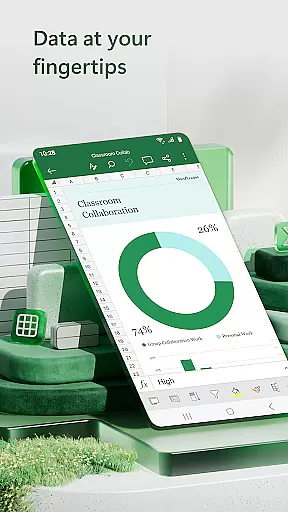
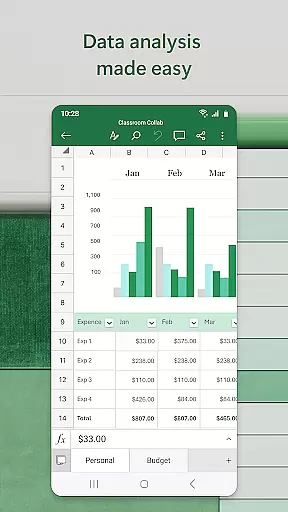
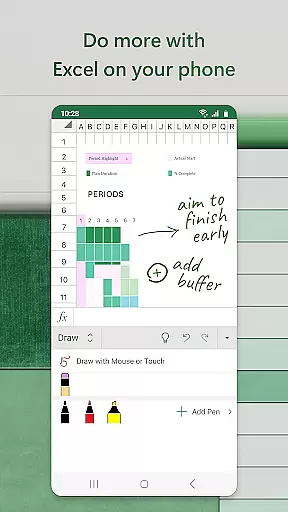
The app also excels in data visualization, providing tools to create dynamic charts, pivot tables, and annotated graphs. These features allow users to present information clearly and effectively, whether they're analyzing personal finances or preparing business reports. Additionally, Excel's collaboration tools enable real-time sharing and editing of documents, fostering teamwork even when members are geographically dispersed.
What sets Excel apart is its commitment to consistency and usability. The app maintains uniform functionality across all devices, ensuring that users enjoy the same experience regardless of platform. This reliability, combined with touch-friendly controls and cloud integration, makes Microsoft Excel the premier choice for mobile productivity and data management.
Microsoft Excel revolutionizes core task management by offering a comprehensive suite of tools designed to streamline productivity and enhance workflow efficiency. At its core, Excel provides users with the ability to create, edit, and manage spreadsheets that serve as dynamic platforms for organizing tasks, budgets, and data analytics.
The app's modern templates are tailored for various needs, including budgeting, accounting, and financial analysis. These templates come equipped with familiar formulas and calculation tools, empowering users to perform complex operations with ease. Whether it's managing personal finances or conducting professional data analysis, Excel ensures that all features maintain consistent functionality across devices, thus preserving user experience integrity.
Excel also excels in collaborative work environments. With just a few taps, users can share files and sheets, inviting others to view, edit, or comment. This seamless integration fosters efficient teamwork, allowing multiple users to contribute simultaneously while maintaining document integrity through robust review and editing capabilities.
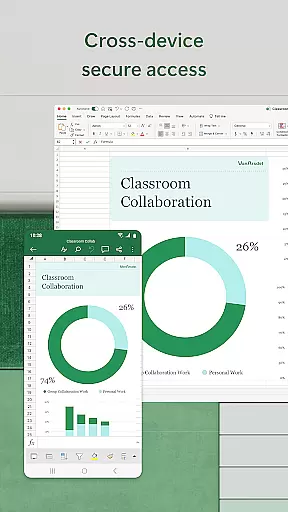
Cross-device synchronization is a pivotal feature of Microsoft Excel, ensuring that users have reliable access to their documents regardless of the device they are using. This reliability is crucial for individuals who switch between smartphones, tablets, PCs, and Macs throughout their day.
Excel achieves this by leveraging cloud technology, which allows real-time updates and saves changes automatically. Users signed in with a free Microsoft account on devices with screens smaller than 10.1 inches can create or edit documents without worrying about data loss or version control issues. The synchronization process operates smoothly, providing a consistent experience whether you're at your desk or on the go.
For those seeking an enhanced experience, subscribing to Microsoft 365 unlocks the full potential of cross-device functionality. Subscribers benefit from advanced features such as extended file storage, enhanced security protocols, and priority customer support. This subscription model not only guarantees up-to-date software but also supports uninterrupted productivity, making Excel an indispensable tool for both personal and professional use.
Powerful calculation engine
Wide range of templates
Robust data visualization
Seamless cross-device sync
Real-time collaboration
Complex for beginners
Requires subscription
Limited free features
Occasional lag
Large app size

The long-awaited modern gallery app for your Nextcloud server
 4.70
4.70
Take control of your clipboard with Clipper!
3.90
Mind Map and brainstorm, note taking and idea collection
4.80
Code on-the-go with VScode for Android. Edit,debug and collaborate from mobile!!
3.10
Great calculator for Android named one of USA TODAY's "25 Essential Apps".
4.90
A simple Whisper AI keyboard for reliable speech transcription and rewording
4.60
Understand anything with a personalized AI research assistant
4.80
AI Chatbot and AI writing assistant powered by ChatGPT.
4.60
2026 USPS Alpha/Color coded calendar Sunday/Rotating day off schedules
4.0
Seamlessly integrate data and reports to build your presentation to impress
4.80
Android Wallet Password Manager
4.80
QuickBooks Workforce lets teams view pay info and track time in one place.
4.70
Absolutely the best CNC machinist speed and feed calculator around. fswizard.com
4.60
This small app MUST BE INSTALLED after purchase, else license won't work
4.40
Total remote control for your Android device, PC and cloud services (IFTTT)!
4.20
Customizable calendar widget for seamless event sync, planning & scheduling.
4.00
⏰ Finally a timer app which can run multiple timers simultaneously on your watch
3.90
Access your phone's notifications, calls, apps, photos & texts on your PC
3.90
The upgraded version of Name Wheel with AI and the power to add your own wheels.
4.4


User Reviews