
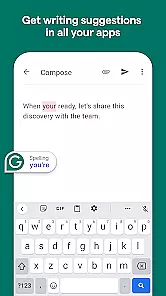
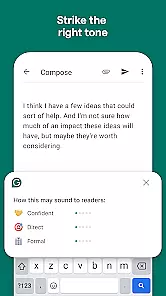
Grammarly is a productivity app designed to enhance your writing by providing real-time grammar, punctuation, and style suggestions. This powerful tool integrates seamlessly with various platforms including email clients, social media, and word processors.
The app's advanced algorithms analyze text as you type, offering corrections and improvements for clarity, engagement, and delivery. Whether you're crafting an important email or posting on social media, Grammarly ensures your message is clear and professional.
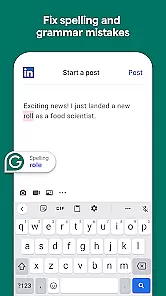
Grammarly offers a comprehensive suite of features that cater to different writing needs. Its core functionality includes grammar and spell checking, which automatically detects and corrects errors in your text.
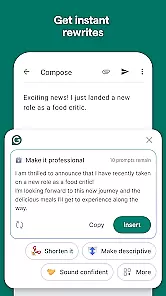
Beyond basic corrections, Grammarly provides style suggestions to improve tone and readability. It also includes a plagiarism checker to ensure originality in your work. These features collectively help users produce polished and error-free content across multiple platforms.
Task management is a cornerstone of productivity applications, and Grammarly excels in this area by offering users the ability to handle writing tasks efficiently. The app provides real-time suggestions for grammar, punctuation, and style improvements, which helps users focus on their core writing responsibilities without getting bogged down by technical details.
Grammarly's implementation includes an intuitive interface that highlights errors and offers one-click corrections, streamlining the editing process. This ensures that users can manage their writing tasks effectively, whether they are composing emails, creating documents, or engaging in any text-based activity.
The benefits to the user are significant; with Grammarly's assistance, individuals can produce higher quality written content in less time. This not only boosts productivity but also enhances the overall writing experience by reducing the cognitive load associated with language mechanics.
Ultimately, Grammarly's task management features empower users to write with confidence, knowing that their work will be free of common errors and stylistic inconsistencies. This feature is invaluable for anyone looking to improve their written communication across various platforms.
Cross-device synchronization is vital for users who operate across multiple platforms and devices. Grammarly addresses this need by providing reliable synchronization that ensures all user preferences, saved corrections, and personalized dictionaries are consistently updated and accessible wherever the user writes.
The application achieves this through a robust cloud-based system that automatically syncs user data in real-time. Whether switching from a desktop to a mobile device, Grammarly users can expect a seamless transition with all their custom settings and saved information intact.
This level of synchronization reliability offers tangible benefits to the user, including increased flexibility and continuity in their writing process. Users can start a document on one device and continue editing it on another without missing a beat, thus maintaining productivity regardless of location or device changes.
By prioritizing cross-device synchronization, Grammarly ensures that its users enjoy a cohesive and uninterrupted writing experience. This reliability fosters trust and satisfaction among users who rely on consistent performance from their productivity tools.
Accurate grammar checks
User-friendly interface
Wide platform compatibility
Real-time suggestions
Plagiarism detection
Premium version costly
Occasional incorrect suggestions
Limited offline functionality
Privacy concerns with data
Heavy on system resources

Client for Nextcloud Deck
 4.60
4.60
A customizable calendar for your Wear OS watch
4.20
All in One PDF Reader: Manage, Read and Edit your Documents
4.20
Font maker keyboard with your own handwriting
4.10
ID.me Authenticator is a simple and free Two Factor Authentication solution
3.50
Docker, Kubernetes management over Portainer Mobile
4.40
A simple Whisper AI keyboard for reliable speech transcription and rewording
4.60
Use powerful, industry-leading AI tools to generate visual charts from any data
4.80
Lightweight PDF, Word, Excel reader.
4.60
8 custom complications. Custom Time Fonts. Beautiful color schemes. A++ Design.
5.00
Mind Map and brainstorm, note taking and idea collection
4.80
Functional QR scanner and barcode reader that requires little storage space.
4.60
Share files & memories safely. Keep your photos and videos secure.
4.40
Enjoy classic gameplay with customizable features and retro-style graphics.
4.30
Intelligent AI Assistant
4.10
Access your phone's notifications, calls, apps, photos & texts on your PC
3.90
All in one sketching tool. Technical and General drawing. Online Maps support.
3.70
Remotely view listen control and record cameras.
3.70
IP Camera Viewer - Android TV : RTSP Surveillance camera viewer for Android TV
4.5


User Reviews