
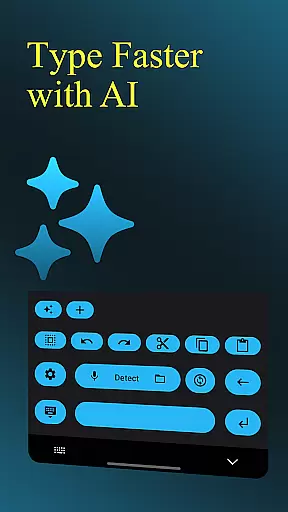
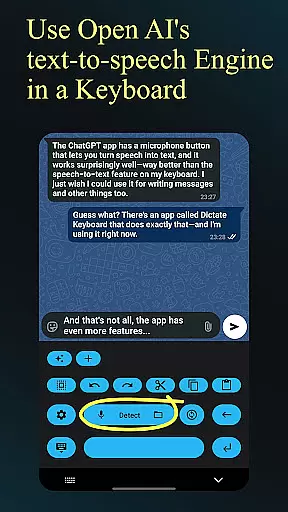
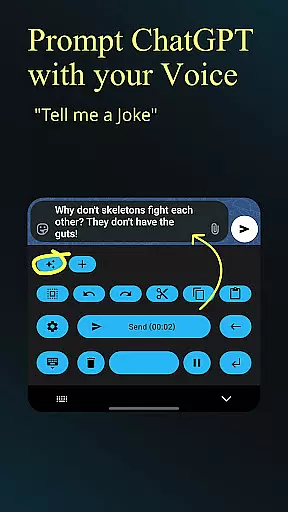
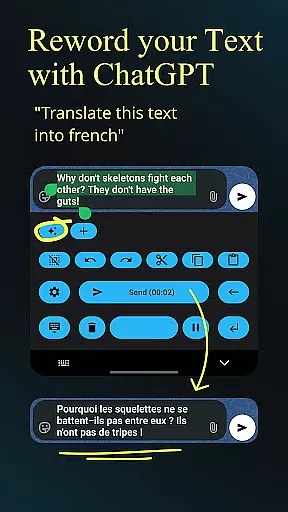
Dictate Keyboard is a cutting-edge productivity tool designed to streamline text input through advanced speech recognition technology. This innovative keyboard app converts spoken language into accurate text, supporting all major languages and even recognizing sung phrases with proper punctuation.
Beyond basic transcription, Dictate offers professional-grade features including custom rewording through GPT-5 integration, automatic formatting of spoken commands, and seamless switching between different transcription models. The application caters to power users with options for API server customization, system prompt settings, and multiple theme choices.
Ideal for content creators and professionals seeking efficient documentation solutions, Dictate's comprehensive feature set makes it particularly valuable in environments requiring rapid, accurate transcription services.
The application distinguishes itself through its sophisticated AI-driven capabilities. Users can leverage multiple transcription models including Whisper and GPT-4o-transcribe, while enjoying seamless integration with various providers such as OpenAI and Groq.
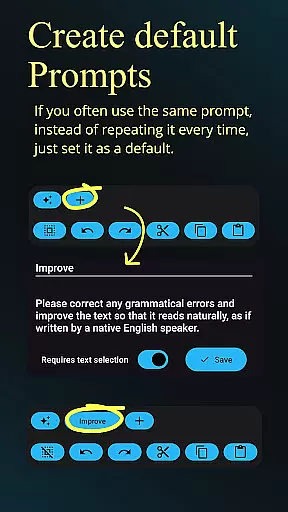
Productivity enhancement features include automated paragraph formatting, voice command recognition for structural elements, and intuitive emoji/number insertion. Advanced users will appreciate the customizable API server support, proxy configuration options, and the ability to export/import prompts for consistent workflow management.
Usability is further enhanced through practical interface options including dark/light mode selection, haptic feedback, and quick-switch functionality to standard keyboards. The open-source nature of the application ensures transparency and community-driven development opportunities.
Dictate Keyboard revolutionizes core task management by integrating advanced speech recognition technology into a user-friendly keyboard interface. This innovative approach allows users to convert spoken language into text with remarkable accuracy, streamlining the way tasks are documented and managed.
The app supports all common national languages, making it an ideal tool for managing multilingual projects. Its AI-driven transcription system not only recognizes words but also intelligently adds punctuation, eliminating the need for manual corrections. This feature significantly enhances productivity when creating task lists or documenting project details.
What sets Dictate apart in task management is its ability to handle complex commands through voice. Users can create new paragraphs, format lists, and even specify special characters simply by speaking. The app's support for custom rewording instructions using GPT-5 and other models enables users to refine their task descriptions and notes with unprecedented efficiency.
The inclusion of professional features such as API server support, custom theme settings, and quick switching to standard keyboard makes Dictate Keyboard a comprehensive solution for modern task management needs.
Cross-device synchronization is where Dictate Keyboard truly shines, offering users unparalleled reliability when working across multiple devices. The application maintains consistent performance whether you're using your phone or Bluetooth microphone, ensuring that all your dictated content is accurately captured regardless of the device.
The app's robust architecture supports various transcription models including Whisper and GPT-4o-transcribe, allowing users to choose their preferred processing method. This flexibility extends to provider options, with support for OpenAI, Groq, or personal transcription servers, guaranteeing that your data remains synchronized across different platforms.
Dictate Keyboard ensures reliable synchronization through its comprehensive export and import functionality for all prompts and settings. This feature allows users to maintain consistent configurations across devices, while the system prompt setting helps preserve the preferred style of speech recognition and rewording.
With its open-source nature and active development community, Dictate Keyboard continuously improves its synchronization capabilities. Users benefit from regular updates and can contribute to the project's GitHub repository, ensuring that cross-device functionality remains cutting-edge and reliable.
Advanced speech recognition
Multi-language support
Customizable transcription
Open-source flexibility
Professional formatting tools
Requires API setup
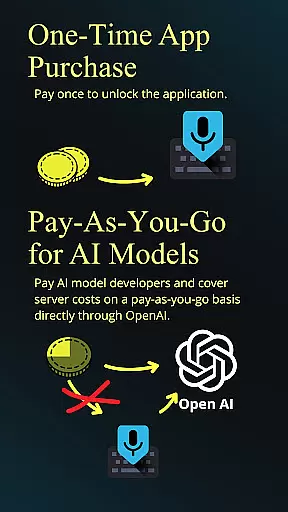
Incurs usage fees
Complex for beginners
Dependent on third-party services
Resource-intensive operation

A customizable calendar for your Wear OS watch
 4.20
4.20
Auto-shutoff Alarm with Sunrise, Sunset & Fixed Options.
3.50
App lock - lock apps with fingerprint, password, pin or pattern, protect privacy
4.70
App Lock with fingerprint, password: Lock apps & hide photos with lock screens
4.60
Enjoy classic gameplay with customizable features and retro-style graphics.
4.30
Code on-the-go with VScode for Android. Edit,debug and collaborate from mobile!!
3.10
Best Tool for the professionals Electrician, Electrical contractors, etc.
4.90
Simple notepad & memo. Take notes, to-do list, shopping list with reminders.
4.80
Browse and view your photos and videos from the phone with photo & video hide.
4.10
8 custom complications. Custom Time Fonts. Beautiful color schemes. A++ Design.
5.00
Seamlessly integrate data and reports to build your presentation to impress
4.80
Direct Chat without saving contacts & Dual WA Account on Single Device
4.70
AI Chatbot and AI writing assistant powered by ChatGPT.
4.60
When you Focus, so will your Bean in this cozy focus timer
4.30
Access, manage and transfer files on Android, PC, Mac, NAS and cloud storages.
4.30
Pwnagotchi companion app
4.20
Easily read and manage all your PDF files
4.10
Font maker keyboard with your own handwriting
4.10
Make your handwriting beautiful, even more than pen on paper.
3.60


User Reviews