

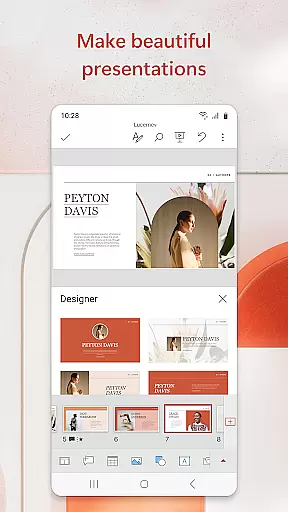
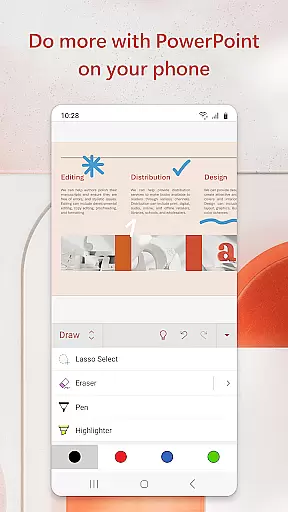
Microsoft PowerPoint is the quintessential presentation app that empowers users to create, edit, and present professional slideshows from their mobile devices. With its robust set of features, it allows for seamless integration of multimedia elements such as music, graphics, and charts into presentations. The app's templated slideshows are designed to enhance quarterly and yearly reports, making them visually compelling.
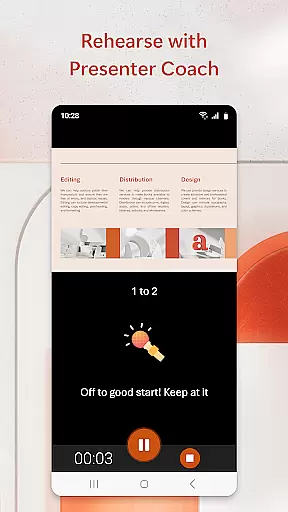
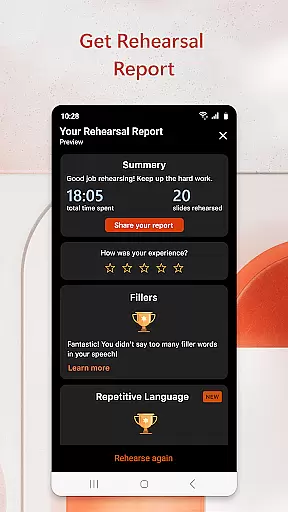
The PowerPoint app offers a familiar interface with added functionalities like Presenter Coach, an AI-driven tool that helps refine public speaking skills. It provides real-time suggestions, pacing guidance, and practice sessions to ensure confident delivery. Syncing across devices ensures that your work is always up-to-date, eliminating concerns about file version discrepancies when switching between desktop and mobile environments.
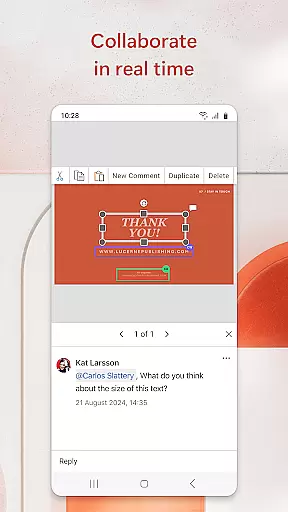
Whether you're crafting a new presentation or editing an existing one, PowerPoint's collaboration tools allow multiple users to work together in real time. This makes it ideal for team projects where feedback and edits need to be incorporated swiftly. Its powerful customization options enable users to make impactful presentations that stand out, while integrated comments keep everyone informed of changes.
PowerPoint stands out with its comprehensive feature set tailored for productivity. Users can create presentations from scratch or utilize pre-existing templates, which are expertly crafted to make any content shine. The app includes a presentation timer, ensuring concise delivery of information during live presentations. Additionally, Presenter Coach offers invaluable training by providing real-time feedback on pacing, filler words, and overall speaking confidence.
For those looking to add visual flair, PowerPoint supports photo slideshows and video integration. You can insert images directly from your gallery or capture new ones within the app. Similarly, videos can be embedded or recorded on-the-go, allowing dynamic multimedia presentations. These capabilities ensure that every slideshow is not only informative but also engaging and memorable.
Collaboration is streamlined through shared access and permissions management. Teams can collaborate efficiently by viewing who is working on which slides and incorporating feedback via integrated comments. Real-time co-authoring means no delays in project completion, whether you're in the office or presenting remotely. With Microsoft 365 subscriptions, these features are enhanced further, offering a complete productivity suite across all devices.
Microsoft PowerPoint offers a comprehensive suite of tools for creating, editing, and presenting slideshows with ease. At its core, the app provides robust task management features that streamline the entire presentation process. Users can create new presentations from scratch or leverage professionally designed templates to save time while ensuring high-quality results.
The app's seamless synchronization across devices ensures that users can work on their presentations from anywhere without worrying about version control issues. Real-time collaboration capabilities allow teams to work together efficiently, with integrated commenting and permission management features keeping everyone aligned and informed throughout the project lifecycle.
PowerPoint's Presenter Coach represents an innovative approach to task management for public speaking. This AI-powered tool helps users refine their presentation delivery by providing real-time feedback on pacing, language usage, and presentation structure. The built-in presentation timer further enhances these capabilities, enabling speakers to perfect their timing and deliver more impactful presentations.
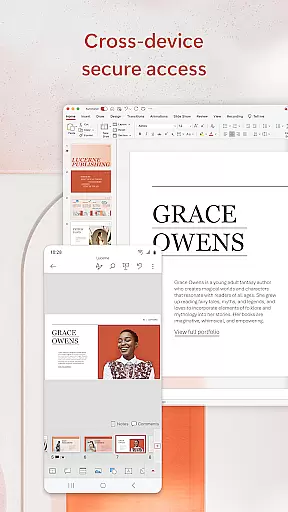
Cross-device synchronization stands as one of Microsoft PowerPoint's most reliable and valuable features. The application ensures that all presentation files are automatically synced across multiple devices through Microsoft's cloud infrastructure. This means users can seamlessly transition between their desktop, tablet, and mobile devices without missing a beat in their workflow.
The synchronization process maintains perfect consistency across devices, preserving complex formatting, embedded media, and intricate design elements. Whether working on detailed quarterly reports or preparing for crucial client presentations, users can trust that their work will appear identical regardless of which device they use to access it.
PowerPoint's intelligent caching system guarantees reliable access even in challenging network conditions. The app stores local copies of recent files while maintaining their connection to the cloud, allowing users to continue working uninterrupted. When connectivity is restored, changes automatically sync back to the cloud, ensuring no work is ever lost and all collaborators have access to the most current version of the presentation.
User-friendly interface
Real-time collaboration
AI-powered Presenter Coach
Seamless cross-device syncing
Customizable templates
Subscription required for full features
Limited offline functionality
High system requirements
Occasional sync issues
Premium features costly

The upgraded version of Name Wheel with AI and the power to add your own wheels.
 4.3
4.3
Mind Map and brainstorm, note taking and idea collection
4.80
Secure, fast, open-source, Remote Desktop Client for Windows and Linux with SSH
4.60
⏰ Finally a timer app which can run multiple timers simultaneously on your watch
3.90
Multilingual translator for text, voice, and image translation!
4.90
Tally and goal counter for Wear OS & mobile
4.50
* block pre-roll ads, pop-up and forced redirect ads * Samsung certification app
4.00
Scientific calculator for Android - looks and operates like the real thing!
4.90
Put a lock on your cloud: Take the security of your data into your own hands
3.70
Best Tool for the professionals Electrician, Electrical contractors, etc.
4.90
Great calculator for Android named one of USA TODAY's "25 Essential Apps".
4.90
Lightweight PDF, Word, Excel reader.
4.60
Translate text/voice/photos in 150+ languages. Offline & fast translator app.
4.50
Secure your apps with lock screens, use custom themes and different features.
4.40
Share files & memories safely. Keep your photos and videos secure.
4.40
Professional calendar app for Google Calendar, MS Outlook & Exchange
4.20
All in one sketching tool. Technical and General drawing. Online Maps support.
3.70
ID.me Authenticator is a simple and free Two Factor Authentication solution
3.50
AI Video AI Image Private LLM AI Browser Llama Gemma Ollama Connect LLM Studio
4.0


User Reviews