

Calculator Plus stands out as an essential productivity tool designed to simplify and enhance everyday calculations. As a top-rated Android calculator app, it surpasses traditional handheld calculators with its user-friendly interface and advanced functionality. The app is perfect for various tasks, from shopping and homework to balancing checkbooks and tax preparation.
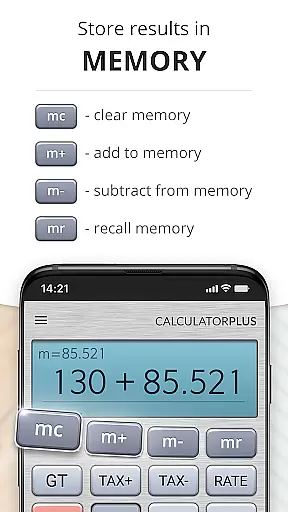
This calculator app offers unique features such as automatic saving of calculations, allowing users to review past entries anytime. Its elegant design includes clear typography with proper comma placement, making calculations easy to read and understand. Additionally, the app provides advanced math functions through swipeable memory keys and a helpful percentage key that displays exact results.
The app's intuitive design makes it suitable for both phone and tablet use, effectively replacing conventional calculators. With its ability to remember calculations and provide a seamless user experience across sessions, Calculator Plus proves invaluable for anyone seeking an efficient digital calculation solution.
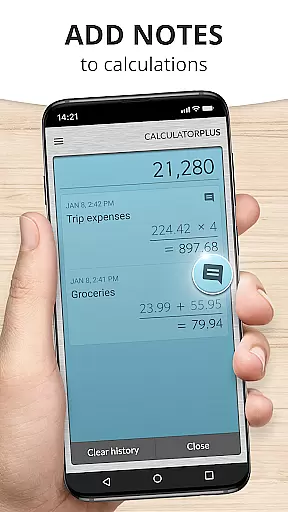
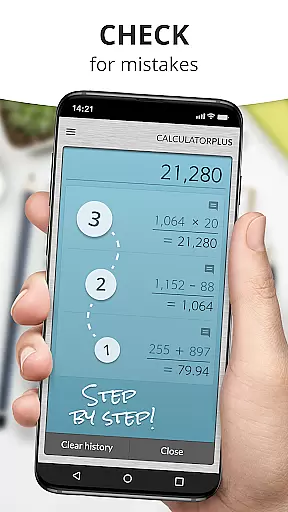
Calculator Plus distinguishes itself through several innovative features that enhance user experience. The app automatically saves all calculations, creating a permanent record that users can review at any time. This feature, combined with the ability to pick up where you left off, makes it particularly useful for complex or ongoing projects.
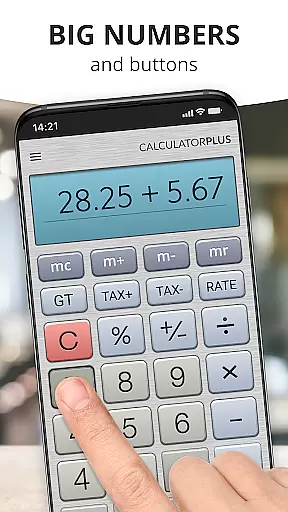
The calculator's visual design emphasizes clarity and precision. It presents calculations in elegant, easy-to-read typography with appropriate comma placement for better readability. Advanced functions are readily accessible through swipeable memory keys, while the percentage key provides clear, understandable results. The backspace function allows for quick corrections without starting over.
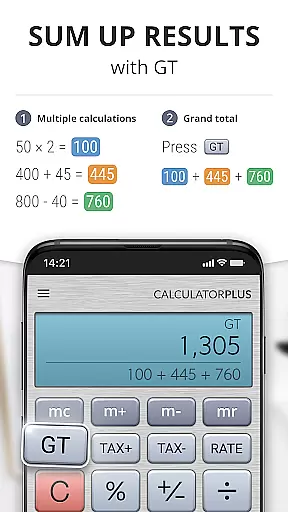
Additional notable features include a running total memory display, intuitive touch controls, and compatibility with both phones and tablets. These elements, combined with its modern design aesthetic, make Calculator Plus a versatile tool for various calculation needs, from simple arithmetic to more complex mathematical operations.
Calculator Plus excels in core task management by offering a seamless calculation experience tailored for productivity. Its ability to save and review past calculations ensures users can efficiently manage their computational tasks without the need to re-enter data.
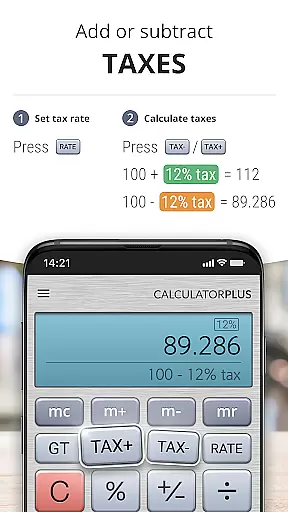
The app's memory functions allow for running totals and intermediate results, making complex calculations more manageable. This feature is particularly useful for tasks like balancing checkbooks or handling taxes where tracking multiple values is essential.
With intuitive backspace and correction options, users can easily amend errors without disrupting their workflow. This saves time and reduces frustration, allowing for a smoother task completion process.
Overall, Calculator Plus transforms the basic task of calculation into an efficient workflow tool, empowering users to focus on their work rather than the mechanics of computation.
Cross-device synchronization is where Calculator Plus truly shines in the productivity category. The app ensures that all calculations are reliably saved and accessible across different devices, providing unmatched convenience for users who switch between their phone and tablet.
When you exit the app on one device, your latest calculations are waiting for you on another. This continuity allows users to start a calculation on their phone during the commute and finish it on a tablet at home without missing a beat.
The synchronization process is seamless and automatic, eliminating the need for manual backups or transfers. Users can trust that their data will be up-to-date regardless of which device they choose to use.
This reliable cross-device functionality makes Calculator Plus an indispensable tool for anyone seeking a consistent and dependable calculation experience across their digital ecosystem.
User-friendly interface
Automatic calculation saving
Clear, readable display
Advanced math functions
Cross-device compatibility
Limited scientific functions
No graphing capabilities
Premium features locked
Occasional ads
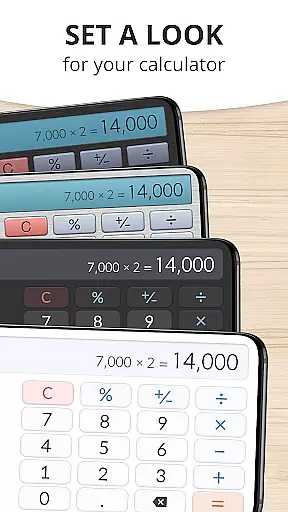
Interface customization limited

A Revolutionary All-in-One Artificial Intelligence Tools
 3.80
3.80
When you Focus, so will your Bean in this cozy focus timer
4.30
Total remote control for your Android device, PC and cloud services (IFTTT)!
4.20
Easily read and manage all your PDF files
4.10
8 custom complications. Custom Time Fonts. Beautiful color schemes. A++ Design.
5.00
Make your handwriting beautiful, even more than pen on paper.
3.60
App lock - lock apps with fingerprint, password, pin or pattern, protect privacy
4.70
Docker, Kubernetes management over Portainer Mobile
4.40
Understand anything with a personalized AI research assistant
4.80
Simple notepad & memo. Take notes, to-do list, shopping list with reminders.
4.80
QuickBooks Workforce lets teams view pay info and track time in one place.
4.70
Okta MFA
4.70
App Lock with fingerprint, password: Lock apps & hide photos with lock screens
4.60
A Pixel Art watchface inspired by other iconic 90s designs for Wear OS devices!
4.40
Secure your apps with lock screens, use custom themes and different features.
4.40
A customizable calendar for your Wear OS watch
4.20
Unlock AutoNotification
4.00
Code on-the-go with VScode for Android. Edit,debug and collaborate from mobile!!
3.10
Ads Free App! Editor, Hide File, Copy, Move, Delete and Rename.. all facility av
1.70


User Reviews