
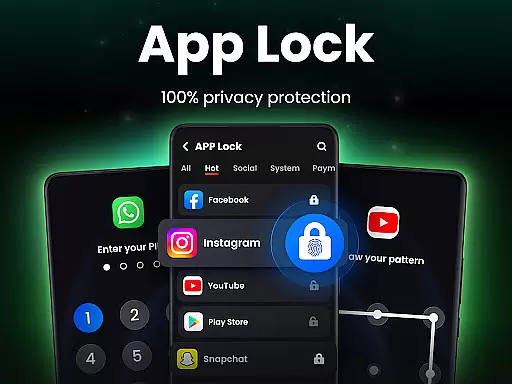
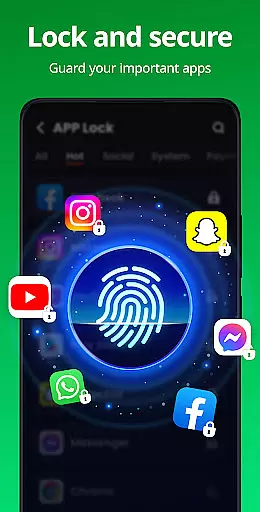
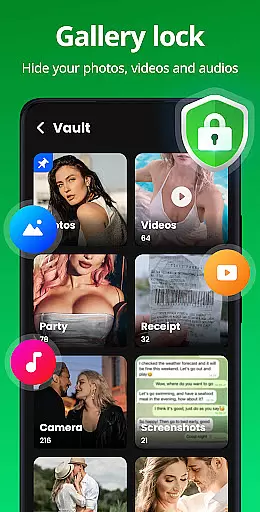
App Lock is a powerful productivity tool designed to protect your private data with advanced security features. The app allows users to lock specific applications using PIN, pattern, or fingerprint authentication, ensuring that sensitive information remains secure. With App Lock, you can prevent unauthorized access to social media apps like WhatsApp and Instagram, as well as protect personal files in your Gallery and Contacts. Beyond basic locking features, the app also offers a Safe Vault for hiding private photos and videos, an Intruder Selfie function that captures images of failed unlock attempts, and customizable lock screen themes. These features make it ideal for safeguarding personal content on both personal and shared devices.
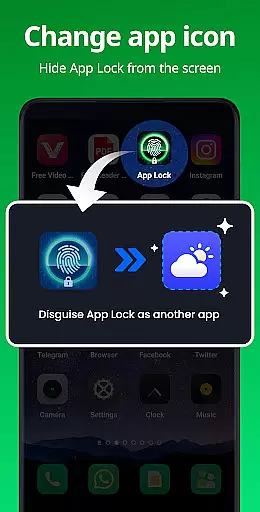
In addition to securing individual apps, App Lock provides several innovative features to enhance user privacy. For instance, the Disguise App feature allows you to mask the app's icon, making it less detectable by others. Uninstall Protection ensures that hidden files are not lost if the app is accidentally uninstalled. Furthermore, upcoming features such as Encrypt Notification and Cloud Backup will offer even more ways to keep your data safe. Whether you're looking to avoid accidental in-app purchases or simply want peace of mind knowing your private data is protected, App Lock delivers comprehensive security solutions tailored to modern digital lifestyles.
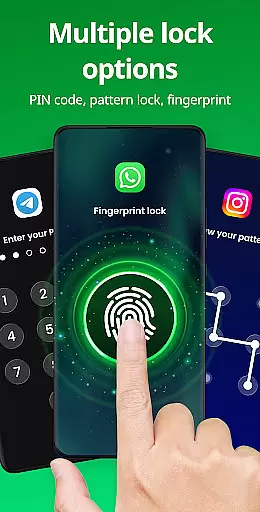
App Lock stands out with its diverse range of features designed to maximize both security and convenience. One of its core functionalities is the ability to lock apps using multiple methods including PIN, pattern, or fingerprint recognition. This flexibility ensures that users can choose the level of security they're most comfortable with while still maintaining robust protection against unauthorized access. Additionally, the app supports locking financial apps like Google Pay and PayPal, preventing unwanted transactions or accidental spending.
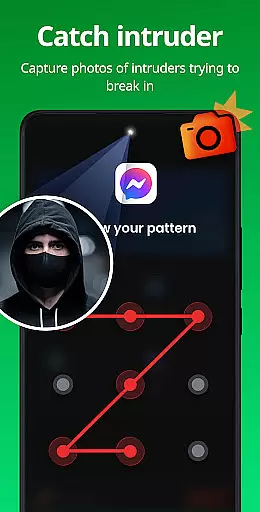
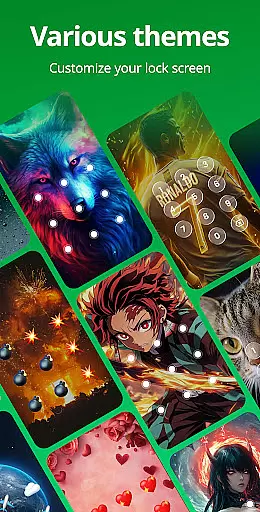
Beyond locking capabilities, App Lock includes several unique tools to further enhance privacy. The Safe Vault feature lets users hide private photos and videos behind a password-protected interface, keeping them invisible in the standard gallery view. Another standout feature is Intruder Selfie, which automatically takes a picture of anyone attempting to break into your locked apps. For added stealth, the Disguise App option allows users to change the app’s icon to something less conspicuous. Moreover, customization options such as theme selection and random keyboard layouts help minimize the risk of password detection. Together, these features create a versatile and highly secure environment for managing personal data.
Looking ahead, App Lock plans to introduce even more advanced features. Upcoming updates will include Encrypt Notification, which hides message previews in the system notification bar, and Junk File Cleaner to optimize device storage by removing unnecessary files. Cloud Backup functionality will also be added, allowing users to store their important data securely online. These enhancements demonstrate App Lock's commitment to continually improving its service and providing users with cutting-edge tools to protect their digital lives.
At the heart of App Lock's functionality is its ability to manage tasks essential for privacy protection. This app allows users to lock specific applications with a simple click, ensuring that private data remains secure. By offering multiple locking methods such as PIN, pattern, or fingerprint, it caters to individual preferences and enhances security.
The application extends its task management capabilities by enabling users to lock financial apps like Google Pay and PayPal. This prevents unauthorized transactions and accidental purchases, providing peace of mind especially for parents who wish to safeguard their accounts from children. The feature set is designed to give users complete control over which apps are accessible and by whom, making it an indispensable tool for managing app accessibility on your device.
App Lock also includes advanced features such as Intruder Selfie, which captures a photo of anyone attempting to access locked apps with incorrect credentials. This adds an extra layer of security and acts as a deterrent against unauthorized access attempts. With these comprehensive task management features, App Lock empowers users to take charge of their digital privacy effectively.
While App Lock focuses primarily on securing applications on a single device, understanding cross-device synchronization is key for users who own multiple devices. Although direct synchronization isn't its main feature, the app ensures that settings and locked apps remain consistent when accessed across different devices through manual setup.
For those looking to maintain uniform security measures across smartphones or tablets, App Lock provides reliable mechanisms to replicate your preferred security settings. Users can easily apply similar lock configurations, ensuring that their private data remains protected regardless of the device in use. This consistency in security protocols reinforces the app's commitment to safeguarding user information.
Moreover, App Lock supports features like Uninstall Protection, which prevents loss of hidden files due to accidental uninstallationu2014a critical aspect when considering synchronization between devices. While direct cloud-based syncing may not be available, the robust structure of App Lock ensures that once configured, each device maintains the same high level of protection and productivity. This reliability makes it a valuable asset for individuals seeking dependable security solutions across all their devices.
Easy-to-use interface
Multiple locking methods
Advanced privacy features
Customizable lock screen
Intruder detection system
Requires many permissions
May drain battery life
Limited free features
Occasional bugs reported
Ads in the free version

The long-awaited modern gallery app for your Nextcloud server
 4.70
4.70
Wake up & get tasks done! Add alarms & reminders on the Clock Launcher.
4.00
Android Wallet Password Manager
4.80
Absolutely the best CNC machinist speed and feed calculator around. fswizard.com
4.60
Remotely view listen control and record cameras.
3.70
Cloud storage, automatic phone backup, and more.
4.10
A comprehensive suite of tools designed specifically for Lactation Consultants
4.0
A beautiful digital clock with autostart and many other functions
4.70
Experience and share your SolidWorks designs on your Android® phone and tablet.
2.50
Scientific calculator for Android - looks and operates like the real thing!
4.90
Understand anything with a personalized AI research assistant
4.80
Scan paperwork into PDF/JPG, generate your own e-signature and send fax or email
4.70
Subscribe to Webcal & .ics calendars and keep them up-to-date!
4.50
This small app MUST BE INSTALLED after purchase, else license won't work
4.40
Secure your apps with lock screens, use custom themes and different features.
4.40
Automates browsing any website and notifies you of important changes or events
4.30
Total remote control for your Android device, PC and cloud services (IFTTT)!
4.20
Font maker keyboard with your own handwriting
4.10
Code on-the-go with VScode for Android. Edit,debug and collaborate from mobile!!
3.10


User Reviews