
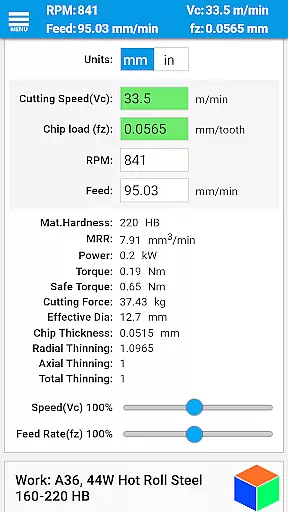
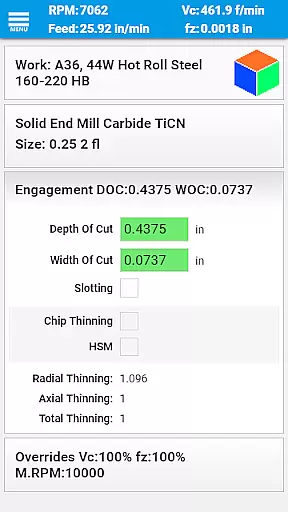
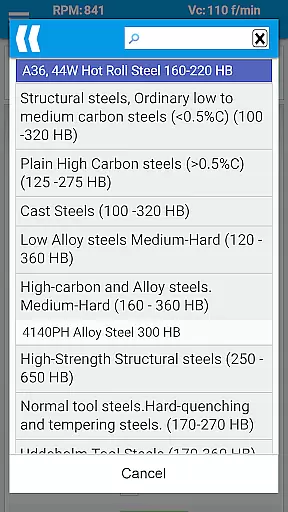
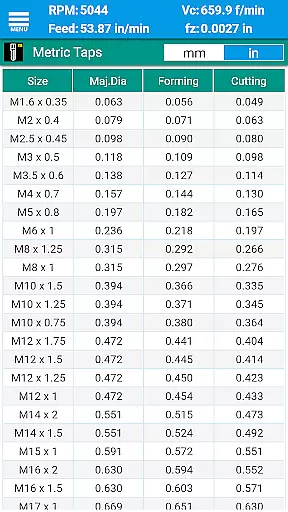
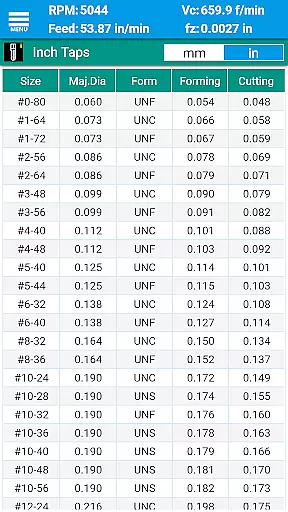
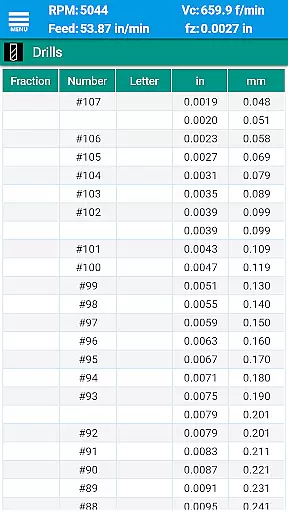
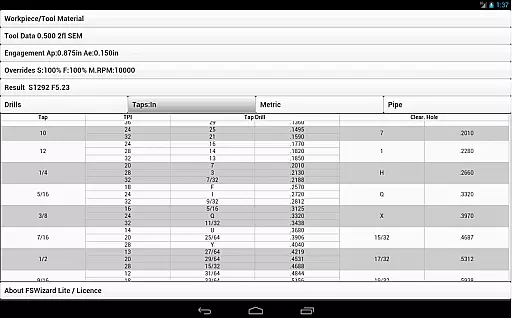
FSWizard Pro Machinist Calc is a premier CNC milling and turning speed and feed calculator designed for machinists by a machinist. This app simplifies the process of calculating speeds and feeds by allowing users to select their work and tool material without needing to know specific numbers. It automatically applies recommended cutting speeds and chip loads for various tools, including indexed and solid endmills, drills, and taps.
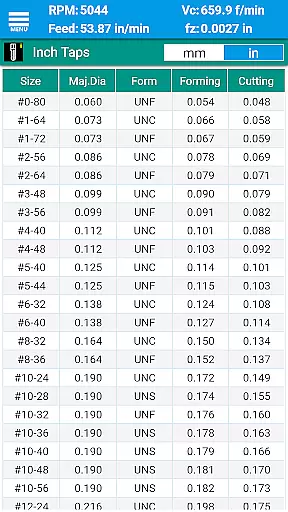
Beyond its core functionality, FSWizard offers advanced features like High-Speed Machining (HSM) calculations, chip thinning assessments, and optimal depth and width of cut parameters. The app also includes comprehensive reference materials such as drill charts, tap drill charts for BSP and NPT threads, and GD&T references. These resources are invaluable for improving machining productivity and extending tool life.
Whether you're working with metric or imperial units, FSWizard caters to both systems seamlessly. Its wide range of supported materials and detailed charts make it an essential tool for any CNC machinist looking to optimize their workflow and achieve precision in their operations.
FSWizard Pro Machinist Calc boasts an array of sophisticated features tailored for CNC machinists. At its heart, the app provides precise milling speeds and feeds, ball nose endmill calculations, and drilling and tapping speeds and feeds. Users can also determine the best tap drill selection for both imperial and metric taps, enhancing threading accuracy.
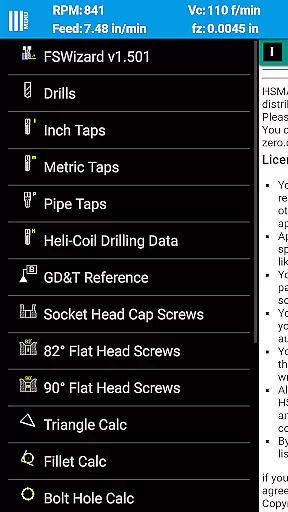
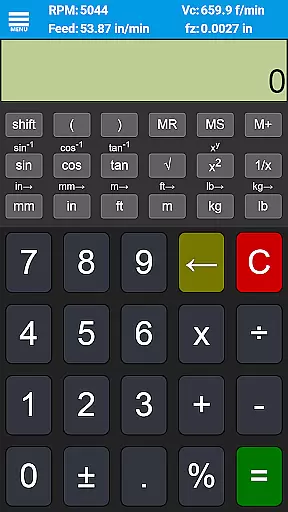
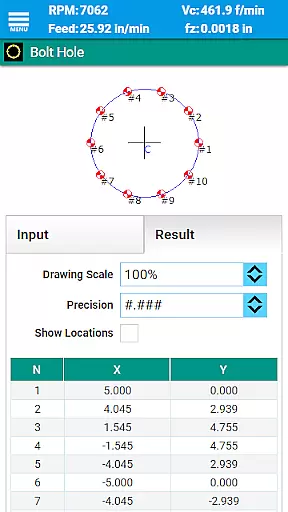
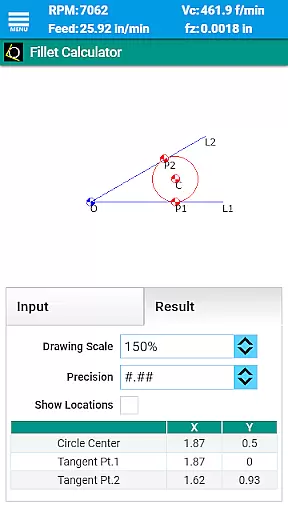
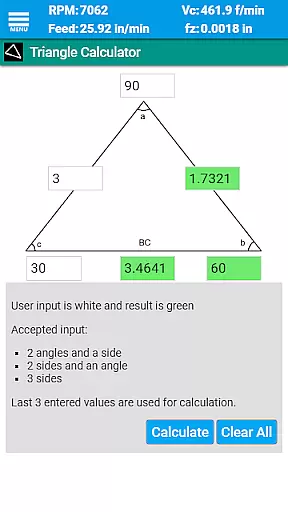
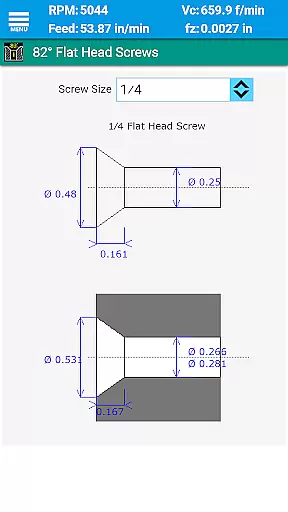
In addition to its primary functions, FSWizard includes several calculators and references that further aid machinists. These include oblique triangle calculators, fillet calculators, bolt circle calculators, countersink and drill point calculators, and true position calculators. An interactive GD&T reference and scientific calculator with trigonometric functions are also part of the package, offering versatile support for complex machining tasks.
The app supports a variety of tool types, including solid endmills, indexed endmills, facemills, jobber drills, high-performance parabolic drills, spade drills, reamers, and turning tools for profiling and grooving. With included drill charts for imperial and metric systems, pipe tap charts, and extensive material compatibility, FSWizard Pro Machinist Calc stands out as a comprehensive solution for optimizing CNC machining processes.
FSWizard Pro Machinist Calc excels in core task management by offering a comprehensive suite of calculators tailored for CNC machinists. The app simplifies the process of calculating speeds and feeds, which are crucial for efficient machining operations.
Users can effortlessly choose their workpiece and tool material, eliminating the need to memorize specific numbers. This feature streamlines the decision-making process, allowing machinists to focus on optimizing productivity and extending cutter life.
The application automatically applies recommended cutting speeds and chip loads for various tools, including indexed and solid endmills, drills, and taps. This automation ensures that users can quickly obtain accurate calculations, thus improving overall machining efficiency.
By integrating advanced features like High-Speed Machining (HSM) and Chip Thinning, FSWizard empowers machinists to determine optimal depth and width of cut parameters. These capabilities contribute significantly to task management by ensuring precise and reliable machining processes.
While FSWizard Pro Machinist Calc does not explicitly advertise cross-device synchronization, its robust design ensures reliable performance across different devices. The app's consistent user experience is maintained regardless of the device being used, providing machinists with dependable access to critical calculations.
The application supports both metric and imperial units, making it versatile for an international audience. This dual-unit compatibility enhances its reliability as users can seamlessly switch between measurement systems without losing accuracy or functionality.
FSWizard includes extensive material libraries and tool databases that remain consistent across installations. Machinists can trust that the information they rely on, such as cutting speeds for various materials, will be uniform and up-to-date, regardless of their device.
Although traditional synchronization features might not be present, the app's comprehensive offline capabilities ensure that all essential data and functions are readily available. This reliability is crucial for machinists who require immediate access to critical information on the shop floor.
User-friendly interface
Comprehensive tool support
Advanced calculation options
Extensive reference materials
Highly accurate results
Premium pricing
Steep learning curve
Limited free features
No offline mode
Occasional bugs

A Revolutionary All-in-One Artificial Intelligence Tools
 3.80
3.80
Client for Nextcloud Deck
4.60
Device's storage information in a simple and clear graphical form (infographics)
4.10
We're working to become the best machining app on the market! www.cncdirt.com
4.80
Pwnagotchi companion app
4.20
Simple and reliable communication between inmates, friends and family
3.20
Access, manage and transfer files on Android, PC, Mac, NAS and cloud storages.
4.30
Understand anything with a personalized AI research assistant
4.80
Note taking, handwriting, record audio, PDF annotation, planner & journal
4.20
Secure, fast, open-source, VNC and SSH Remote Desktop for Windows, Linux and Mac
4.70
aCalendar+ makes your day, week and month
4.70
The AI assistant that thinks with you - write, code, and solve complex tasks
4.60
Translate text/voice/photos in 150+ languages. Offline & fast translator app.
4.50
This small app MUST BE INSTALLED after purchase, else license won't work
4.40
Intelligent AI Assistant
4.10
⏰ Finally a timer app which can run multiple timers simultaneously on your watch
3.90
Ultimate Virtual AI Character for immersive Roleplay Chat. Perfect Companion
3.90
Smart PDF reader & editor to view, organize and manage PDF documents easily.
3.70
ID.me Authenticator is a simple and free Two Factor Authentication solution
3.50


User Reviews