
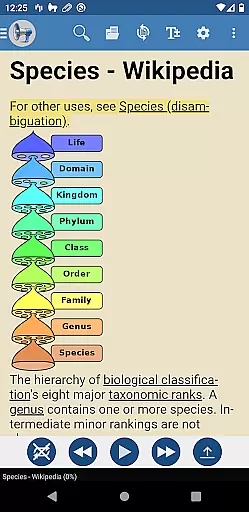
@Voice Premium License is a productivity-enhancing application designed as an optional upgrade for @Voice Aloud Reader. This app removes in-app advertisements, such as banner ads and full-screen ads that appear during content loading, thereby conserving battery life and reducing data usage. By installing this license directly from the Google Play Store, users unlock additional features within the main @Voice app.
Key functionalities include uninterrupted recording through entire reading lists or eBooks, customizable speech tags for different types of reading materials, and potential future premium features. The app ensures a seamless experience by integrating with the core @Voice Aloud Reader program, enhancing user productivity and reading efficiency.
The @Voice Premium License offers several advanced features to improve user experience. One notable feature is the ability to record continuously through entire reading lists or eBooks without interruption, unlike the free version which stops after each article or chapter. This allows users to create comprehensive audio files effortlessly.
Another significant feature is the use of tags with speech replacements. Users can customize speech settings under the Settings menu, enabling them to switch between different sets of speech replacements tailored for various reading materials like scientific articles or fiction. These features collectively enhance the flexibility and personalization options available to users, making their reading experience more efficient and enjoyable.
Task management is a crucial aspect of productivity applications, ensuring users can efficiently organize and execute their tasks. @Voice Premium License enhances the core functionalities of @Voice Aloud Reader by removing ads that could distract from the primary goal of reading or listening to content.
This app ensures an uninterrupted experience by eliminating intrusive elements such as banner ads and full-screen advertisements during loading processes. This not only streamlines the user interface but also conserves device resources like battery life and data usage, contributing to a more focused environment for task completion.
By installing this license, users gain access to premium features that further enhance task management capabilities within the main application. For instance, continuous recording through entire reading lists or eBooks allows for seamless processing of large volumes of text without manual intervention after each section.
Cross-device synchronization is essential for users who rely on multiple devices throughout their day. The @Voice Premium License offers reliable synchronization between devices, ensuring consistent access to enhanced features regardless of where you left off.
Once installed directly from Google Play, this license integrates seamlessly with the original @Voice Aloud Reader app already present on your device. After restarting the main program, all premium functionalities become available across synchronized platforms, providing uniformity in user experience.
Additional benefits include specialized speech replacement tags under Settings u2013 Edit Speech, allowing tailored configurations for different types of content. Whether it's scientific articles or fiction, these customizable options ensure that every session remains personalized yet synchronized across various devices used by the reader.
Ad-free experience
Continuous recording
Customizable speech
Battery efficient
Enhanced productivity
Separate installation
Requires main app
Premium cost
Limited standalone use
Google Play only

Unlock AutoNotification
 4.00
4.00
All document reader, all in one file viewer read PDF, DOCX, XLS, PPT, TXT files.
4.60
Calendar 2023 widget for Android. Appointment scheduler, planner, and reminder
4.60
A comprehensive suite of tools designed specifically for Lactation Consultants
4.4
Scientific calculator for Android - looks and operates like the real thing!
4.90
Secure your apps with lock screens, use custom themes and different features.
4.40
Browse and view your photos and videos from the phone with photo & video hide.
4.10
Put a lock on your cloud: Take the security of your data into your own hands
3.70
QuickEdit is a fast, stable and full featured text and code editor.
4.20
Native client for Forgejo and Gitea
5.00
8 custom complications. Custom Time Fonts. Beautiful color schemes. A++ Design.
5.00
Experience Reading - Night Mode for Documents
4.40
A Pixel Art watchface inspired by other iconic 90s designs for Wear OS devices!
4.40
Professional calendar app for Google Calendar, MS Outlook & Exchange
4.20
Pwnagotchi companion app
4.20
Ultimate Virtual AI Character for immersive Roleplay Chat. Perfect Companion
3.90
Mega cloud explorer plugin for Solid Explorer
3.80
Auto-shutoff Alarm with Sunrise, Sunset & Fixed Options.
3.50
IP Camera Viewer - Android TV : RTSP Surveillance camera viewer for Android TV
4.4


User Reviews