
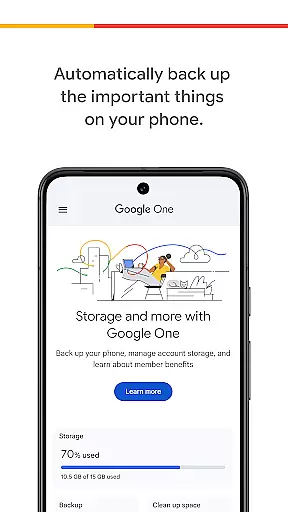
Google One is a productivity app designed to help users efficiently manage their digital storage and backups. The app provides automatic backup functionality for essential phone data such as photos, contacts, and messages using the 15 GB of free storage that comes with every Google account. This ensures that users can easily restore all their important data when switching to a new Android device.
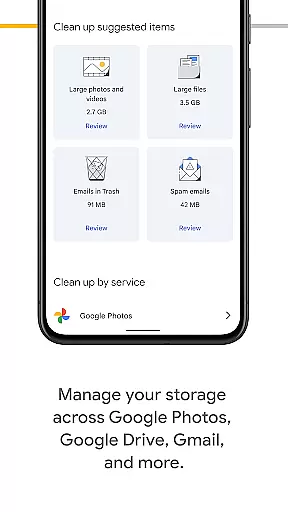
In addition to basic backup features, Google One offers advanced storage management capabilities across Google Drive, Gmail, and Google Photos. Users can upgrade to a Google One membership to access expanded storage options tailored to their specific needs, whether for personal use or professional projects.
This app is particularly useful for individuals who rely heavily on Google services and need a reliable way to safeguard their digital assets. With its seamless integration into the Google ecosystem, Google One provides both convenience and peace of mind for users looking to protect their valuable information.
Google One stands out with its comprehensive set of features designed to enhance productivity and data security. One of the key functionalities is automatic backup, which allows users to effortlessly back up crucial data like photos, contacts, and messages. This feature ensures that users never lose important information, even if their device is lost, damaged, or replaced.
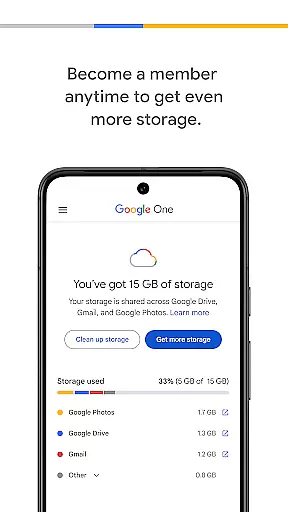
Beyond simple backups, Google One offers robust storage management tools. Users can oversee their storage usage across multiple Google services including Google Drive, Gmail, and Google Photos. This centralized management system makes it easy to monitor and optimize available space, ensuring that users make the most of their 15 GB of free storage.
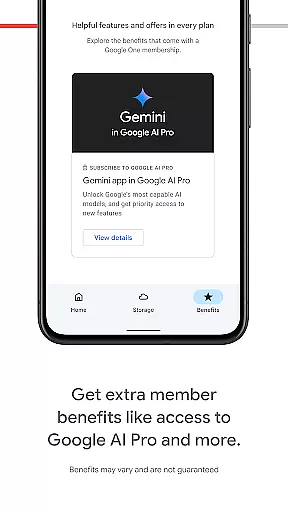
For those needing additional capacity, Google One memberships provide flexible plans with increased storage limits. These plans cater to various needs, from casual users to professionals managing large volumes of data. By upgrading, users gain access to more storage along with other benefits, enhancing their overall experience within the Google ecosystem.
Google One excels in core task management by offering users seamless control over their digital assets. The app provides automatic backup solutions for essential data such as photos, contacts, and messages, ensuring that users never lose important information.
With the ability to manage storage across Google Drive, Gmail, and Google Photos, users can efficiently allocate their 15 GB of free storage. This feature simplifies the often cumbersome task of managing cloud storage, making it accessible even for non-tech-savvy individuals.
The app's intuitive interface allows users to upgrade their membership easily, providing flexible storage plans that cater to various needs. This scalability ensures that users only pay for the storage they require, optimizing both cost and functionality.
Cross-device synchronization is where Google One truly shines, offering reliable and consistent data access across multiple devices. Whether switching from an old Android phone to a new one or accessing files from a computer, users can trust that their data will be up-to-date and readily available.
The synchronization process is not only reliable but also fast, ensuring minimal delay when restoring data to a new device or retrieving files from the cloud. This speed is crucial for users who depend on immediate access to their digital content.
By upgrading to a Google One membership, users benefit from enhanced synchronization features, including priority support and expanded storage options. These benefits ensure that users' data remains secure, organized, and easily accessible no matter where they are or which device they use.
Automatic Backup
Centralized Storage
Flexible Plans
Seamless Integration
User-Friendly Interface
Limited Free Storage
Paid Memberships
Android-Centric
Occasional Sync Issues
Feature Overlap

Auto-shutoff Alarm with Sunrise, Sunset & Fixed Options.
 3.50
3.50
8 custom complications. Custom Time Fonts. Beautiful color schemes. A++ Design.
5.00
A lightweight JSON & XML files creator, editor and viewer (Premium Version)
4.40
Mind Map and brainstorm, note taking and idea collection
4.80
Remotely view listen control and record cameras.
3.70
CalenGoo is a very flexible and feature-rich calendar app
4.40
To do list widget with a notebook organizer, checklist, simple shopping list
4.60
Lightweight PDF, Word, Excel reader.
4.60
Understand anything with a personalized AI research assistant
4.80
Great calculator for Android named one of USA TODAY's "25 Essential Apps".
4.90
A Pixel Art watchface inspired by other iconic 90s designs for Wear OS devices!
4.40
Share files & memories safely. Keep your photos and videos secure.
4.40
Professional calendar app for Google Calendar, MS Outlook & Exchange
4.20
Pwnagotchi companion app
4.20
All in One PDF Reader: Manage, Read and Edit your Documents
4.20
Todo reminder
4.10
Customizable calendar widget for seamless event sync, planning & scheduling.
4.00
A Revolutionary All-in-One Artificial Intelligence Tools
3.80
Mega cloud explorer plugin for Solid Explorer
3.80


User Reviews