

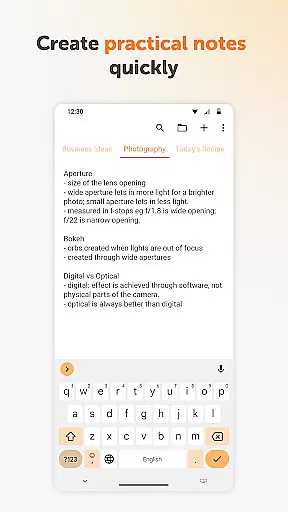
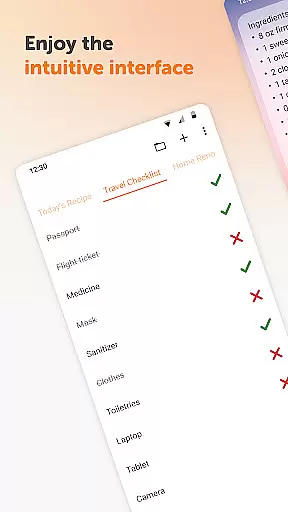
Simple Notes Pro is a productivity-focused note-taking application designed to help users quickly capture ideas, create shopping lists, and manage daily tasks. The app offers an intuitive interface that allows for effortless organization of notes and to-do lists without any complicated setup steps. With its autosave feature and support for multiple independent plain text notes, it ensures no important information is lost while maintaining simplicity.
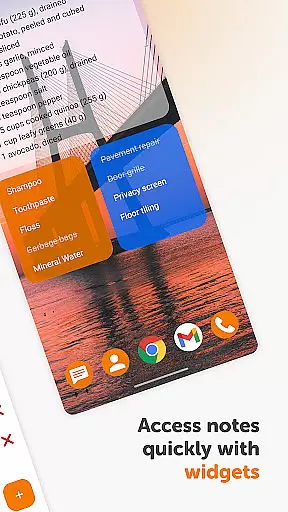
This note-taking tool stands out with its customizable and resizable widget, which provides instant access to your notes directly from the home screen. The app embraces a user-friendly design with material aesthetics and dark theme options, ensuring a pleasant experience in all lighting conditions. By operating offline and requiring no unnecessary permissions, Simple Notes Pro guarantees privacy and stability, making it an essential personal notebook for anyone seeking a reliable digital organizer.
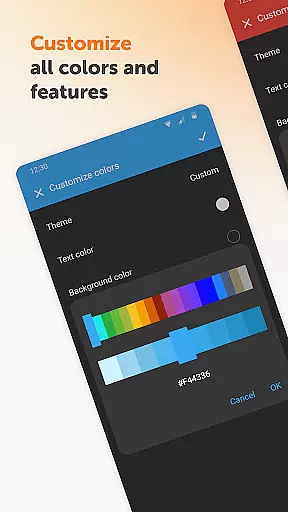
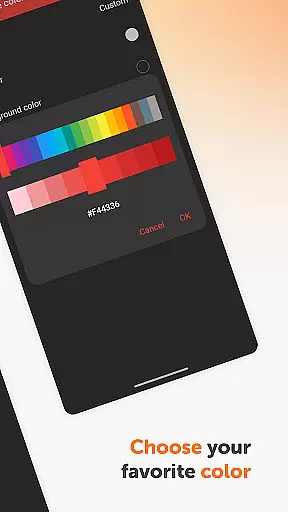
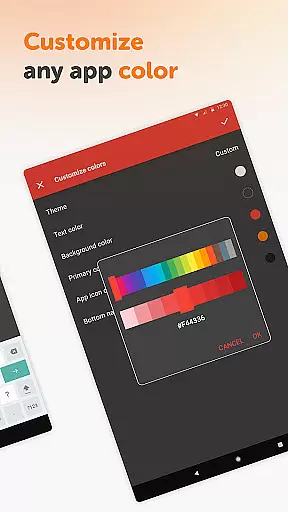
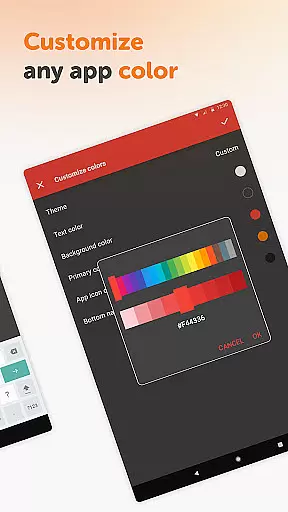
Simple Notes Pro boasts several notable features that enhance the note-taking experience. One key aspect is its fully open-source nature, allowing for transparency and customization that is unparalleled in similar apps. Users can adjust the app's appearance with customizable colors, tailoring the interface to their personal preferences while enjoying a distraction-free environment devoid of ads.
The app also includes a unique widget functionality that streamlines the process of accessing and managing notes. This feature, combined with fast autosave capabilities and support for multiple notes, makes organizing thoughts and lists more efficient than ever. Additionally, Simple Notes Pro's commitment to privacy and security is evident through its offline operation, ensuring that users' data remains solely on their device. These characteristics make the app not just a tool for note-taking but a comprehensive solution for personal organization and productivity.
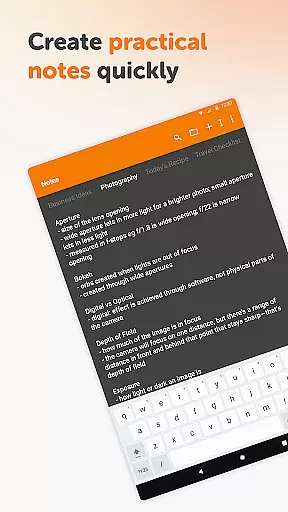
Effective task management is essential for staying organized and productive. Simple Notes Pro excels in this area by offering a streamlined interface that allows users to quickly create, edit, and manage notes and to-do lists. The app's autosave feature ensures that no changes are lost, providing peace of mind when jotting down ideas or tasks on the go.
The application supports the creation of multiple independent plain text notes and lists, making it easy to categorize different types of information. Whether you need to draft a shopping list, capture meeting notes, or outline project tasks, Simple Notes Pro provides the tools necessary to keep your thoughts organized and accessible.
With customizable and resizable widgets, accessing your lists and organizing your to-do items becomes effortless. These widgets serve as shortcuts, opening the app with a single tap and displaying your most important notes instantly. This functionality enhances productivity by reducing the time needed to navigate through the app.
In today's interconnected world, reliable cross-device synchronization is crucial for maintaining workflow continuity. Simple Notes Pro addresses this need by ensuring that all your notes and lists are consistently updated across devices. This means you can start a task on your mobile phone and continue working on it from another device without missing a beat.
The app's design emphasizes privacy and security, operating without internet access unless explicitly required. This approach not only enhances data protection but also contributes to the stability of the synchronization process. Users can trust that their information remains confidential and is not subject to the whims of network availability.
Furthermore, Simple Notes Pro offers a seamless user experience with its material design and dark theme options. These features contribute to a comfortable viewing experience, regardless of the time of day or lighting conditions. By combining robust synchronization capabilities with a focus on user comfort, Simple Notes Pro stands out as a reliable tool for managing your digital life across multiple platforms.
User-friendly interface
Autosave functionality
No ads or unnecessary permissions
Fully open-source
Customizable colors
Limited advanced features
No cloud sync option
Basic widget design
Offline-only access
Plain text only

Total remote control for your Android device, PC and cloud services (IFTTT)!
 4.20
4.20
Automates browsing any website and notifies you of important changes or events
4.30
Device's storage information in a simple and clear graphical form (infographics)
4.10
Remotely view listen control and record cameras.
3.70
CalenGoo is a very flexible and feature-rich calendar app
4.40
Stay on top of your to-dos with Google Tasks, part of Google Workspace.
4.60
Tally and goal counter for Wear OS & mobile
4.50
Simple notepad & memo. Take notes, to-do list, shopping list with reminders.
4.80
Note taking, handwriting, record audio, PDF annotation, planner & journal
4.20
Scientific calculator for Android - looks and operates like the real thing!
4.90
A simple Whisper AI keyboard for reliable speech transcription and rewording
4.60
Subscribe to Webcal & .ics calendars and keep them up-to-date!
4.50
Secure your apps with lock screens, use custom themes and different features.
4.40
Activate Two Factor Authentication (2FA or Multi OTP), Password manager and more
4.10
Customizable calendar widget for seamless event sync, planning & scheduling.
4.00
The ultimate file manager for rooted devices. The original and still the best.
4.00
Take control of your clipboard with Clipper!
3.90
A Revolutionary All-in-One Artificial Intelligence Tools
3.80
All in one sketching tool. Technical and General drawing. Online Maps support.
3.70


User Reviews