
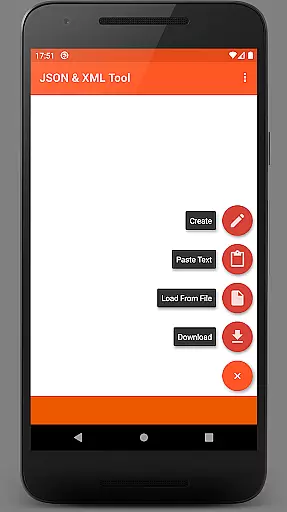
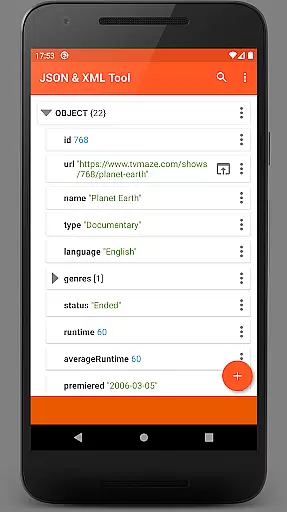
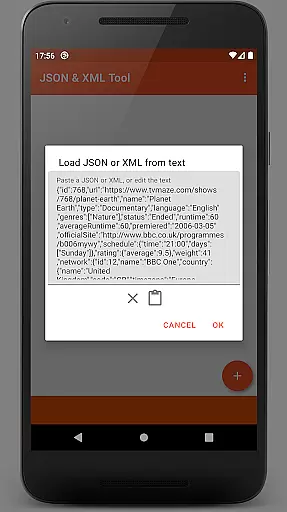
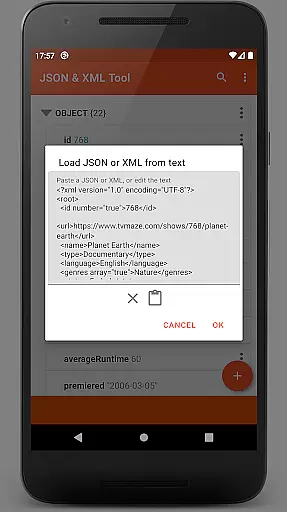
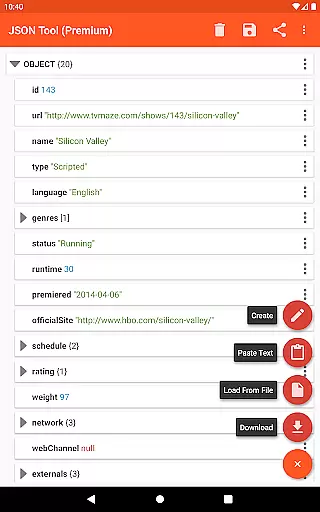
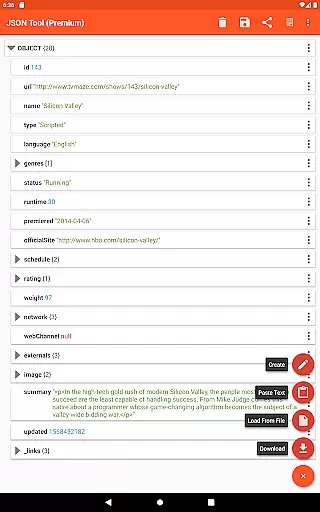
JSON & XML Tool Premium is a powerful productivity app designed for effortless creation, editing, and conversion of JSON and XML files. The app's standout feature is its simple hierarchical view that makes file navigation intuitive and efficient. Whether you're working on game addons or handling data transformation tasks, this tool provides the necessary functionality to streamline your workflow.
The app supports multiple file loading methods including internal SAF-based file picker, external file pickers, direct URL downloads, and even text pasting. With robust editing capabilities like renaming nodes, modifying values, switching value types, and element manipulation, users can efficiently manage complex file structures. Additional features such as dark theme support, PDF export, and JMESPath query integration make this app an indispensable tool for developers and power users.
This application is particularly valuable for software developers, data analysts, and IT professionals who frequently work with structured data formats. Its ability to handle both JSON and XML, coupled with cross-format conversion capabilities, significantly reduces the time and effort required for data manipulation tasks.
JSON & XML Tool Premium offers an impressive array of features that cater to various data manipulation needs. The app's core functionality revolves around its powerful editing capabilities, allowing users to modify node elements with precision. Users can easily switch between different value types, duplicate elements, and rearrange array structures through intuitive drag-and-drop operations.
One of the app's notable strengths is its flexible file handling system. It integrates seamlessly with Android's Storage Access Framework while maintaining privacy-conscious permission management. The inclusion of advanced features like JMESPath query support enables sophisticated data extraction and transformation. Additionally, the app provides multiple output options including formatted text preview, PDF export, and sharing capabilities through Android's ACTION_SEND intent.
The app's user experience is enhanced by thoughtful design choices such as dark theme support and customizable viewing options. These features, combined with its ability to register as a default JSON/XML handler, make it an essential tool for anyone working with structured data formats. The app's comprehensive feature set ensures maximum productivity while maintaining ease of use.
At the heart of the JSON & XML Tool Premium app lies its robust core task management system, which is essential for efficiently handling JSON and XML files. This productivity tool allows users to view, create, and edit these file types with remarkable ease through a simple hierarchical view.
The app's functionality extends to various practical scenarios, such as editing game addons or converting between different data formats like JSON to XML. Its versatility in managing tasks related to file manipulation sets it apart as an indispensable utility for developers and content creators alike.
Users benefit from a streamlined workflow where they can rename node elements, modify values, switch between value types, and organize elements within arrays. These capabilities ensure that managing complex data structures is both intuitive and efficient, enhancing productivity by simplifying intricate tasks into manageable actions.
Reliable cross-device synchronization is a pivotal feature of the JSON & XML Tool Premium app, ensuring seamless transitions and consistent access across multiple devices. By leveraging the Storage Access Framework (SAF), the app provides a storage browser that maintains data integrity without necessitating traditional storage permissions.
In scenarios where storage permissions are required, such as when using external file pickers, the app handles these requests judiciously to maintain smooth operation. This approach not only respects user privacy but also ensures that files remain accessible regardless of the device in use.
With this reliable synchronization, users can load files via internal or external pickers, download from URLs, paste text for parsing, receive texts from other apps, or even start new files from scratch. The ability to share JSON/XML text externally further augments its cross-device utility, making it an exemplary tool for modern digital workflows.
Intuitive interface
Powerful editing tools
Flexible file handling
Privacy-focused design
Cross-format support
No cloud sync
Premium only
Complex for beginners
Limited automation
Android exclusive

Total remote control for your Android device, PC and cloud services (IFTTT)!
 4.20
4.20
A simple, portable logger for POTA, SOTA, Field Day, and more
4.2
Secure, fast, open-source, Remote Desktop Client for Windows and Linux with SSH
4.60
aCalendar+ makes your day, week and month
4.70
Make apps & sites with natural language prompts
4.10
Access, manage and transfer files on Android, PC, Mac, NAS and cloud storages.
4.30
Best Tool for the professionals Electrician, Electrical contractors, etc.
4.90
A Pixel Art watchface inspired by other iconic 90s designs for Wear OS devices!
4.40
2026 USPS Alpha/Color coded calendar Sunday/Rotating day off schedules
4.2
Great calculator for Android named one of USA TODAY's "25 Essential Apps".
4.90
Secure, fast, open-source, VNC and SSH Remote Desktop for Windows, Linux and Mac
4.70
QuickBooks Workforce lets teams view pay info and track time in one place.
4.70
A simple Whisper AI keyboard for reliable speech transcription and rewording
4.60
When you Focus, so will your Bean in this cozy focus timer
4.30
Enjoy classic gameplay with customizable features and retro-style graphics.
4.30
Access your phone's notifications, calls, apps, photos & texts on your PC
3.90
Find and delete junk files & block unwanted notifications & manage files
3.70
The upgraded version of Name Wheel with AI and the power to add your own wheels.
4.4
A comprehensive suite of tools designed specifically for Lactation Consultants
4.3


User Reviews