
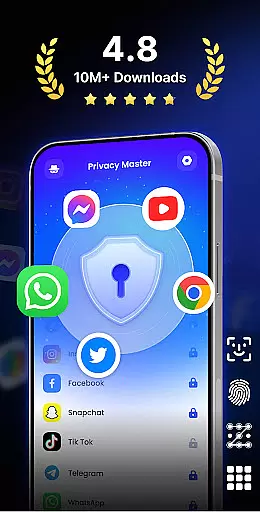
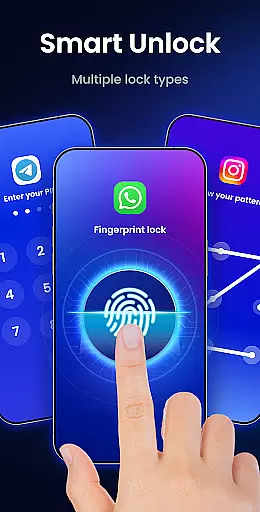
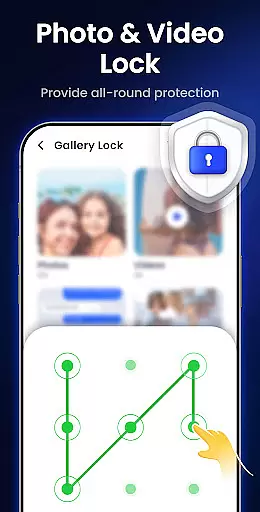
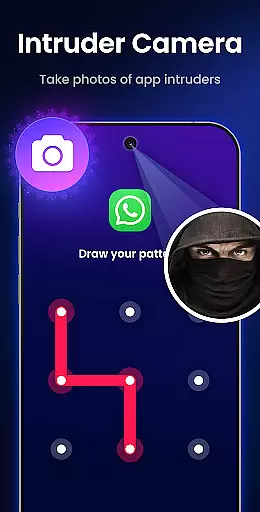
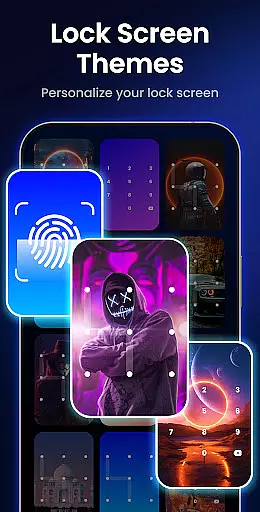
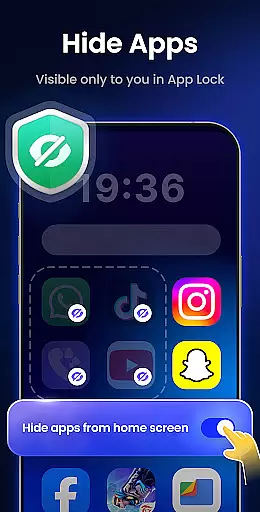
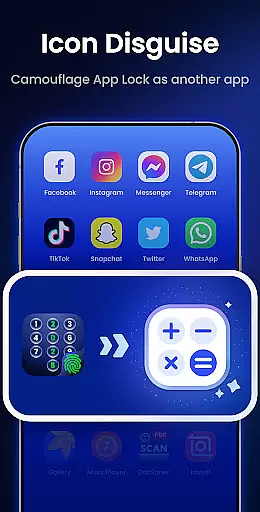
App Lock - Fingerprint Lock is a powerful productivity tool designed to secure your digital world. This app allows users to lock apps, hide photos, videos, and chats using password, pattern, or fingerprint authentication. With over 50 million users trusting its privacy protection features, it offers advanced functionalities like intruder selfies, icon disguise, and custom lock themes.
The application is particularly useful for individuals who need an extra layer of security on their mobile devices. Whether you want to protect sensitive conversations in messaging apps or keep personal media files private, App Lock provides comprehensive solutions. Its intuitive interface and robust security measures ensure that your data remains safe from unauthorized access while maintaining ease of use.
One of the standout features of App Lock - Fingerprint Lock is its ability to lock all your essential apps such as WhatsApp, Messenger, Facebook, Google Play, PayPal, and Settings. This ensures that private chats and critical data are safeguarded against prying eyes. Additionally, the Intruder Camera feature captures photos of anyone attempting unauthorized access by entering incorrect passwords.
Another notable aspect is the Hide Notifications function, which prevents sensitive alerts from appearing on the screen. Users can view these locked notifications within the app itself after authentication. The app also helps manage storage efficiently by removing junk files, including cache, ad junk, similar photos, large videos, and screenshots. Furthermore, options like Auto Re-Lock, Multiple Lock Types (PIN, pattern, fingerprint), Icon Disguise, and Custom Themes enhance both security and user experience.
App Lock - Fingerprint Lock offers robust core task management features that ensure your digital world remains secure. The app allows you to lock all your essential applications such as WhatsApp, Messenger, and Facebook with a password, pattern, or fingerprint. This functionality provides peace of mind by keeping private chats and sensitive data inaccessible to unauthorized users.
In addition to locking apps, the application includes smart features like intruder selfies, which capture photos of anyone attempting unauthorized access. These features are crucial for identifying potential security threats. With over 50 million users trusting App Lock for privacy protection, it's clear that its task management capabilities are both powerful and reliable.
The app also supports auto re-lock timers, allowing users to set custom intervals for automatic locking. This feature ensures that your apps remain protected even if you forget to lock them manually. By integrating multiple lock types and offering comprehensive control over app security, App Lock - Fingerprint Lock stands out in managing and safeguarding your digital tasks effectively.
While App Lock - Fingerprint Lock primarily focuses on securing individual devices, it offers reliable cross-device synchronization options that enhance user experience. By providing cloud backup features, the app ensures that your settings and preferences are preserved across different devices. This means you can seamlessly transition between your smartphone and tablet without losing any personalized configurations.
The synchronization process is designed to be smooth and efficient, maintaining consistency in your security settings. Whether you're using a PIN, pattern, or fingerprint lock, the app guarantees that these preferences are accurately replicated on all your devices. This reliability is vital for users who switch between multiple gadgets frequently.
Moreover, App Lock's commitment to privacy extends to its synchronization processes. All data transfers are encrypted, ensuring that your information remains confidential during synchronization. With trusted feedback channels like lockappfeedback@gmail.com, the developers continuously improve the app's synchronization capabilities, making it a dependable choice for managing your digital security across various devices.
Advanced privacy protection
User-friendly interface
Intruder detection system
Customizable lock themes
Efficient junk file removal
Requires multiple permissions
May drain battery faster
Limited cloud backup options
Premium features cost extra
Occasional bugs reported

Secure, fast, open-source, VNC and SSH Remote Desktop for Windows, Linux and Mac
 4.70
4.70
A Revolutionary All-in-One Artificial Intelligence Tools
3.80
Total remote control for your Android device, PC and cloud services (IFTTT)!
4.20
Planet Free VPN - The best Fast Unlimited and Secure VPN Without Logs
4.50
⏰ Finally a timer app which can run multiple timers simultaneously on your watch
3.90
IP Camera Viewer - Android TV : RTSP Surveillance camera viewer for Android TV
4.4
A beautiful digital clock with autostart and many other functions
4.70
Simple notepad & memo. Take notes, to-do list, shopping list with reminders.
4.80
Seamlessly read, manage, and organize all your PDF files solution in one place
4.40
Protect and view your important info on your phone and tablet with eWallet®
4.80
Secure, fast, open-source, Remote Desktop Client for Windows and Linux with SSH
4.60
Calendar 2023 widget for Android. Appointment scheduler, planner, and reminder
4.60
Lightweight PDF, Word, Excel reader.
4.60
Translate text/voice/photos in 150+ languages. Offline & fast translator app.
4.50
Send files, sync SMS, notifications & clipboard across devices via local network
4.40
Todo reminder
4.10
Wake up & get tasks done! Add alarms & reminders on the Clock Launcher.
4.00
Customizable calendar widget for seamless event sync, planning & scheduling.
4.00
ID.me Authenticator is a simple and free Two Factor Authentication solution
3.50


User Reviews