



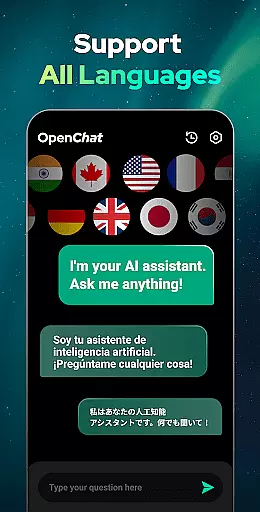
Open Chat represents a breakthrough in AI-powered communication, offering users an intelligent chatbot experience that leverages the latest advancements in natural language processing. As the leading AI assistant app powered by ChatGPT technology, this productivity tool stands out for its ability to generate human-like responses across various topics and languages.
The application's core functionality centers around providing continuous, context-aware conversations while supporting multiple use cases - from answering general knowledge questions to assisting with creative writing tasks. Its sophisticated GPT-4 integration enables seamless dialogue management, making it an invaluable companion for both personal and professional communication needs.
Particularly useful for content creators and international teams, Open Chat's multilingual capabilities and writing assistance features help streamline workflow while maintaining high-quality output. The app's comprehensive feature set, including grammar checking and chat history management, positions it as an essential productivity tool for modern digital workspaces.
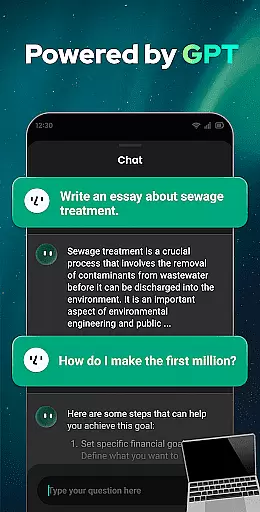
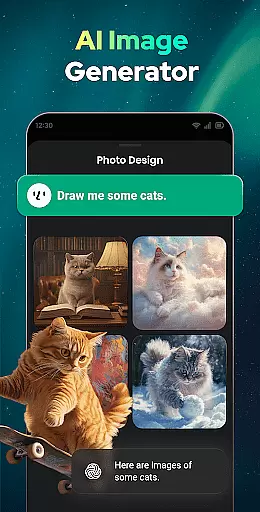
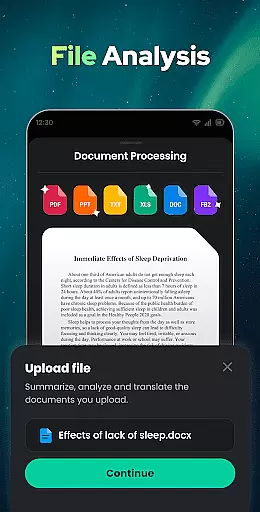
What sets Open Chat apart is its comprehensive suite of productivity-enhancing features designed to optimize various aspects of written communication. The app's most notable capability is its advanced question-answering system, which can address inquiries across diverse fields including social matters, health concerns, professional challenges, and entertainment queries.
The application excels in its writing assistance functionality, supporting users in creating various forms of written content such as essays, stories, lyrics, and professional documents in any language. Its implementation of GPT-4 technology ensures superior text generation quality, while features like continuous dialogue and context awareness create a more natural conversational experience. The inclusion of practical tools like grammar checking and multilingual support further enhances its value proposition.
Additional productivity features include automatic chat history preservation, night mode for comfortable late-night work sessions, and role-playing capabilities for creative projects. These elements combine to create a versatile AI assistant that adapts to different work styles and requirements, making it particularly valuable for professionals who need reliable writing support across multiple languages and formats.
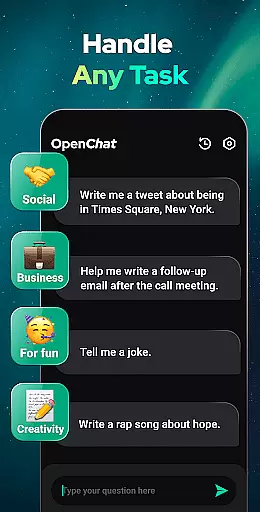
Effective task management is essential for productivity applications, serving as the backbone for organizing and executing tasks efficiently. Open Chat excels in this area by offering a versatile platform that handles any task you assign, from answering questions across various fields such as social, health, work, and entertainment, to assisting with writing projects like essays, stories, and lyrics.
The app's core task management feature is powered by the latest ChatGPT technology (GPT-4), ensuring that it not only understands but also anticipates your needs. This advanced AI support allows users to engage in continuous dialogue, making follow-up questions and ongoing conversations seamless and natural.
Users benefit from Open Chat's ability to remember chat history, enabling the AI to pick up exactly where you left off. Whether you're seeking advice, needing a chat partner, or looking for creative inspiration, Open Chat adapts to your preferences and style over time, enhancing both personal and professional interactions.
Cross-device synchronization is crucial for users who operate across multiple platforms and devices, ensuring that their data and progress are consistently updated and accessible everywhere. Open Chat addresses this need by providing reliable synchronization that supports an uninterrupted user experience, regardless of the device being used.
This productivity app ensures that all your conversations, writing tasks, and chat histories are automatically saved and synchronized in real-time. Whether you switch from your mobile phone to a tablet or desktop, you can continue your chats or writing projects without missing a beat. This seamless transition is vital for maintaining workflow and ensuring productivity is not hindered by device switching.
Moreover, Open Chatu2019s synchronization feature is supported by its multilingual capabilities and grammar checking functionalities, which are uniformly available across all devices. This means users can rely on consistent assistance with translations, grammar corrections, and content creation, no matter where they are or what device they are using.
User-friendly interface
Multilingual support
Advanced AI capabilities
Continuous dialogue feature
Comprehensive writing tools
Limited offline functionality
Subscription-based model
Occasional response delays
Privacy concerns
Learning curve for new users

When you Focus, so will your Bean in this cozy focus timer
 4.30
4.30
Total remote control for your Android device, PC and cloud services (IFTTT)!
4.20
Unlock AutoNotification
4.00
Smart PDF reader & editor to view, organize and manage PDF documents easily.
3.70
Protect and view your important info on your phone and tablet with eWallet®
4.80
Easiest event planning, volunteer signups & parent teacher conference scheduling
2.20
Font maker keyboard with your own handwriting
4.10
Simple and reliable communication between inmates, friends and family
3.20
The AI assistant that thinks with you - write, code, and solve complex tasks
4.60
Multilingual translator for text, voice, and image translation!
4.90
Simple notepad & memo. Take notes, to-do list, shopping list with reminders.
4.80
aCalendar+ makes your day, week and month
4.70
App lock - lock apps with fingerprint, password, pin or pattern, protect privacy
4.70
Okta MFA
4.70
PDF scanner & converter for files, photos, lottery, QR codes. One swipe away!
4.50
CalenGoo is a very flexible and feature-rich calendar app
4.40
Wake up & get tasks done! Add alarms & reminders on the Clock Launcher.
4.00
Customizable calendar widget for seamless event sync, planning & scheduling.
4.00
Take control of your clipboard with Clipper!
3.90


User Reviews