
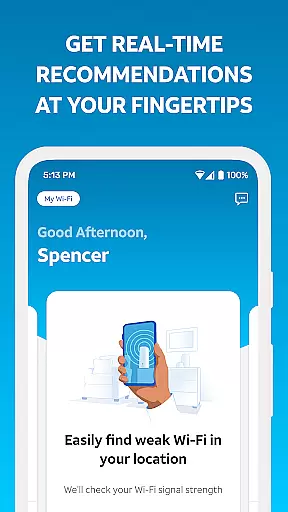
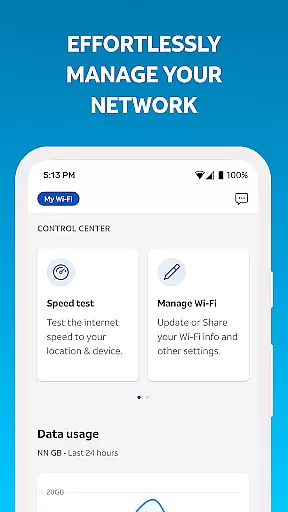
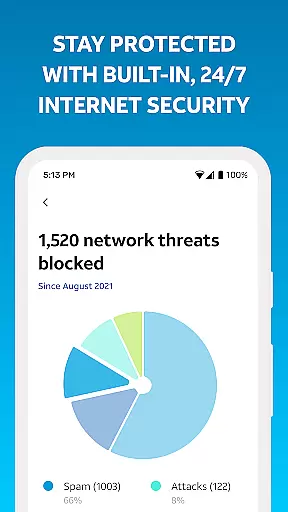
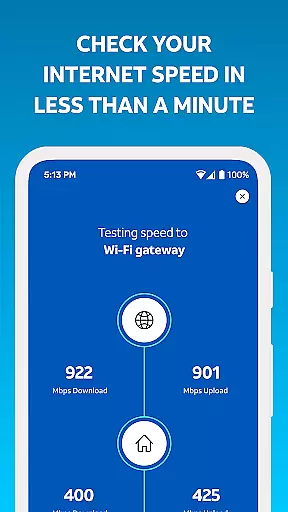
Smart Home Manager is a comprehensive productivity app designed to simplify the management of your AT&T Internet service. The app offers an intuitive interface that allows users to set up and manage their home network with ease. With technician-free troubleshooting, users can resolve issues independently while enjoying full control over their Wi-Fi settings.
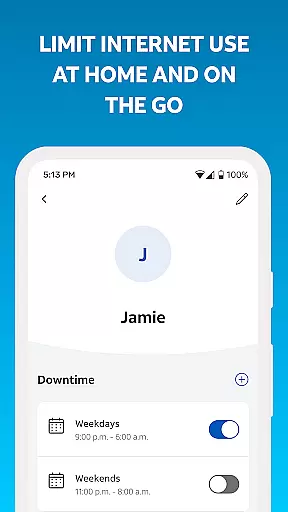
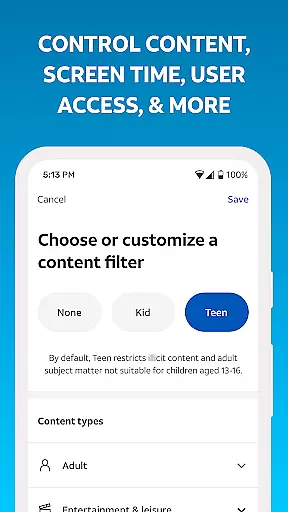
Beyond basic network management, Smart Home Manager provides advanced features such as parental controls, device personalization, and downtime scheduling. These tools empower families to manage screen time effectively and maintain a healthy digital environment at home. Additionally, users can test their internet speed, identify weak signal areas, and monitor network health, ensuring optimal performance at all times.
This app is particularly beneficial for households with multiple connected devices, offering a centralized platform to oversee and optimize the entire home network. By delivering both essential and advanced network management tools, Smart Home Manager ensures a seamless and efficient digital experience tailored to modern smart homes.
Smart Home Manager stands out with its robust feature set tailored for effective home network management. One of its core functionalities is the ability to modify Wi-Fi settings effortlessly. Users can change their network name and password, view connected devices, and personalize device names, providing a customized and secure network experience.
The app also includes family-oriented features like parental controls and downtime scheduling. These allow parents to manage their children's screen time by setting specific access periods and pausing Wi-Fi for selected devices. Furthermore, the app offers diagnostic tools such as internet speed tests and signal strength analysis, which help users pinpoint connectivity issues and improve their network's performance.
Another significant advantage is the proactive network health monitoring. Users receive notifications about potential issues and service outages, enabling them to take swift action. The ability to restart the Wi-Fi gateway remotely further enhances convenience, ensuring minimal disruption to the home network. These features collectively make Smart Home Manager an indispensable tool for tech-savvy homeowners seeking optimal network performance.
Task management is a cornerstone of productivity applications, and Smart Home Manager excels in this area by offering users comprehensive tools to manage their home network efficiently.
The app allows you to oversee connected devices, personalize device names, and control family screen time through customizable profiles and parental controls. This ensures that managing your digital environment is both straightforward and effective.
With features like the ability to pause Wi-Fi access for specific devices and to schedule downtime, users can directly influence their home's connectivity. These capabilities ensure that the core task management within the Smart Home Manager app is robust, intuitive, and tailored to maintain an optimal home network experience.
Cross-device synchronization is vital for users who require seamless transitions and consistent information across multiple devices. The Smart Home Manager app delivers reliable synchronization that keeps all your network details updated in real-time.
Whether you're checking your network health, testing internet speed, or pinpointing weak signal spots, the data is consistently synchronized across sessions on different devices. This means you will always have the most up-to-date insights at your fingertips, regardless of which device you use.
This reliability extends to receiving notifications about service outages and other network issues, ensuring that you are always informed and can take prompt action when necessary. Such cross-device reliability enhances the overall user experience, making network management effortlessly efficient.
User-friendly interface
Comprehensive network control
Advanced parental controls
Proactive issue alerts
Remote gateway management
Limited to AT&T customers
Gateway model dependent
No offline functionality
Premium features locked
Occasional bugs reported

A customizable calendar for your Wear OS watch
 4.20
4.20
Wake up & get tasks done! Add alarms & reminders on the Clock Launcher.
4.00
Absolutely the best CNC machinist speed and feed calculator around. fswizard.com
4.60
Customizable calendar widget for seamless event sync, planning & scheduling.
4.00
All in One PDF Reader: Manage, Read and Edit your Documents
4.20
App Lock with fingerprint, password: Lock apps & hide photos with lock screens
4.60
* block pre-roll ads, pop-up and forced redirect ads * Samsung certification app
4.00
Access your phone's notifications, calls, apps, photos & texts on your PC
3.90
QuickEdit is a fast, stable and full featured text and code editor.
4.20
Multilingual translator for text, voice, and image translation!
4.90
Android Wallet Password Manager
4.80
We're working to become the best machining app on the market! www.cncdirt.com
4.80
This small app MUST BE INSTALLED after purchase, else license won't work
4.40
Access, manage and transfer files on Android, PC, Mac, NAS and cloud storages.
4.30
Easily read and manage all your PDF files
4.10
Unlock AutoNotification
4.00
Secure, open-source, SPICE and SSH Remote Desktop for QEMU KVM virtual machines
4.00
⏰ Finally a timer app which can run multiple timers simultaneously on your watch
3.90
AI Video AI Image Private LLM AI Browser Llama Gemma Ollama Connect LLM Studio
4.5


User Reviews