
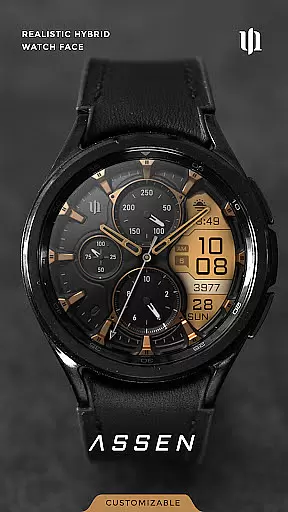
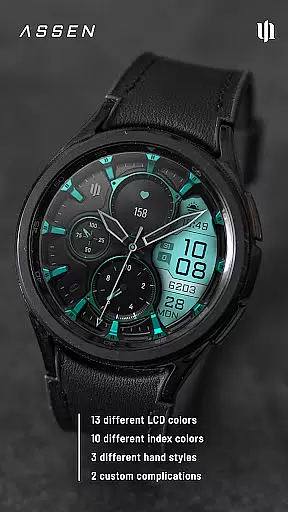
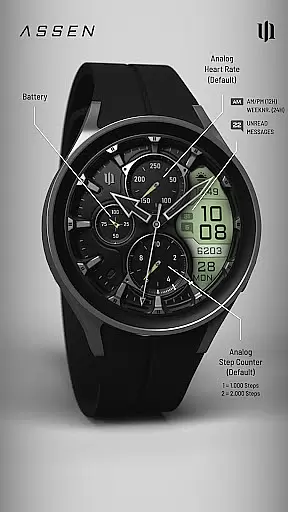
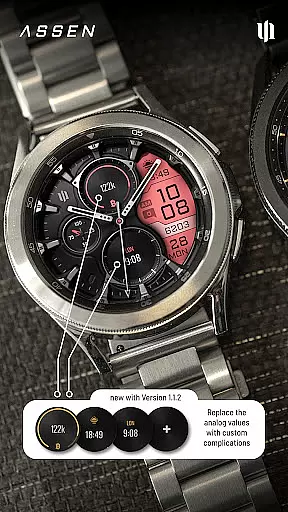
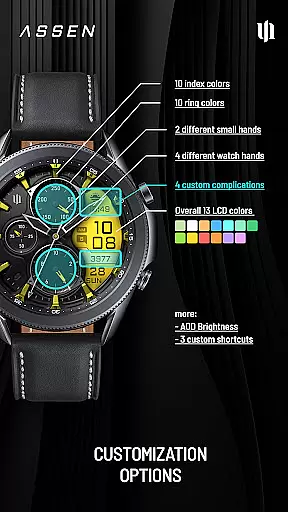
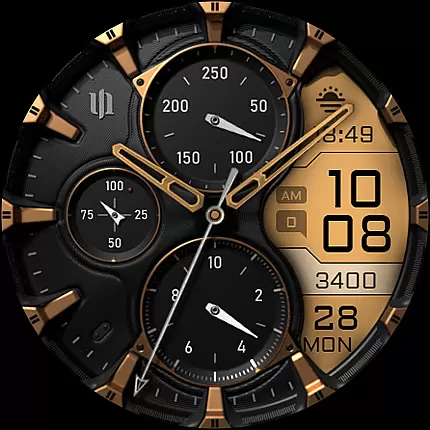
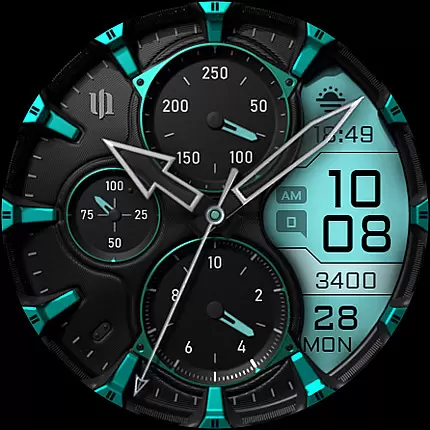
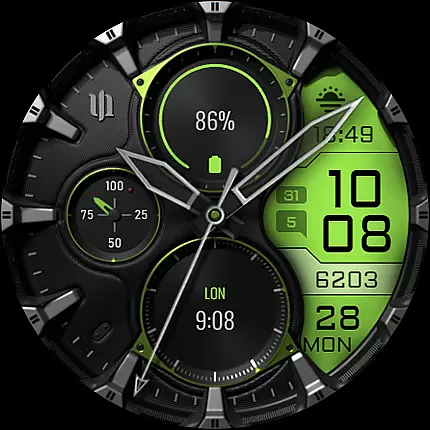
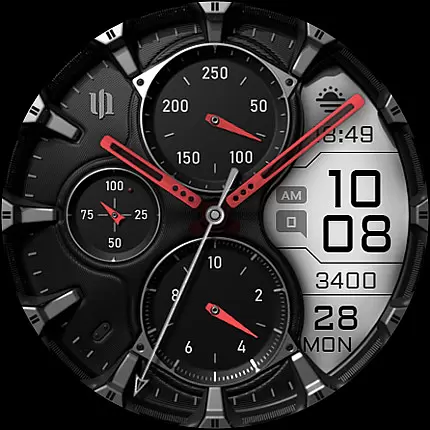
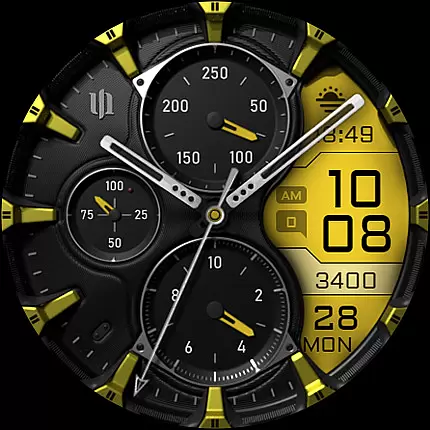
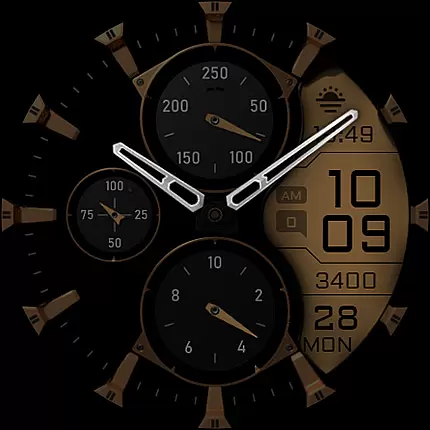
S4U Assen is a premium Wear OS watch face that combines realistic analog design with practical digital elements. This hybrid watch face features an additional LCD screen displaying essential information like time, steps, heart rate, and custom complications. With extensive customization options including 13 LCD colors, 10 index colors, and multiple hand styles, users can create a personalized look that suits their preferences.
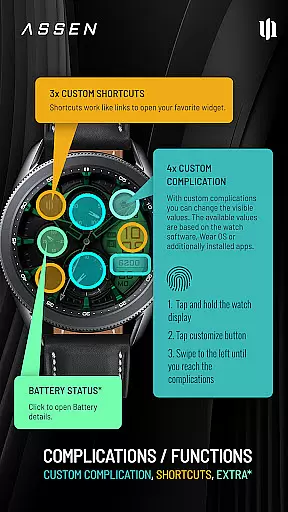
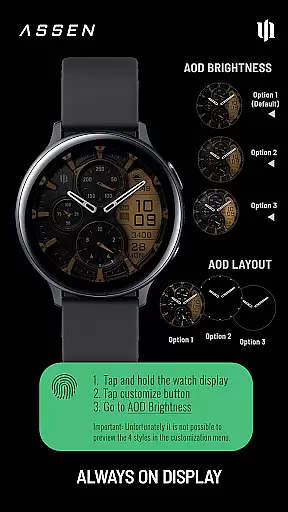
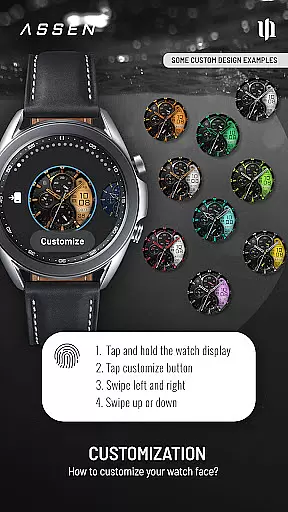
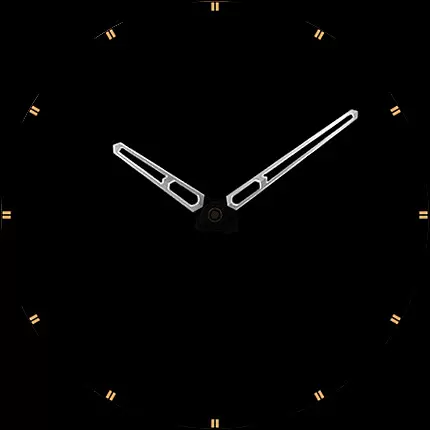
The watch face supports advanced features like Always-On Display (AOD) with three brightness levels and a minimal layout option. It's optimized for Wear OS 4 and above, compatible with Samsung Galaxy Watch series and Google Pixel Watch devices. The intuitive customization system allows users to adjust various elements through simple swipe gestures, while four customizable complications and three app shortcuts provide quick access to frequently used functions.
S4U Assen stands out with its comprehensive feature set designed for Wear OS enthusiasts. The watch face offers exceptional customization capabilities, allowing users to modify 30 themes with various color combinations for LCD display, hands, and rings. The inclusion of four clock hand styles and two small hand options provides flexibility in personalizing the analog portion of the display.
Advanced functionality includes support for four custom complications and three app shortcuts, enabling users to display relevant data and access favorite widgets quickly. The Always-On Display (AOD) feature maintains essential information visibility while offering power-saving options through adjustable brightness levels. Additional practical features include battery indicator interaction and synchronization between normal view and AOD colors, ensuring consistent appearance across different display states.
The implementation of these features demonstrates careful consideration of both aesthetics and functionality. Users benefit from the ability to tailor their watch face experience while maintaining access to crucial information at a glance, making S4U Assen particularly valuable for those seeking both style and practicality in their wearable device interface.
Companion app integration is a crucial feature for Wear OS applications like S4U Assen. This functionality ensures seamless synchronization between the smartwatch and its companion app on your mobile device.
The S4U Assen watch face provides users with a dedicated companion app that simplifies the installation process and resolves potential issues. Through this companion app, users can access the Install/Issues section, which offers step-by-step guidance for proper setup and troubleshooting.
This level of integration enhances user experience by providing easy access to customization options, complication settings, and shortcut configurations. Users can effortlessly adjust their watch face preferences directly from their mobile device.
Moreover, the companion app serves as a support channel, allowing users to contact wear@s4u-watches.com for additional help. This comprehensive integration approach demonstrates the developer's commitment to delivering a complete and reliable Wear OS experience.
Device compatibility is a fundamental aspect of any Wear OS application, and S4U Assen excels in this area. The watch face is specifically designed to work with Wear OS 4 and above (API level 33+), ensuring optimal performance on supported devices.
The application maintains compatibility with leading smartwatch models including Samsung Galaxy Watch series (4, 5, 6, 7, and 7 Ultra) as well as Google Pixel Watch generations (1-3). This wide compatibility range allows many Wear OS users to enjoy the hybrid analog-digital design.
S4U Assen takes advantage of modern Wear OS features while maintaining system requirements that guarantee smooth operation. The implementation of Always-On Display (AOD) functionality with customizable brightness levels showcases how the application leverages device capabilities.
By clearly stating compatibility requirements and providing detailed installation instructions, the developers ensure users can make informed decisions about their purchase and enjoy a trouble-free experience across supported devices.
Highly customizable
User-friendly interface
Feature-rich design
Excellent compatibility
Professional support
Wear OS 4+ only
Battery consumption
Complex settings
Premium price
Limited device support

Highly customizable hybrid watch face for Wear OS, perfect for everyday use.
 4.60
4.60
Analog watch face with 8 complications and expedition styling
4.0
Stunning modern digital watch face with 7 complications and strong contrast
4.2
Be an elegant and classy secret agent, with this carefully detailed watch face
4.70
3 Complications. All shadow on/off. 30 Themes color palette...
4.1
Period, ovulation & pregnancy tracker. Fertility insights & menstrual calendar.
4.90
Hyper-Realistic Airplane Dashboard Watch Face With 10 Skins and Custom AOD
4.00
Animated video-game inspired “secret agent” simulation, right on your wrist!
4.20
Spam call blocker and caller ID for automatic call protection!
4.40
The most customizable minimal watch face. For Wear OS 5.0, API 34+ and later
4.70
Your second brain for organizing your life: to-do, calendar, reminder.
4.70
The most customizable hybrid watch face. For Wear OS 5.0, API 34+ and later
4.70
Gym & home workout plans with strength training, exercise tracking, HIIT & more.
4.60
To-Do List: daily schedule planner, task organizer, to do reminder app, calendar
4.60
Ideal for surviving in the wasteland left after nuclear fallout
4.50
Bold, Modern Hybrid Watch Face for Wear OS. 10 Colors, Rich Info Display.
4.30
Your music, your playlists, and more—offline and unlimited.
4.20
Structured watch face with seven complications and modular UI elements
3.90
an Analog Watch Face for winter season with freeze winter background for Wear OS
4.0


User Reviews