
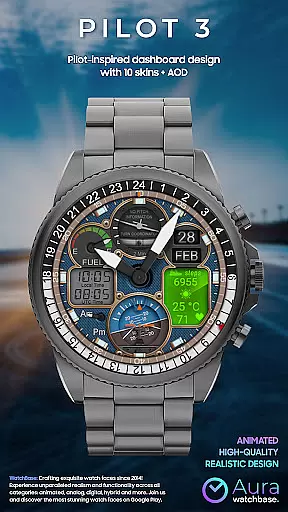
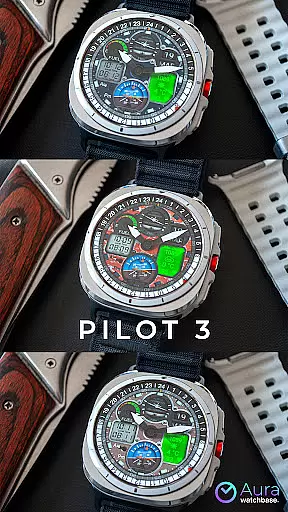
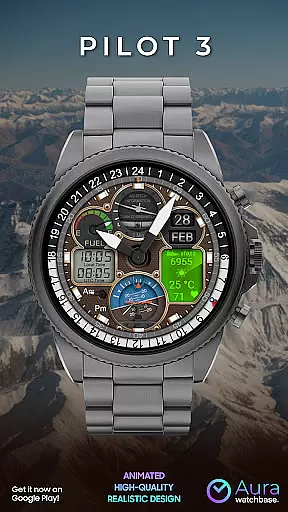
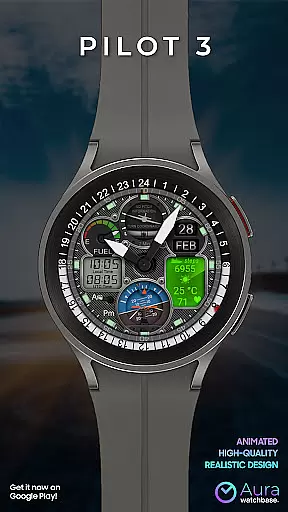
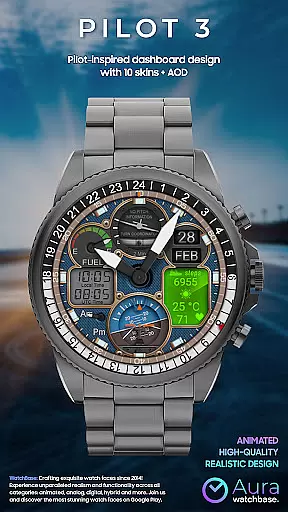
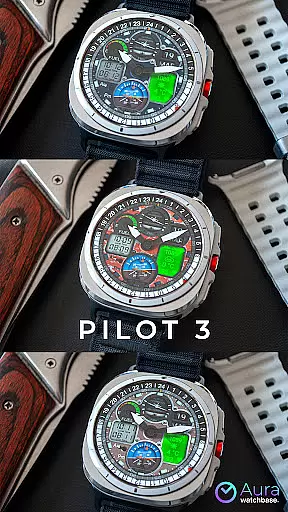
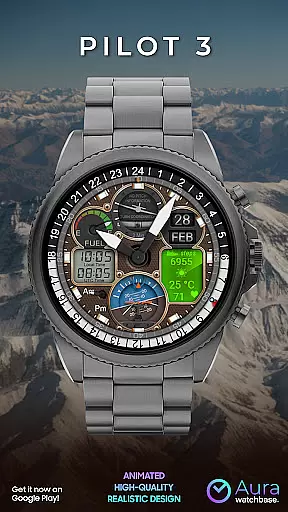
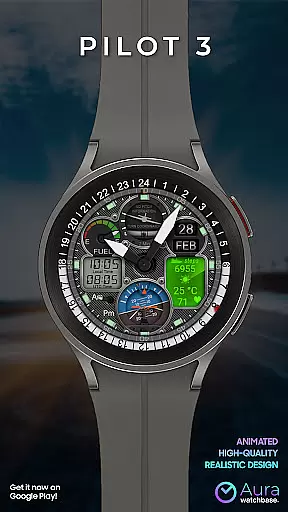
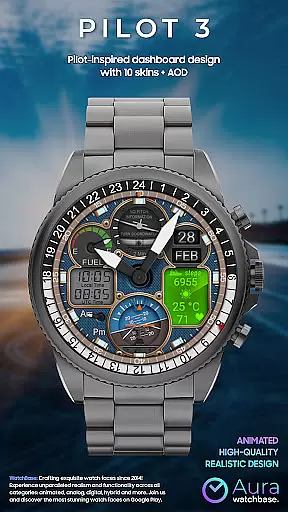
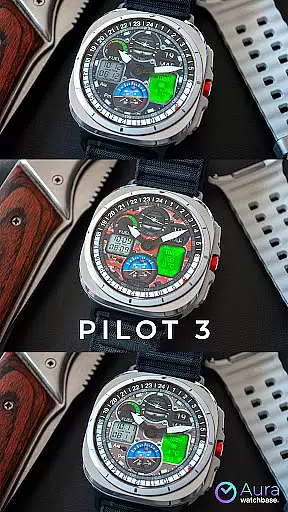
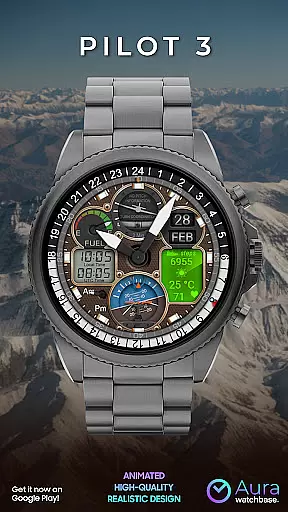
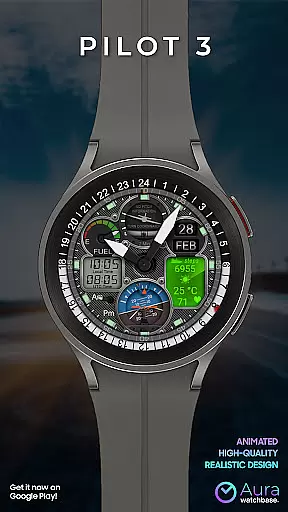
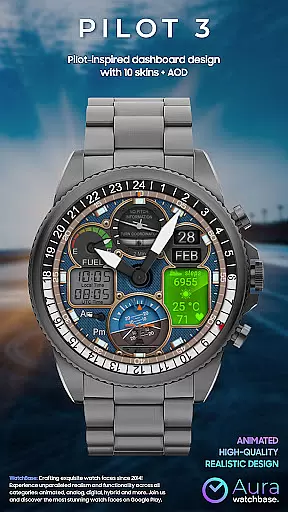
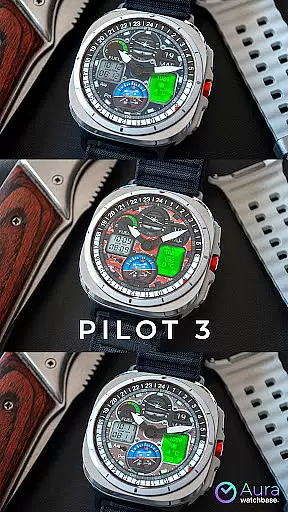
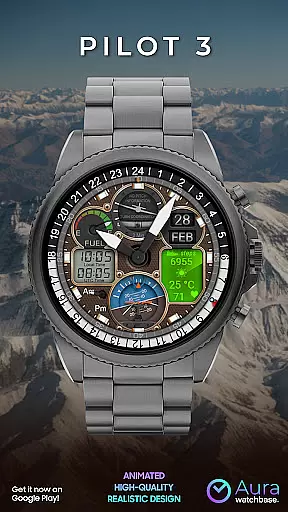
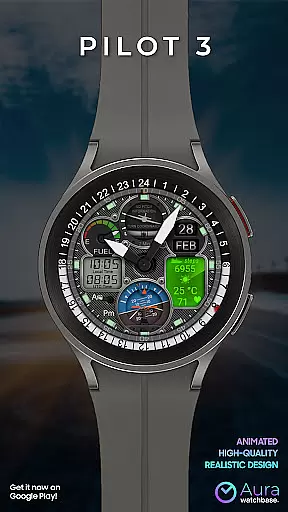
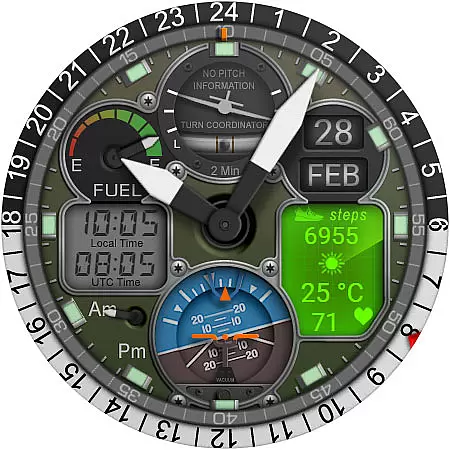
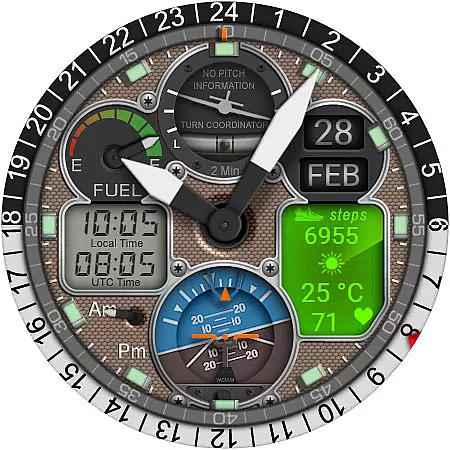
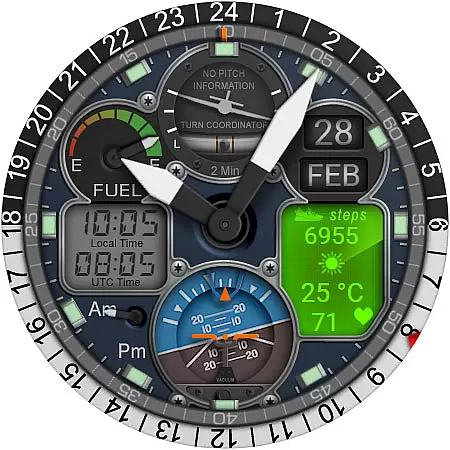
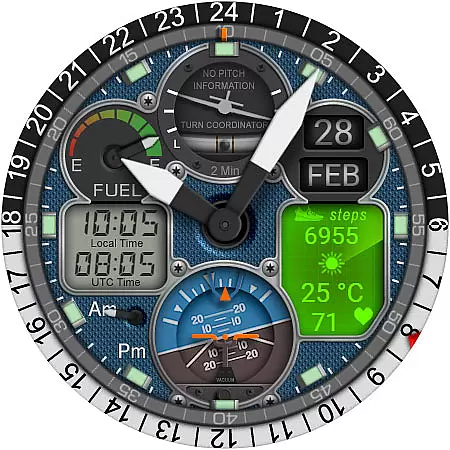
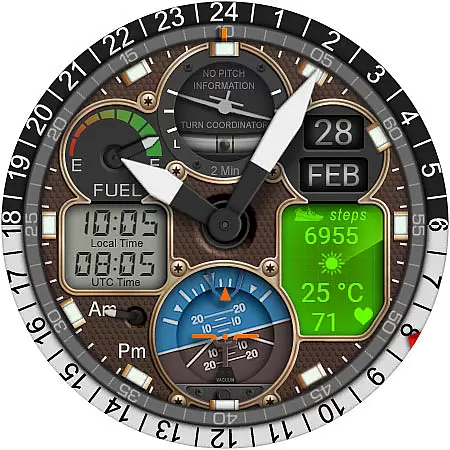
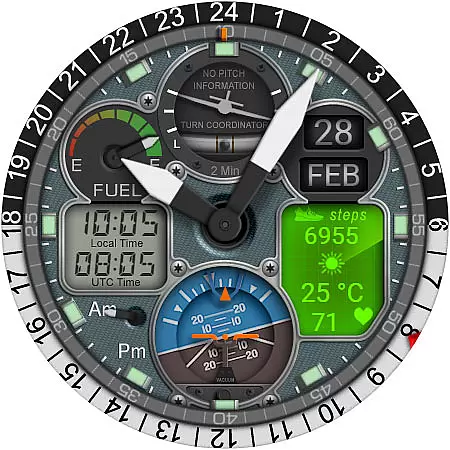
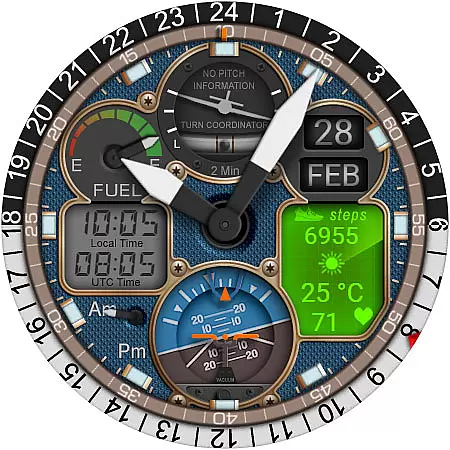
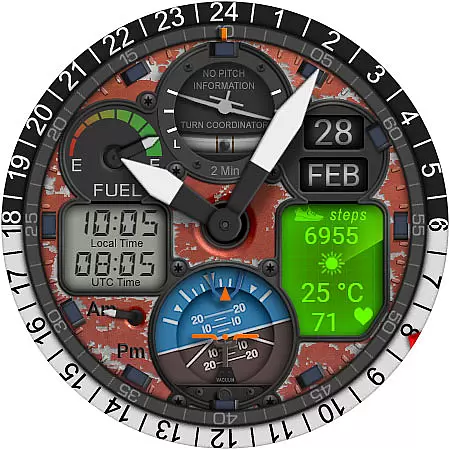
WB PILOT 3 Animated Watch Face brings the thrill of aviation to your Wear OS smartwatch. Designed exclusively for devices running Wear OS 5 and higher, this hybrid watch face combines stunning graphics with functional features. The interface displays both digital and analog time formats, catering to different preferences while offering animated elements like a Turn Coordinator and Altitude Indicator that mimic real cockpit instruments.
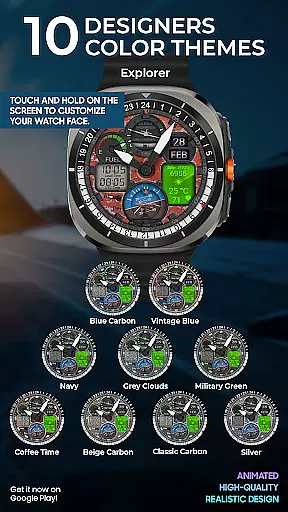
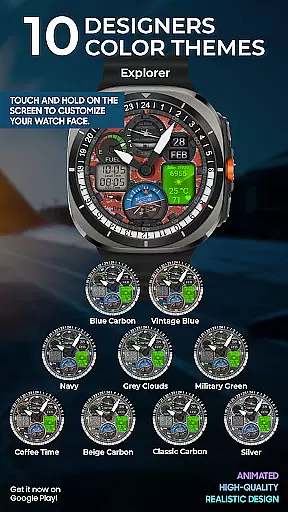
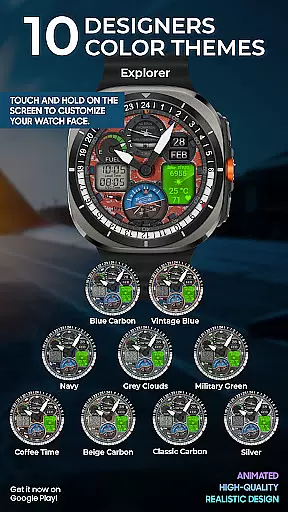
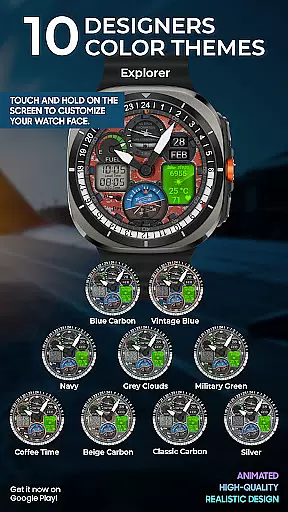
This watch face is highly customizable, allowing users to choose from 10 unique skins and display essential information such as local and UTC time, battery status, date, steps, heart rate, and weather updates. With its animated second indicator and AM/PM analog display, it provides an engaging user experience while maintaining practical utility. Whether you're an aviation enthusiast or simply looking for a dynamic watch face, WB PILOT 3 offers both style and substance.
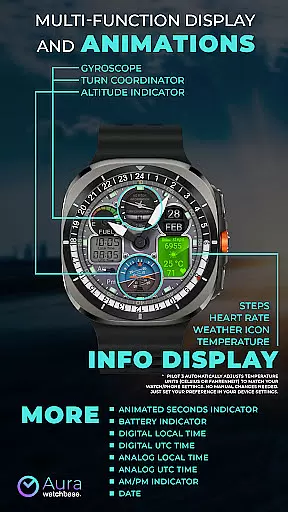
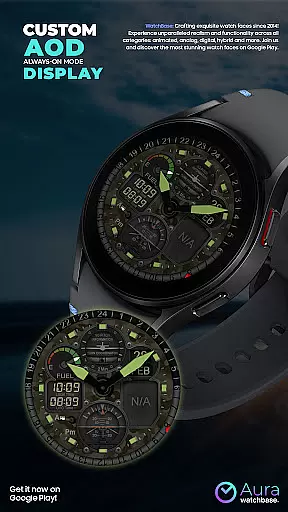
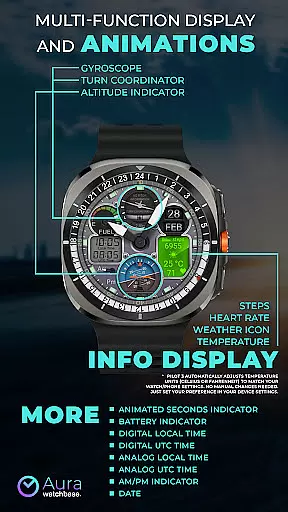
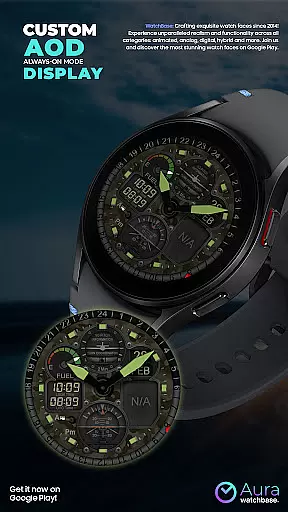
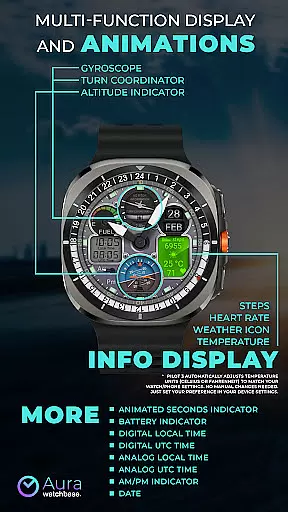
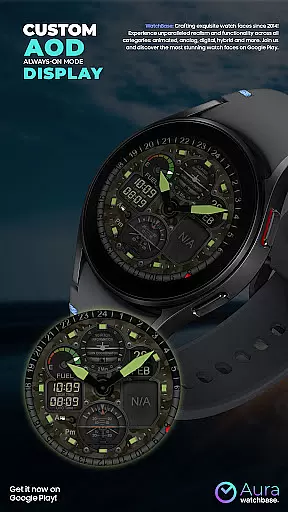
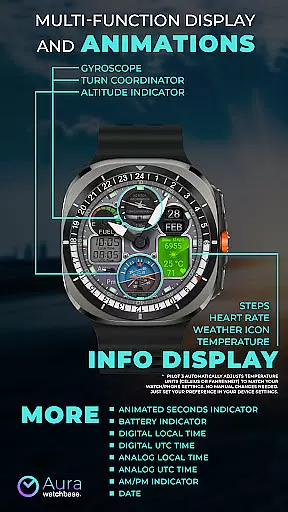
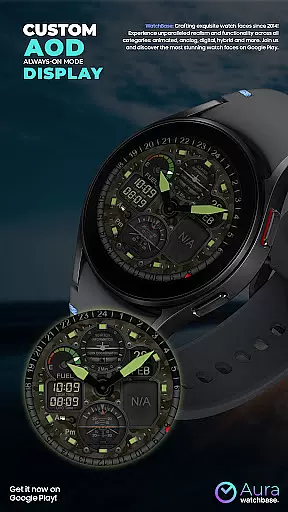
WB PILOT 3 stands out with its rich feature set tailored for both functionality and aesthetics. It includes 10 customizable skins, each offering a distinct look, ensuring there's something for everyone. The Always-On Display (AOD) ensures critical information remains accessible at a glance without draining the battery excessively. Animated elements such as the Turn Coordinator, Altitude Indicator, and Gyroscope provide a realistic cockpit feel, making daily interactions more engaging.
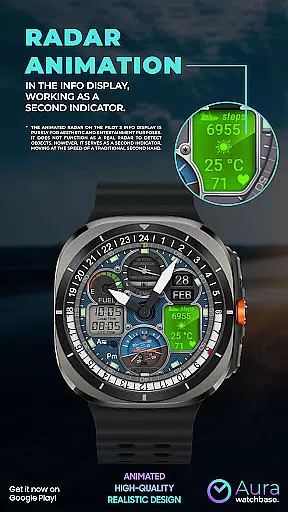
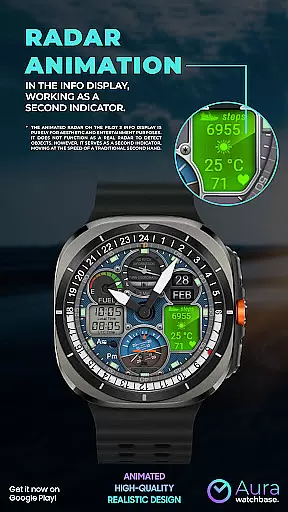
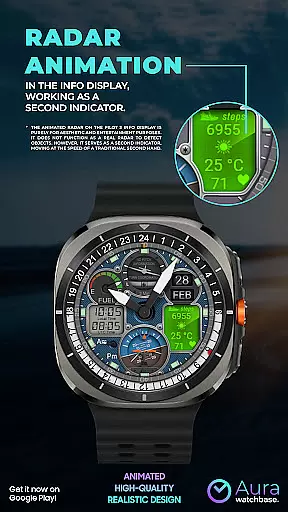
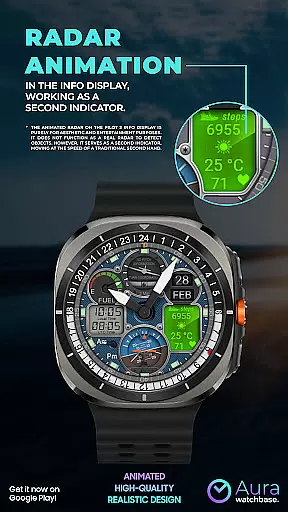
The hybrid design allows users to view time in both digital and analog formats, including separate displays for local and UTC time. Additional features include an AM/PM analog indicator, battery level display, date, and an info panel showing steps, heart rate, weather icon, and temperature. Notably, the animated radar serves as a second hand, blending form and function seamlessly. Users can also customize their preferences through simple on-screen interactions, enhancing personalization options.
Companion app integration is a crucial feature for smartwatch applications, ensuring seamless synchronization between the wearable and its paired mobile device. WB PILOT 3 Animated Watch Face leverages this functionality by providing users with an intuitive phone application to simplify the installation process.
Through the companion app, users can effortlessly install the watch face by tapping the install button on their phone. This triggers an installation prompt on the connected smartwatch, streamlining what could otherwise be a cumbersome process. The app also addresses common synchronization issues that may arise after purchase, assuring customers they won't be charged twice if the system prompts them again.
This integration offers significant benefits to users, including real-time updates and settings adjustments directly from their phones. It ensures that any customizations made through the mobile interface are accurately reflected on the wearable device, enhancing user experience and convenience.
The value of robust companion app integration lies in its ability to bridge potential gaps between devices, creating a cohesive ecosystem where data flows smoothly between platforms. For WB PILOT 3, this means pilots can focus more on enjoying their high-quality cockpit simulation rather than troubleshooting technical difficulties.
Device compatibility is fundamental for Wear OS applications, determining which smartwatches can effectively run the software. WB PILOT 3 Animated Watch Face specifically supports devices operating on Wear OS 5 and higher, ensuring optimal performance across compatible hardware.
This version requirement isn't arbitrary; it guarantees access to necessary APIs and system functionalities essential for delivering the sophisticated animations and hybrid time displays characteristic of this aviation-inspired watch face. By targeting newer operating systems, developers can implement advanced features like animated elements and multiple time zone displays without worrying about legacy system limitations.
For users, this deliberate compatibility choice translates into a smoother, more reliable experience. They benefit from enhanced graphics rendering, improved battery management features, and better integration with other Wear OS applications and services.
While restricting compatibility to newer operating systems might limit the potential user base, this decision ultimately serves to maintain high-quality standards. Users with supported devices gain access to a polished, professional-grade implementation that fully utilizes their smartwatch's capabilities while avoiding frustrating performance issues or missing features.
Stunning animations
Customizable skins
Hybrid time display
Realistic cockpit elements
Comprehensive info display
Wear OS 5+ required
No manual temp adjustment
Installation complexity
Limited device support
Premium pricing

Snowflake Rose Gold Watch Face - Digital, modern, & sleek with GYRO effect.
 4.10
4.10
Current temperature, weather hourly, weather radar by the weather forecast app
4.40
MyNISSAN® lets you remotely control your car from your phone.*
4.50
A modern hybrid informative watch face for Wear OS designed by BALLOZI
4.80
Hybrid watch face for Wear OS with customizable complications by Matteo Dini MD
4.70
Fast and smart typing with Emojis, GIFs, and more
4.50
Start and succeed with PAP
4.10
Back up your contacts & access them anywhere
4.30
Toyota app currently supports 2010 or newer vehicles (2018 or newer for Hawaii).
4.50
WTW M17 is a premium and luxurious hybrid watch face
4.70
Deck out your Wear OS Watch face with a beautifully decorated pine wreath!
4.50
A white realistic classic analog watch face with many customization options.
4.40
Find EV charging stations
4.30
Calming & relaxing sounds for sleeping and stress relief. Stay focused all day!
4.20
Get helpful reminders, take progress photos and find answers to your questions.
3.90
Authentic military-tactical design with ZULU time! Realistic and functional!
3.80
Wear Os Watch Face - Animated Snow - Sesonal for Christmas & Winter
4.4
3 Complications. All shadow on/off. 30 Themes color palette...
4.4
Stylish digital watch face for Wear OS devices with customizable features
4.2


User Reviews