
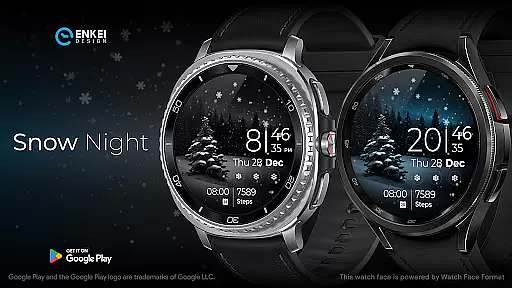
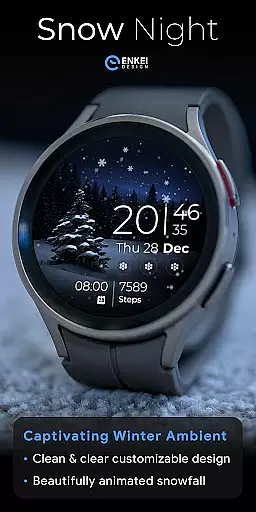
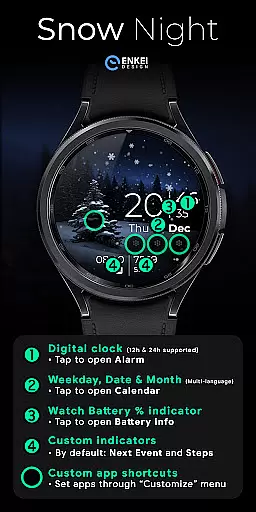
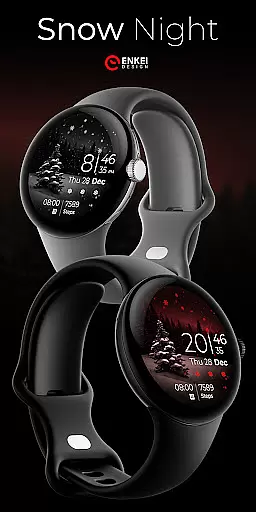
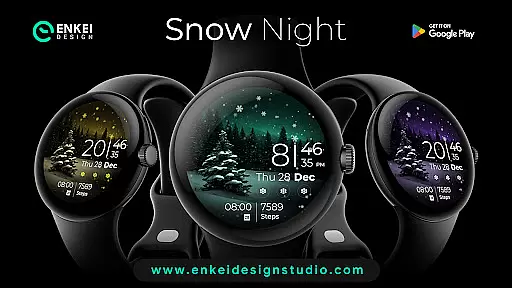
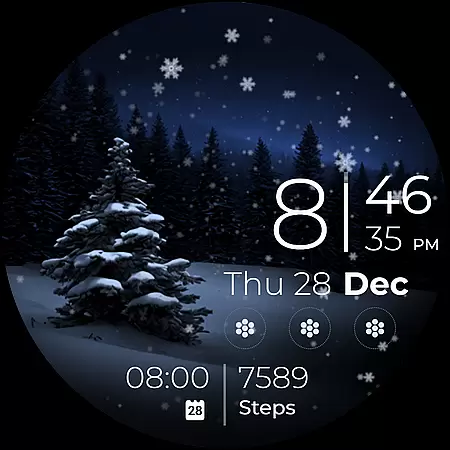
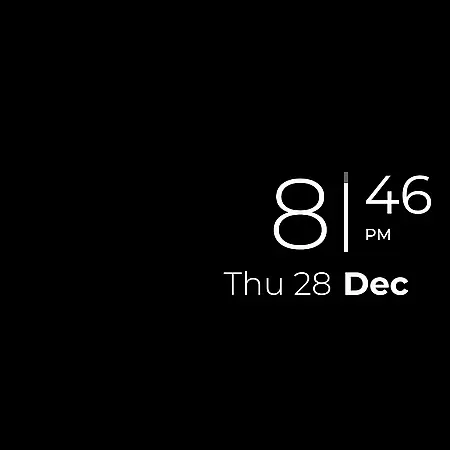
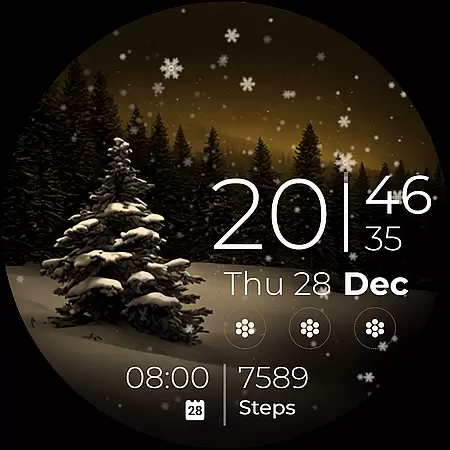
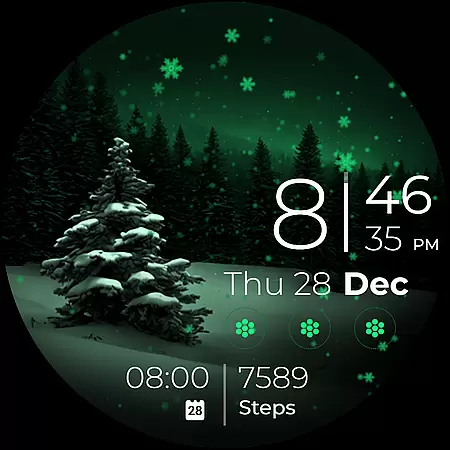
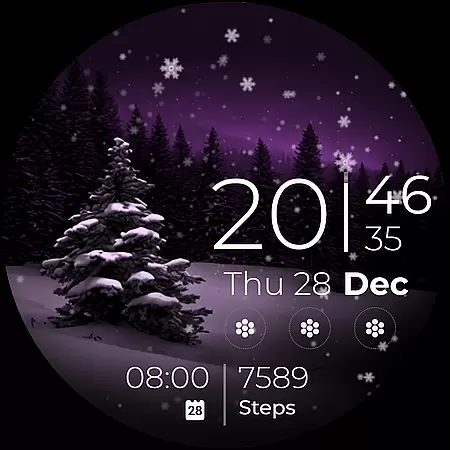
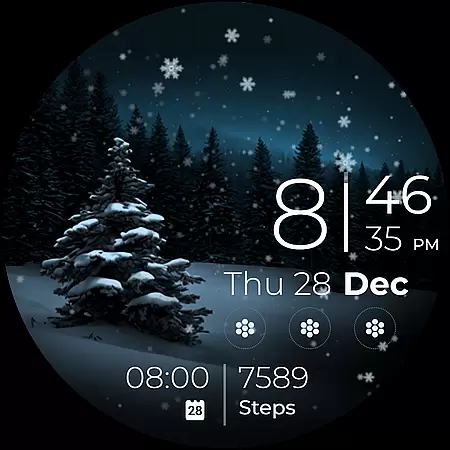
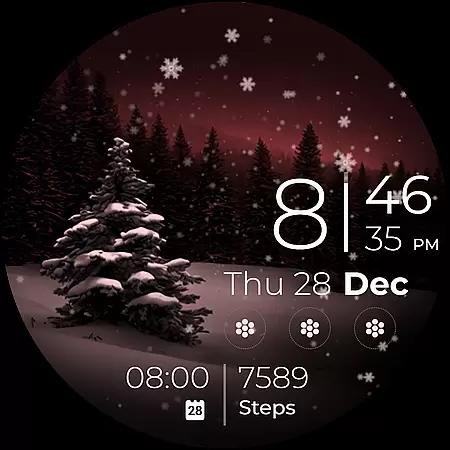
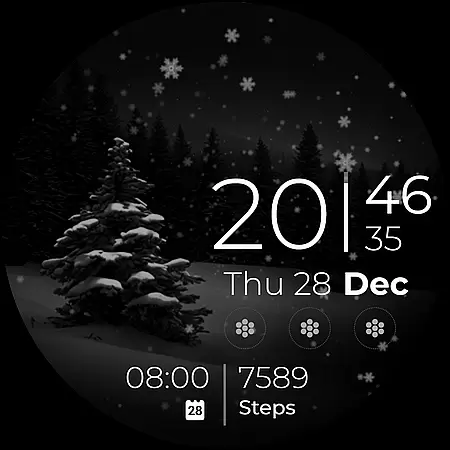
Snow Night is an artistic watch face designed for Wear OS devices, featuring captivating winter-themed animations and customizable options. The ambient snowfall effect creates a relaxing visual experience while clear indicators ensure optimal visibility.
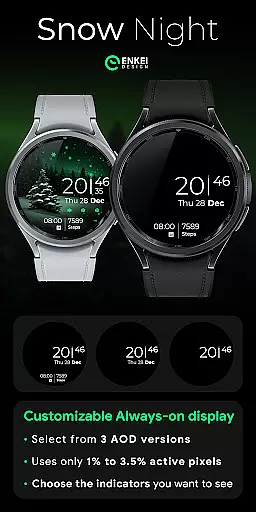
With support for digital clock, date display, battery percentage, and app shortcuts, this watch face offers both functionality and personalization. Users can choose from multiple color schemes, always-on-display styles, and complication settings to create their ideal layout.
This Android Wear application stands out with its unique combination of aesthetic appeal and practical functionality. The realistic snowfall animation brings the winter theme to life, while the customizable elements provide users with complete control over their watch face appearance.
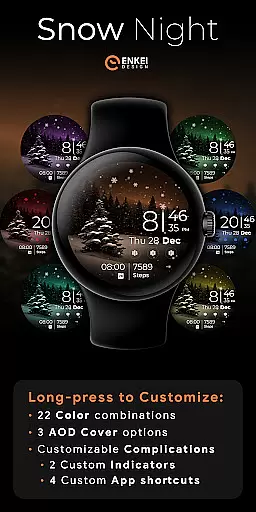
Key features include multi-language support for date indicators, tap-to-open functionality for various utilities like alarm and calendar, and four customizable app shortcuts. The innovative long-press menu allows users to modify color schemes among 22 combinations, select from three AOD cover options, and configure complications including two custom indicators.
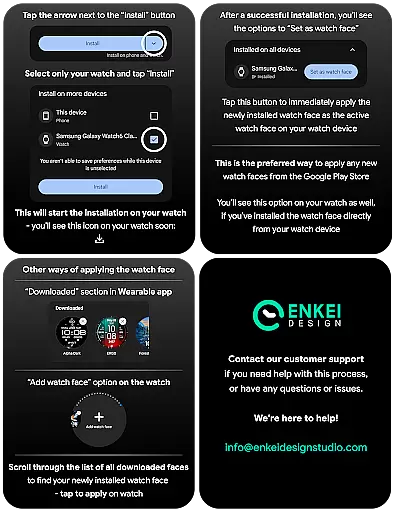
In the realm of wearable technology, seamless companion app integration is crucial for a cohesive user experience. Snow Night excels in this area by ensuring that its mobile application complements the watch face perfectly. The phone companion app facilitates direct installation to your watch device, streamlining the setup process.
Moreover, the app serves as a control center where users can access advanced customization options. With just a few taps, you can modify color schemes, adjust Always-On Display (AOD) styles, and manage complications. This level of integration enhances user engagement and allows for a personalized experience tailored to individual preferences.
The synchronization between the watch face and its companion app ensures that all settings are accurately reflected on your wearable device. Whether it's setting up app shortcuts or custom indicators, the process is intuitive and efficient. Such reliability fosters trust and satisfaction among users who seek both functionality and aesthetics in their Android Wear devices.
Snow Night is meticulously designed to be compatible with Wear OS 5.0 and newer versions (API 34+), ensuring that it runs smoothly on a wide range of devices. This compatibility is vital for users who want to enjoy the latest features without worrying about technical glitches or performance issues.
By supporting only the most recent operating systems, Snow Night takes full advantage of expanded customization options and useful features offered by Watch Face Format. Users benefit from enhanced performance, improved battery life, and access to cutting-edge functionalities that elevate their wearable experience.
Furthermore, clear installation guidelines provided by Enkei Design Studio help users navigate any potential challenges during setup. This commitment to compatibility and support underscores the developer's dedication to delivering a high-quality product that meets modern standards and exceeds user expectations.
Visually appealing design
Highly customizable interface
Useful tap-to-open functions
Multiple color combinations
Optimized for Wear OS
Limited to newer Wear OS versions
Requires separate installation
No built-in bookmarking
Device-specific compatibility
Premium features may cost extra

WTW M17 is a premium and luxurious hybrid watch face
 4.70
4.70
an Analog Watch Face for winter season with freeze winter background for Wear OS
4.3
Wear Os Watch Face - Animated Snow Effect & Magic Spark - 6 Scenes
4.10
Beautiful, colorful and practical watch face. For Wear OS devices.
5.00
Watch face for Wear OS.
4.20
Period, ovulation & pregnancy tracker. Fertility insights & menstrual calendar.
4.90
Viewer for Wyze/Yi/Eufy/Arlo/ONVIF/RTSP/P2P IP cams w/ adv. features & DIY DVR
4.00
Animated video-game inspired “secret agent” simulation, right on your wrist!
4.20
Your local weather forecast, storm tracker, radar maps & live weather news
3.40
Christmas Theme Watch Face for Wear Os
5.00
Digital, flexibly customizable watch face. For Wear OS 5.0, API 34+ and later.
5.00
The Chevron App allows you to pay for fuel from the comfort of your car!
4.80
Walking app for weight loss: walk & step tracker, pedometer, indoor treadmill
4.60
The ultimate destination for kids ages 3-8 to explore the Marvel Universe!
4.30
Connect, create, and collaborate with Gmail, part of Google Workspace.
4.10
Structured watch face with seven complications and modular UI elements
3.90
Christmas and New Year - Themed Watchface
4.1
A Wintery Snow Globe on Your Wrist; now celebrating Christmas!
4.0
Hybrid Vibrant Health Watch Face for Wear OS
4.1


User Reviews