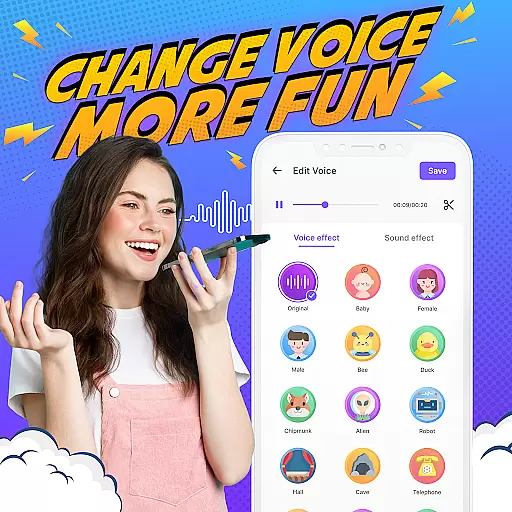
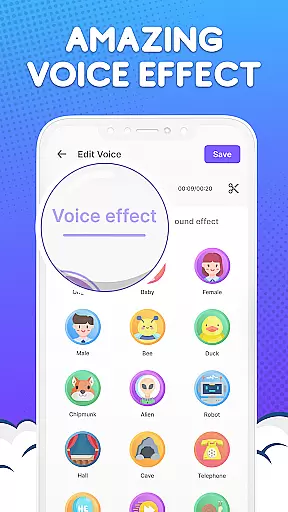
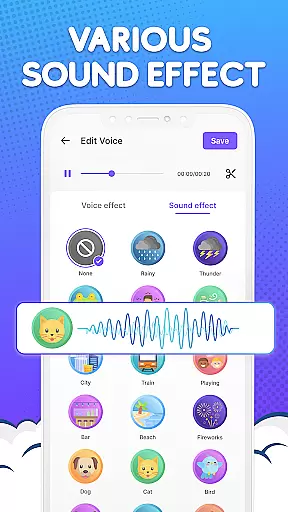
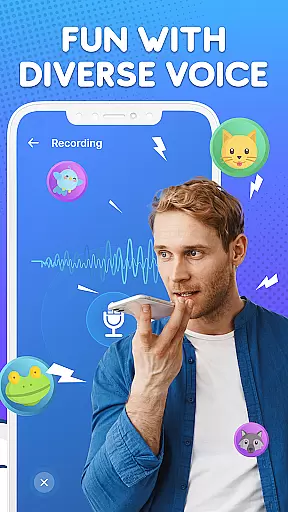

Voice Changer by Sound Effects is an innovative audio tool designed to transform ordinary voice recordings into entertaining and customized sound clips. This app allows users to modify their voices into different genders, cartoon characters, robots, and even aliens. With more than 30 distinct voice generator options and over 30 additional sound effects, the app provides a rich variety of choices for creative audio editing.
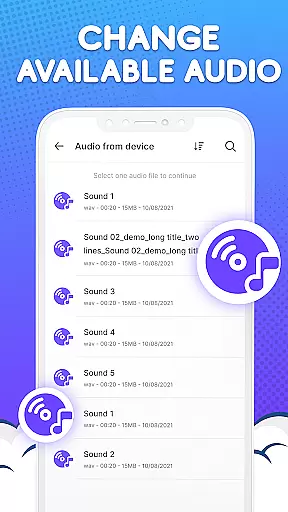
The application also features robust video voice-changing capabilities, enabling users to adjust speed, volume, pitch, and apply various filters like high pass, low pass, and distortion. Whether you're looking to enhance your video content or simply have fun with friends, Voice Changer offers intuitive tools that make audio transformation accessible to everyone. The easy-to-navigate interface supports direct recording, quick audio trimming, and seamless integration with existing files on your device.
Designed for both entertainment and practical use, this app lets you share modified audio instantly with friends or utilize the sounds as ringtones and notification alerts. Its broad applicability makes it suitable for personal amusement and professional video editing alike, ensuring a delightful experience for all users.
Voice Changer by Sound Effects stands out due to its comprehensive feature set tailored for both casual and advanced users. One of the key highlights is the extensive selection of over 30 voice generator effects, allowing users to experiment with gender swaps, age modifications, and fantastical transformations such as alien and cartoon voices. These effects are perfect for adding a unique twist to conversations or enhancing multimedia projects with distinctive audio elements.
In addition to voice modulation, the app includes over 30 sound effects ranging from environmental noises like rain and dog barks to interactive sounds such as clapping and camera shutters. These supplementary effects enrich the auditory landscape of any project, making videos and presentations more engaging. The video voice changer functionality further extends its utility by providing detailed editing options like speed adjustment, volume control, pitch alteration, and specialized audio filters.
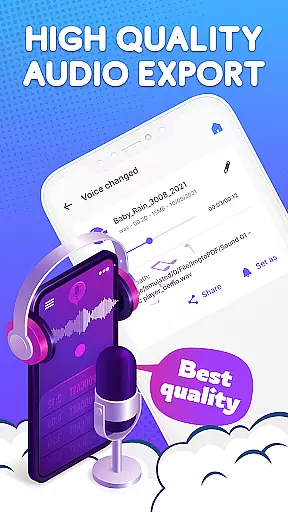
Usability is at the core of Voice Changer's design. It facilitates straightforward recording within the app, rapid audio cutting, and seamless editing of pre-existing files stored on your device. Users can export high-quality audio files and manage them efficiently through the app's professional file management system. This combination of powerful editing tools and user-friendly features ensures that Voice Changer caters to a wide audience seeking both recreation and professional-grade audio manipulation.
Voice Changer by Sound Effects offers an extensive library of over 30 different voice generator effects and sound options, ensuring users have a wide variety of choices to enhance their audio experience. The app provides everything from gender-swapping voice effects to cartoonish and robotic sounds, catering to diverse user preferences.
Regarding copyright authenticity, the application guarantees that all its sound effects and voice-changing capabilities are legally obtained and free for user use. This means creators can confidently utilize the app's features without concern for copyright infringement, making it ideal for content creators looking to enrich their videos or audio projects with unique voices and sound effects.
The inclusion of more than 30 sound effects, ranging from environmental noises like rain and dog barks to interactive sounds such as clapping and camera shutters, further expands the creative possibilities for users. These elements can be seamlessly integrated into videos or audio tracks, enhancing the overall production value without any legal complications.
By prioritizing both variety and legal compliance, Voice Changer positions itself as a reliable tool in the music and audio editing space, empowering users to experiment with confidence while enjoying a rich palette of sonic transformations.
One of the standout features of Voice Changer by Sound Effects is its robust set of audio quality options, allowing users to manipulate various aspects of their recordings with precision. Users can adjust parameters such as speed, volume, pitch, high pass, low pass, and distortion, providing granular control over how the final output will sound.
This flexibility ensures that whether you're aiming for realistic voice alterations or exaggerated comedic effects, the app can deliver the desired outcome with professional-grade clarity. The ability to trim voice clips and layer additional sound effects adds another dimension to the editing process, enabling intricate customization that meets specific project requirements.
In addition to supporting direct recording within the app, Voice Changer also allows for importing existing audio files, which can then be edited using the same comprehensive suite of tools. This versatility makes it suitable for both spontaneous creations and premeditated projects, accommodating a broad spectrum of user needs.
Finally, the app supports exporting high-quality audio files, ensuring that the final product retains its intended impact without degradation in quality. This focus on maintaining superior audio standards throughout the editing process underscores Voice Changeru2019s commitment to delivering an exceptional user experience in the realm of digital audio manipulation.
User-friendly interface
Extensive voice effects
High-quality exports
Versatile sound library
Free to download
Limited free features
Ads may interrupt
Premium version costly
Occasional bugs
Heavy on storage

Simply convert wav to mp3. Clear. Reliable. Safe.
 4.1
4.1
Your HD audio recorder on the go for music, meetings, ambience, animal sounds…
4.30
Over 100 million tracks available for high quality streaming and download
4.60
Control your MIDI USB or Bluetooth devices in app and avoid some trampling
3.30
Gorgeous UI, Powerful music Search and Equalizer, the great choice for you!
4.70
Advanced 10-Band Audio Graphic Equalizer Sound Booster Pro
4.30
Ultimate Sonos Controller
4.70
Record, Mix & Master with all n-Track effects, 64-bit audio and Stem Separation.
4.70
Play KORG’s revolutionary touch-based instrument on a variety of devices.
4.40
Your song collections with lyrics and chords on Android smartphones and tablets.
4.80
More downloads than any other metronome. Includes drum machine & tempo trainer.
4.80
Unleash your creativity! Turn simple prompts into full fledged songs.
4.70
Enhance the sound quality of your devices, listen to what you want
4.50
Ringtone Maker is free app create ringtone from music files or your recording.
4.40
Full featured mp3 and audio player with Chromecast and Android Auto support.
4.40
Bass Booster Pro takes auto-equalizing to the next level!
4.30
Smart piano keyboard, Classical to Pop, Real-time multiplayer connection!
4.20
The iconic iOS metronome app is now on Android.
3.70
MilkDrop for Android TV
3.00


User Reviews