
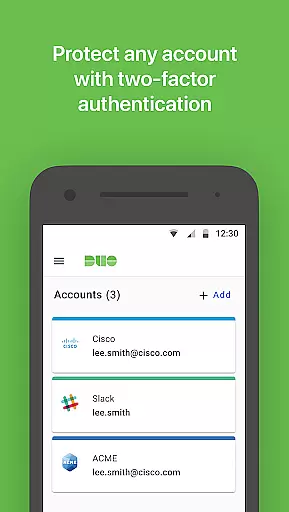
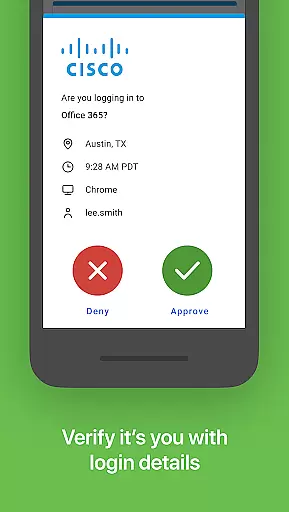
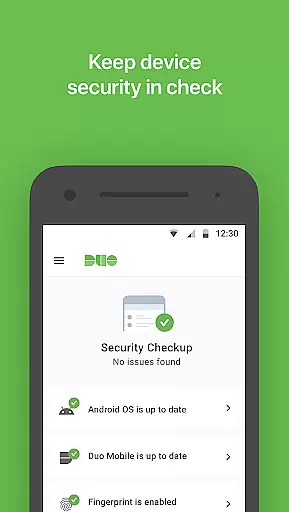
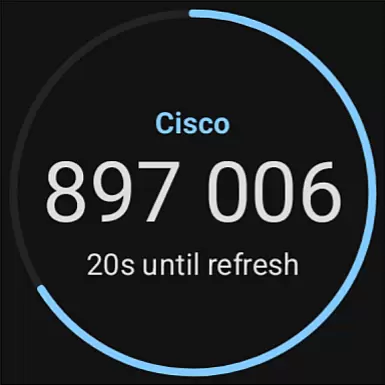
Duo Mobile is a security application designed to enhance login protection through two-factor authentication. It generates time-based passcodes and supports push notifications for seamless verification. The app also integrates with third-party services, allowing users to manage multiple accounts securely.
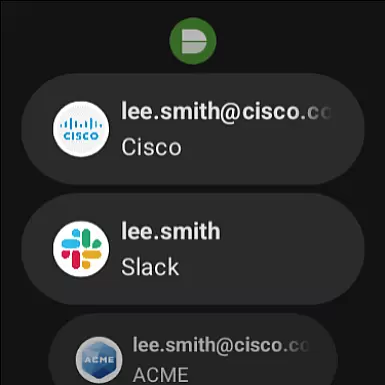
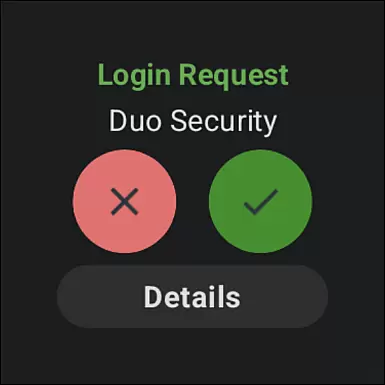
With its companion app Duo Wear, it extends secure authentication capabilities to Android Wear devices, making the process more convenient for smartwatch users. Activation requires linking to a Duo account via an enrollment process that includes QR code scanning or alternative methods.
The key feature of Duo Mobile is its ability to generate TOTP passcodes for secure logins. Users can also receive push notifications for one-tap authentication, streamlining the login process. Additionally, the app supports third-party service integrations, enabling management of various web and application accounts.
Duo Mobile's compatibility with Wear OS through Duo Wear ensures that users can authenticate directly from their smartwatches. Privacy-conscious design means camera access is only requested for QR code activation, which can be bypassed if preferred.
Companion app integration is essential for ensuring seamless functionality between mobile applications and wearable devices. Duo Mobile excels in this area by offering a dedicated companion app called Duo Wear, specifically designed for Wear OS.
This integration allows users to receive authentication requests directly on their smartwatches, providing an additional layer of convenience. Whether you're at the gym or in a meeting, you can authenticate your login attempts without needing to pull out your phone.
The synchronization between Duo Mobile and Duo Wear ensures that all account information and authentication requests are updated in real-time. This means you'll never miss an important login request, regardless of which device you're using.
By leveraging the full potential of companion app integration, Duo Mobile enhances both security and user experience, making two-factor authentication more accessible than ever before.
Ensuring compatibility with Wear OS and various devices is crucial for delivering a consistent user experience. Duo Mobile has been meticulously optimized to work seamlessly with Wear OS, supporting a wide range of smartwatches available on the market today.
This compatibility extends beyond just basic functionality; it includes full support for receiving push notifications and generating passcodes directly on your wearable device. Such comprehensive integration guarantees that users won't face any limitations when switching between their smartphones and smartwatches.
Duo Mobile undergoes rigorous testing to maintain high standards of performance across different devices and firmware versions. This commitment to quality ensures that users enjoy a reliable and smooth authentication process, regardless of their specific hardware configuration.
Ultimately, the robust compatibility of Duo Mobile with Wear OS devices underscores its dedication to providing versatile and dependable two-factor authentication solutions tailored for modern digital lifestyles.
Enhanced Security
User-Friendly Interface
Push Notifications
Third-Party Integrations
Wear OS Compatibility
Requires Activation
QR Code Dependency
Limited Offline Use
No Biometric Login
Dependent on Network

A customizable Christmas watch face for Wear OS with a countdown.
 4.20
4.20
Christmas is near, let's count together the days left until Santa comes
4.5
Analog watch face with 8 complications and expedition styling
4.1
Stunning modern digital watch face with 7 complications and strong contrast
4.1
A modern premium sporty hybrid watch face for Wear OS by Ballozi
4.70
Digital watch face. For Wear OS devices.
4.40
Get helpful reminders, take progress photos and find answers to your questions.
3.90
The Chevron App allows you to pay for fuel from the comfort of your car!
4.80
Funny animated watch face for Thanksgiving
4.3
The most customizable minimal watch face. For Wear OS 5.0, API 34+ and later
4.70
Nutrition, Macro tracker: Food, fitness & healthy diet tracking for weight loss
4.60
Current temperature, weather hourly, weather radar by the weather forecast app
4.40
Locate your family members by GPS phone location tracker everywhere and anytime
4.30
Let's celebrate Thanksgiving - Wear Os watch face
4.20
Animated Watch Face and Customizable with 24 Backgrounds. Perfect for Christmas!
3.90
Watch the sharpness of the sky on your wrist..
3.70
Your local weather forecast, storm tracker, radar maps & live weather news
3.40
Wear Os Watch Face - Animated Snow - Sesonal for Christmas & Winter
4.5
Contemporary digital watch face with five complications
4.5


User Reviews