
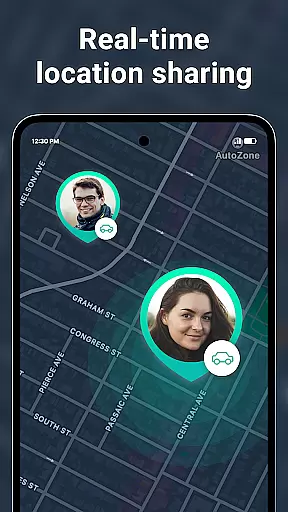
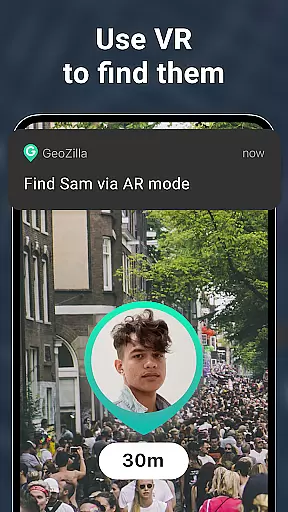

Geozilla is a comprehensive family safety and location-sharing app designed specifically for Android Wear devices. This innovative application allows families and trusted groups to stay connected through real-time location tracking, ensuring peace of mind regardless of physical distance. With its smart features like emergency alerts, driving reports, and geofencing capabilities, Geozilla provides an essential layer of security for modern households.
The app's core functionality revolves around creating private family circles where members can share their locations only with explicit consent. Through intuitive tools such as live location sharing, arrival and departure notifications, and battery monitoring, users can maintain constant awareness of their loved ones' whereabouts. Additionally, Geozilla offers advanced features including AR Finder and crash detection with SOS alerts, making it an indispensable tool for family safety on wearable devices.
Whether you're a parent wanting to track your child's journey to school or a caregiver needing to monitor dependents, Geozilla delivers transparent and responsible location sharing. The app's commitment to privacy and user consent ensures that all data is shared only with mutual agreement, making it the perfect solution for maintaining family connections while prioritizing individual privacy rights.
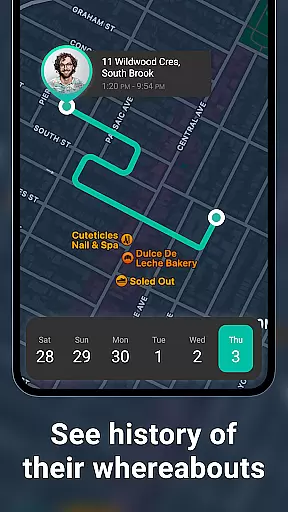
Geozilla distinguishes itself through a robust set of features specifically tailored for family safety on Android Wear devices. The app's most prominent capability is its real-time location tracking system, which allows users to view precise GPS coordinates of their family members directly from their smartwatches. This feature is complemented by comprehensive location history logs, enabling parents and caregivers to review movement patterns throughout the day.
What sets Geozilla apart is its sophisticated geofencing technology and safety alerts system. Users can establish virtual boundaries around important locations such as home, school, or work, receiving instant notifications when family members enter or leave these areas. The app also incorporates driving behavior analysis, providing detailed insights into family members' driving habits while promoting safer road practices through regular feedback reports.
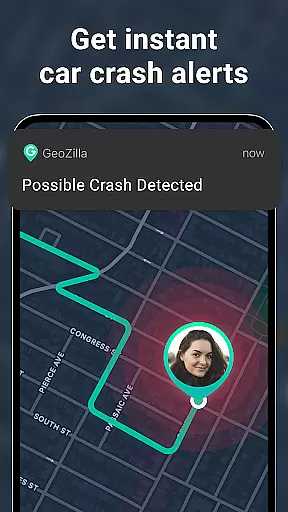
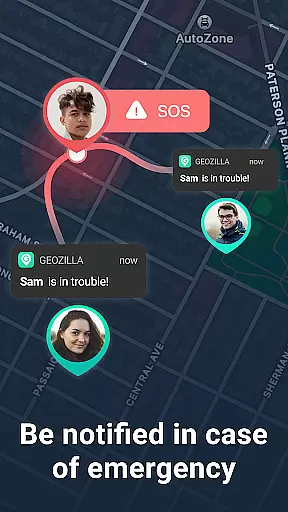
Additional noteworthy features include battery monitoring alerts, augmented reality finder functionality, and automatic crash detection with emergency response capabilities. These elements work together to create a comprehensive safety net for families using wearable technology. The app's seamless integration with Wear OS devices ensures that all these features remain accessible at a glance, making Geozilla an exceptional choice for those seeking reliable family safety solutions on their smartwatches.
Companion app integration is essential for wearable devices to function seamlessly with smartphones. Geozilla excels in this area by ensuring that its Android Wear application works in harmony with its mobile counterpart.
Through the companion app, users can access all of Geozilla's family safety features directly from their smartwatches. This includes real-time location sharing and receiving important notifications, which are crucial when you're on the go and need instant updates about your loved ones.
The integration process is straightforward. Once the smartphone app is installed and set up, it automatically syncs with the Wear OS device. Users will experience no disruption in service as they transition between their phone and watch, enjoying continuous protection and peace of mind.
This seamless connection means that whether you're checking a family member's location or responding to an alert, the experience is consistent and reliable across devices, enhancing both convenience and safety.
For any app designed for wearable technology, compatibility with the operating system and various devices is paramount. Geozilla has been optimized to work flawlessly with Wear OS, ensuring broad device support within the Android ecosystem.
Geozilla's Wear OS application supports a wide range of smartwatches, allowing families to stay connected regardless of the specific brand or model each member uses. This inclusivity ensures that every family member can benefit from Geozilla's safety features without needing to purchase specific hardware.
Moreover, the app takes full advantage of Wear OS capabilities, such as health tracking sensors and voice commands, to enhance user interaction and provide a more natural way to engage with safety features while on the move.
By focusing on extensive device compatibility, Geozilla guarantees that its users have a smooth and trouble-free experience, maintaining constant connectivity and safeguarding their loved ones without being limited by device constraints.
User-friendly interface
Real-time tracking
Comprehensive safety features
Transparent privacy policies
Wear OS compatibility
Limited to family use
Requires mutual consent
Background battery usage
Premium feature costs
Android-only support

Walking app for weight loss: walk & step tracker, pedometer, indoor treadmill
 4.60
4.60
MyNISSAN® lets you remotely control your car from your phone.*
4.50
Easy Voice Recorder is your everyday companion to record important moments.
4.70
Hyperlocal rain alerts by MyRadar using patent-pending technology, radar & more
4.80
The Chevron App allows you to pay for fuel from the comfort of your car!
4.80
Hyper-Realistic Airplane Dashboard Watch Face With 10 Skins and Custom AOD
4.00
Back up your contacts & access them anywhere
4.30
Spam call blocker and caller ID for automatic call protection!
4.40
Download full tracks, listen to music offline, make unlimited playlists.
4.80
The most customizable minimal watch face. For Wear OS 5.0, API 34+ and later
4.70
A modern premium sporty hybrid watch face for Wear OS by Ballozi
4.70
Ideal for surviving in the wasteland left after nuclear fallout
4.50
Beautiful artistic animated digital watch face, with a customizable layout!
4.40
Let's celebrate Thanksgiving - Wear Os watch face
4.20
Animated video-game inspired “secret agent” simulation, right on your wrist!
4.20
Animated Watch Face and Customizable with 24 Backgrounds. Perfect for Christmas!
3.90
Stay in touch with your friends and family using LINE!
3.40
an Analog Watch Face for winter season with freeze winter background for Wear OS
4.5
Artistic Digital Watchface
4.1


User Reviews