
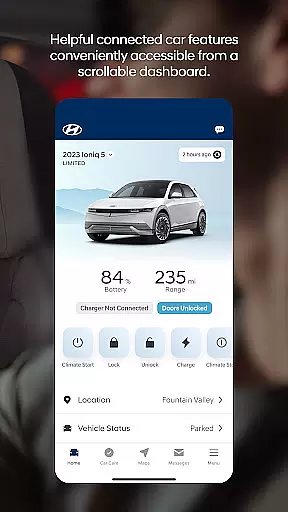

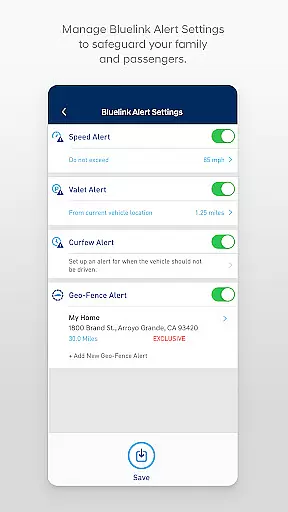
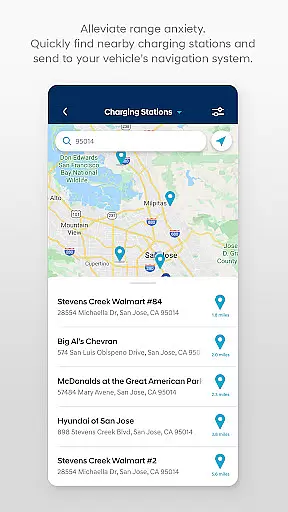
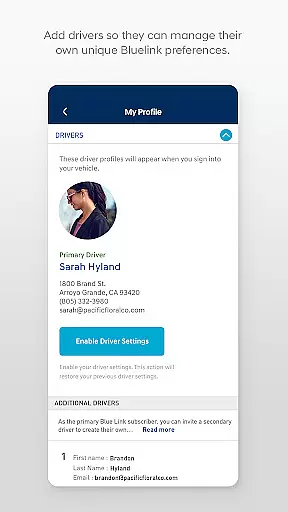
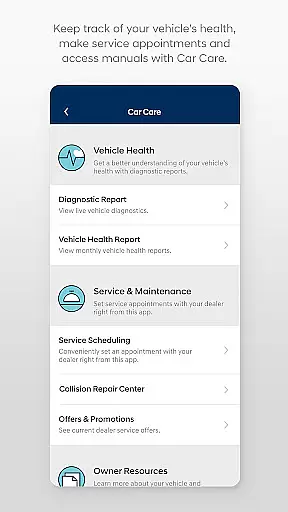
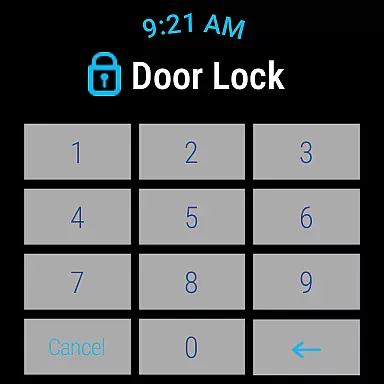
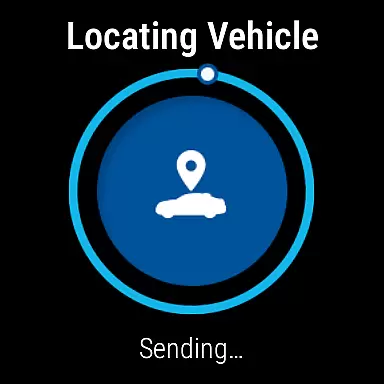
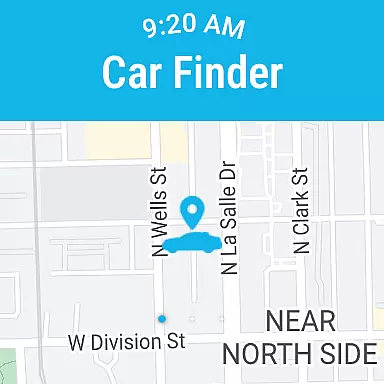
MyHyundai with Bluelink is a comprehensive vehicle management application designed specifically for Hyundai car owners. This app allows users to remotely interact with their Bluelink-enabled vehicles, providing unprecedented convenience and control. Key functionalities include remote start, door lock/unlock, horn and light activation, and vehicle location services. The app also supports advanced features for electric and plug-in hybrid vehicles, such as charging management and status monitoring.
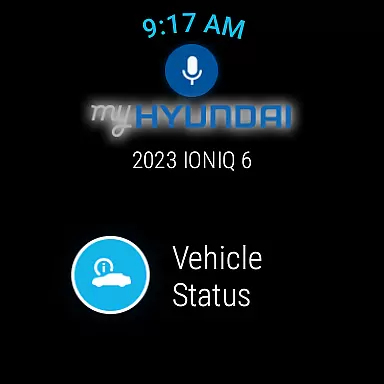
The application extends its capabilities to wearable devices through Wear OS integration, enabling users to perform essential functions using smartwatches. With biometric authentication and widget support, the app offers a seamless user experience across multiple devices. Whether you need to schedule service appointments, access maintenance information, or manage Points of Interest, MyHyundai with Bluelink provides a complete solution for modern vehicle ownership.
MyHyundai with Bluelink distinguishes itself through an impressive array of features designed to enhance vehicle interaction. The app's remote functionality allows users to start their vehicle, adjust climate settings, and activate safety features from anywhere. Its integration with Wear OS devices expands these capabilities to smartwatches, enabling voice commands and quick access to essential functions through dedicated watch faces.
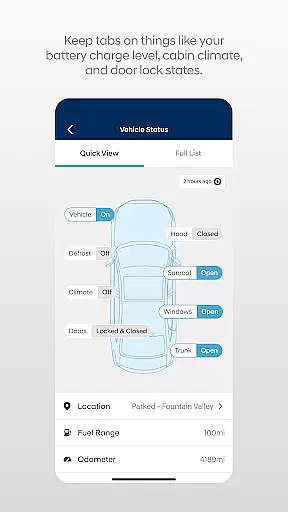
Advanced vehicle management features include detailed charging information for electric vehicles, customizable presets for remote start, and comprehensive vehicle status reports. The app also provides educational resources through user tutorials and maintains a robust customer care system. With four dedicated phone widgets for remote features, parking meter management, POI search, and Ioniq EV-specific functions, the application ensures quick access to frequently used features while maintaining optimal performance across different devices.
Companion app integration is a crucial feature for wearable devices, ensuring seamless connectivity between smartphones and wearables. MyHyundai with Bluelink offers an exceptional level of integration, allowing users to access key vehicle functions directly from their Wear OS smartwatches. This integration enables drivers to remotely start their vehicles, lock or unlock doors, and even activate the horn and lights without needing to take out their phones.
The MyHyundai app achieves this by synchronizing data in real-time between the phone and smartwatch applications. When users send a command from their smartwatch, it is processed through the phone app, which then communicates with the Bluelink system in the vehicle. This ensures that all actions are accurately reflected in both devices, providing a consistent user experience regardless of which device they use to interact with their vehicle.
This companion app functionality significantly enhances convenience for Hyundai owners. Whether you're at the gym, in a meeting, or simply prefer using your smartwatch, you can effortlessly control your vehicle's features. The ability to perform these actions hands-free adds an extra layer of safety and ease, particularly in situations where handling a phone might be impractical or unsafe.
Overall, the companion app integration in MyHyundai with Bluelink exemplifies how modern automotive technology can extend beyond traditional interfaces, offering users flexible and intuitive ways to interact with their vehicles.
Wear OS and device compatibility is essential for ensuring that smartwatch apps function correctly across various devices. MyHyundai with Bluelink demonstrates strong compatibility with Wear OS, supporting a wide range of smartwatches running on this platform. This compatibility allows users to utilize voice commands and smartwatch menus to access select vehicle features, enhancing the overall user experience.
The app supports multiple functionalities specifically designed for Wear OS, including remote start, door lock/unlock, horn and light activation, and vehicle location. These features are optimized for the smaller screen size and unique interaction methods of smartwatches, ensuring that users can easily navigate and execute commands. By leveraging Wear OS capabilities, MyHyundai provides a streamlined interface that prioritizes quick access to frequently used functions.
Device compatibility extends beyond just operating systems; it also encompasses hardware variations among different smartwatch models. MyHyundai with Bluelink has been tested to work seamlessly with various devices, ensuring reliable performance regardless of the specific smartwatch model. This broad compatibility increases accessibility, allowing more Hyundai owners to benefit from the convenience of wearable technology.
In summary, the robust Wear OS and device compatibility of MyHyundai with Bluelink highlight its commitment to delivering versatile and user-friendly solutions. By supporting a wide array of devices, the app ensures that users can enjoy the full range of Bluelink features on their preferred wearable technology.
User-friendly interface
Comprehensive remote features
Wear OS integration
Biometric authentication
EV-specific functionality
Subscription required
Limited vehicle compatibility
Feature restrictions
Device permissions needed
Complex setup process

Diet tracker for weight loss - track calories, food and macros. Simple and easy!
 4.70
4.70
A heartwarming Christmas scene featuring a cute image of Santa and Rudolf
4.2
Kia Access makes getting your vehicle information easier than ever
4.60
Hyperlocal rain alerts by MyRadar using patent-pending technology, radar & more
4.80
Nutrition, Macro tracker: Food, fitness & healthy diet tracking for weight loss
4.60
Bold weather Digital watchface with forecast & optional animated background
4.40
A modern hybrid informative watch face for Wear OS designed by BALLOZI
4.80
A white realistic classic analog watch face with many customization options.
4.40
Your local weather forecast, storm tracker, radar maps & live weather news
3.40
Your second brain for organizing your life: to-do, calendar, reminder.
4.70
Walking app for weight loss: walk & step tracker, pedometer, indoor treadmill
4.60
Your music, your playlists, and more—offline and unlimited.
4.20
Snowflake Rose Gold Watch Face - Digital, modern, & sleek with GYRO effect.
4.10
sleep, alarm, snoring, stress, healing, focus, sound therapy, circadian rhythm
4.10
Structured watch face with seven complications and modular UI elements
3.90
Watch the sharpness of the sky on your wrist..
3.70
Stay in touch with your friends and family using LINE!
3.40
Stylish digital watch face for Wear OS devices with customizable features
4.5
Hybrid Vibrant Health Watch Face for Wear OS
4.2


User Reviews