
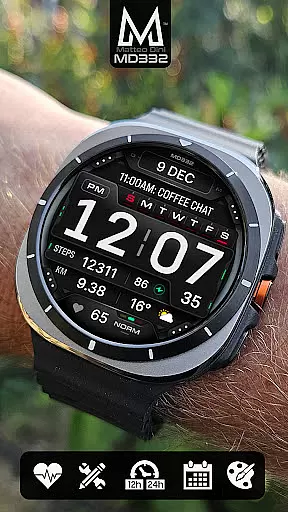
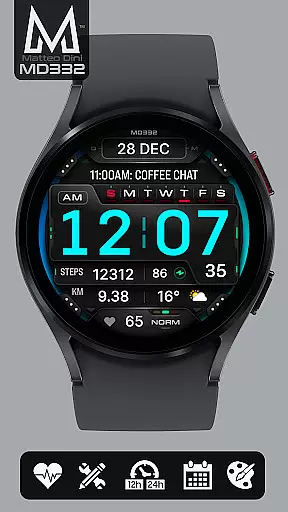
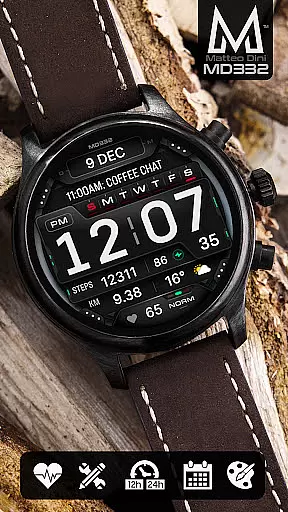
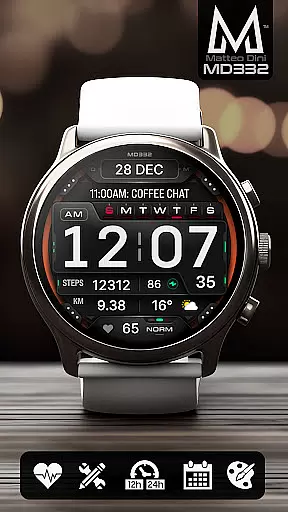
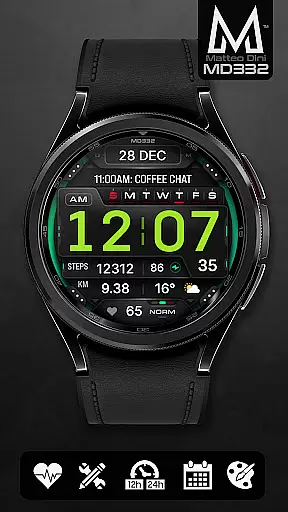
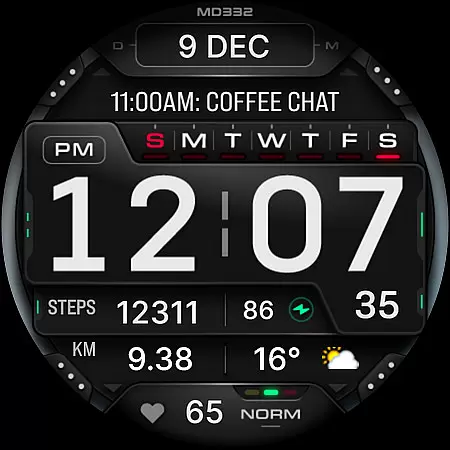
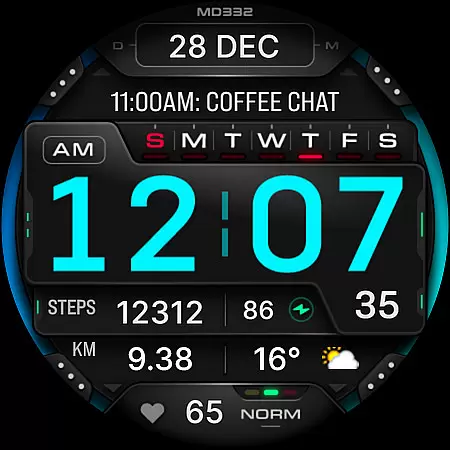
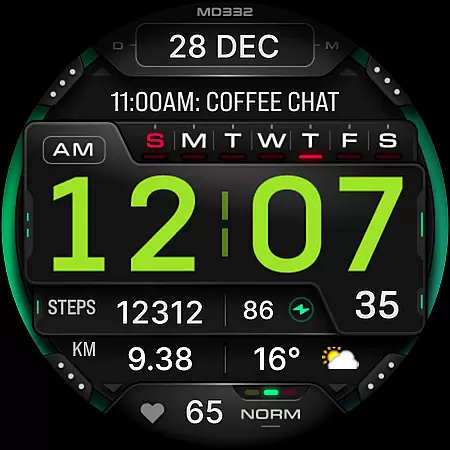
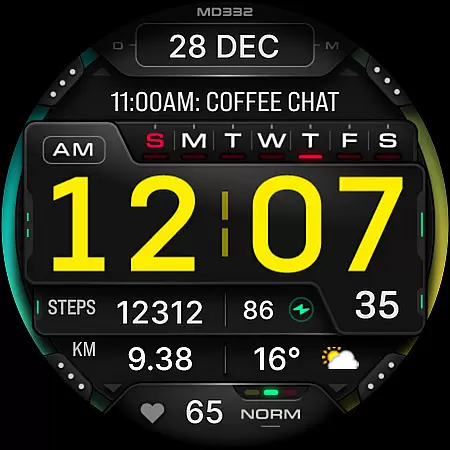
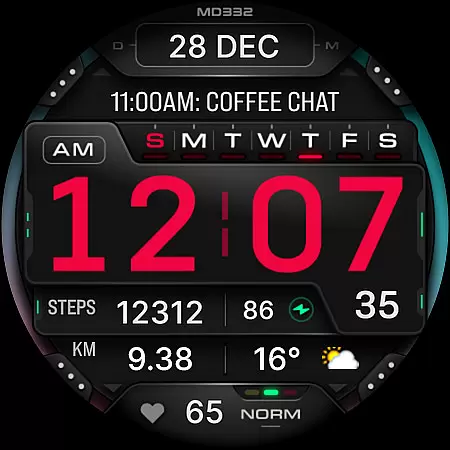
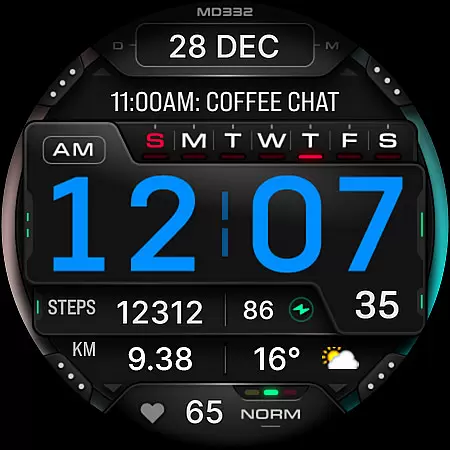
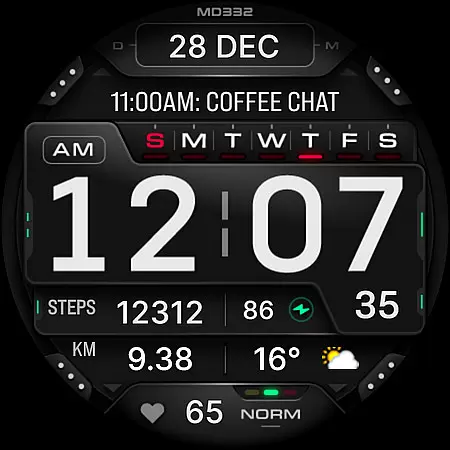
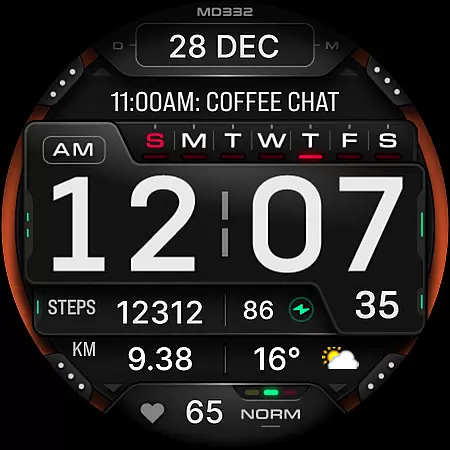
MD332 Digital watch face represents a new generation of watch face formats designed specifically for Wear OS devices. Compatible with API Level 33+ (Wear OS 4 and newer), this versatile watch face supports Samsung Galaxy Watches, Pixel Watches, and other similar models.
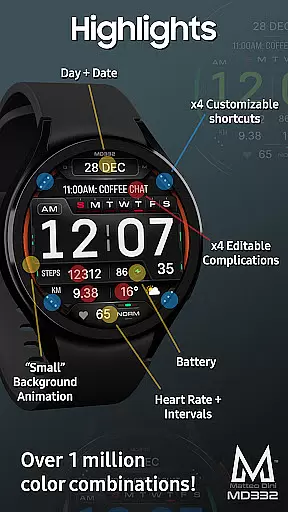
This digital watch face offers users an array of customization options including 3 preset app shortcuts, 4 customizable shortcuts, and 4 customizable complications. Users can display various types of data such as weather, barometer readings, distance walked, calories burned, UV index, chance of rain, and much more. The interface is designed to be both functional and visually appealing, making it suitable for everyday use.
Whether you're tracking health metrics or simply want a personalized look on your smartwatch, MD332 provides the tools necessary to tailor your experience. Its compatibility with multiple devices ensures broad usability across different platforms.
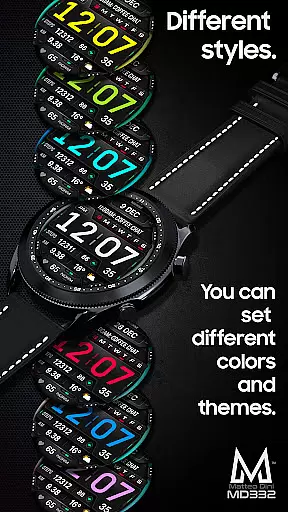
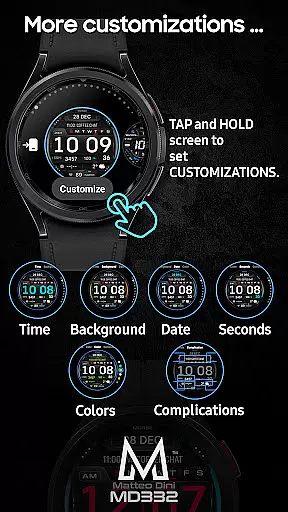
One of the standout features of MD332 Digital watch face is its extensive customization capabilities. Users can personalize their watch face with changeable colors for time, date, seconds, background, and general elements. Additionally, the inclusion of big numbers and minimal/full Always-On Display (AOD) modes enhances readability and aesthetics.
The watch face comes equipped with preset app shortcuts for Calendar, Battery, and Heart Rate measurement. Furthermore, users can customize up to four additional shortcuts and complications, allowing them to display relevant information at a glance. Complications are external apps that provide data such as weather forecasts, health statistics, world clocks, and more.
It's important to note that while complications offer valuable insights, they are managed independently from the watch face itself. To fully utilize these features, ensure that any required complication apps are installed on your device. With support for both 12-hour and 24-hour formats based on phone settings, MD332 caters to diverse user preferences.
Companion app integration is crucial for Android Wear applications as it ensures seamless synchronization between the wearable and its paired smartphone. The MD332 Digital watch face leverages this by allowing users to customize their watch face directly on their device, bypassing potential issues with the Samsung Wearable app's editor.
This digital watch face supports all Wear OS devices with API Level 33+ including Samsung Galaxy Watches and Pixel Watches. Users can enjoy features like 12/24hr time display based on phone settings, date, day, battery status, heart rate monitoring, and more. These are all easily adjustable through the intuitive interface provided on the companion app.
The ability to customize shortcuts and complications right from your wrist means that you have instant access to your most-used apps and data such as weather or health metrics without needing to reach for your phone. This tight integration enhances user convenience significantly.
By offering a direct customization path via touch-and-hold functionality on the watch itself, MD332 ensures that even if there are temporary glitches in companion apps like the one from Samsung, users can still personalize their experience effectively. This robust approach guarantees an uninterrupted user journey while interacting with their smartwatch environment.
Ensuring broad device compatibility is essential for any Wear OS application, and the MD332 Digital watch face excels in this area by supporting all Wear OS devices with API Level 33+. This includes popular models such as Samsung Galaxy Watch series and Pixel Watches, making it accessible to a wide audience of smartwatch users.
With support for advanced features like customizable complications and app shortcuts, MD332 provides a versatile user experience across different hardware platforms. Whether you're tracking your heart rate or checking the weather, these functionalities work harmoniously on various devices running Wear OS 4 and later versions.
Moreover, the emphasis on system-wide compatibility extends beyond just the operating system version; it also encompasses diverse screen sizes and resolutions typical among modern smartwatches. As a result, users enjoy consistent performance regardless of their specific device model.
By prioritizing comprehensive Wear OS/device compatibility, MD332 not only meets but exceeds user expectations for flexibility and reliability. This commitment allows individuals to fully utilize their smartwatches' capabilities without worrying about technical limitations imposed by incompatible software solutions.
Highly customizable
Wide device compatibility
User-friendly interface
Comprehensive data options
Visually appealing design
Complex setup process
Limited customer support
Potential battery drain
Dependent on external apps
Occasional loading issues

A customizable Christmas watch face for Wear OS with a countdown.
 4.20
4.20
Christmas - Festive - Christmas Village - Winter - Christmas lights
5.00
Analog watch face with 8 complications and expedition styling
4.0
Simple Analog-Digital Watchface For Wear OS 3.0 and Up Smartwatches
4.3
Be an elegant and classy secret agent, with this carefully detailed watch face
4.70
The most customizable minimal watch face. For Wear OS 5.0, API 34+ and later
4.70
Reliable phone calls with spam protection, caller ID and more helpful features
4.40
Hyper-Realistic Airplane Dashboard Watch Face With 10 Skins and Custom AOD
4.00
Your music, your playlists, and more—offline and unlimited.
4.20
MyNISSAN® lets you remotely control your car from your phone.*
4.50
Fast and smart typing with Emojis, GIFs, and more
4.50
Beautiful artistic animated digital watch face, with a customizable layout!
4.40
"PER27 Galaxy Digital" is a digital Wear OS watch face designed by PERSONA
4.10
sleep, alarm, snoring, stress, healing, focus, sound therapy, circadian rhythm
4.10
Animated Watch Face and Customizable with 24 Backgrounds. Perfect for Christmas!
3.90
Get helpful reminders, take progress photos and find answers to your questions.
3.90
Stay in touch with your friends and family using LINE!
3.40
an Analog Watch Face for winter season with freeze winter background for Wear OS
4.5
A heartwarming Christmas scene featuring a cute image of Santa and Rudolf
4.1


User Reviews