
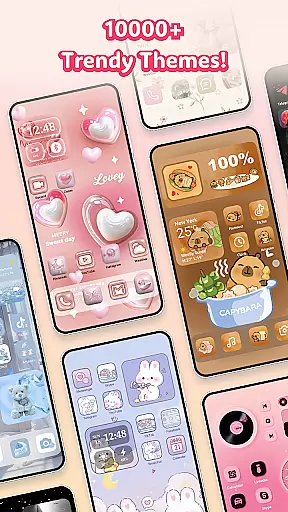
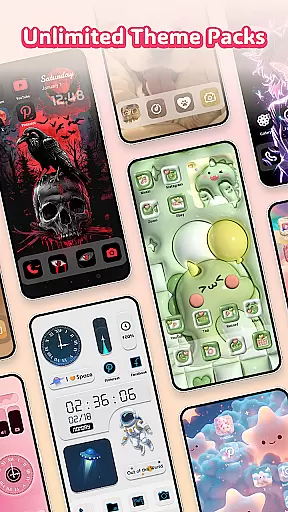
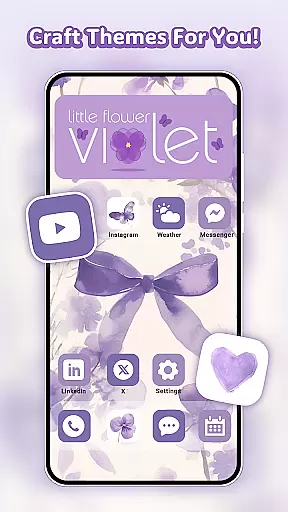
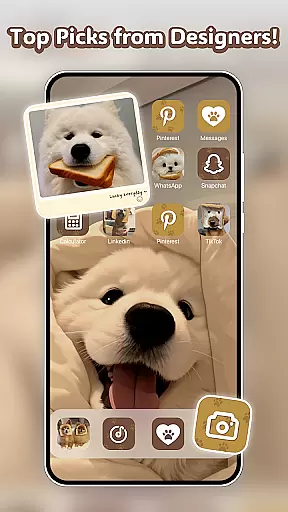
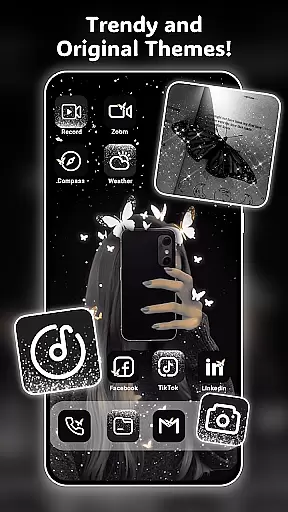
Themely - Icons & Widgets is a comprehensive personalization app designed specifically for Android users who want to customize their device's appearance. With over 10,000 live 3D themes, HD wallpapers, DIY widgets, and app icons, the app offers endless possibilities to make your home screen truly unique. Whether you're into cute, neon, sports, anime, or K-pop styles, Themely provides diverse options that cater to every taste.
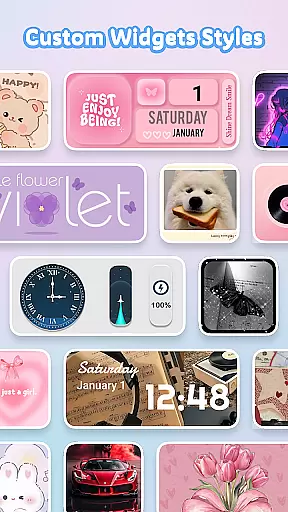
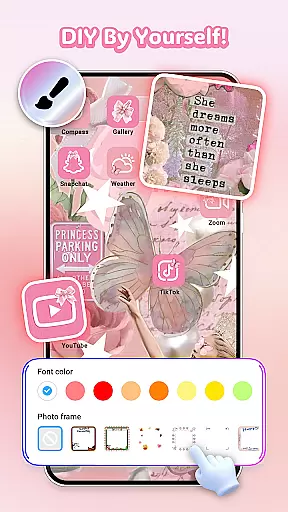
The app stands out with its advanced customization features. Users can create custom widgets with live battery indicators, dynamic image effects, and various functional widgets like calendars, clocks, and weather displays. The DIY aspect extends to app icons, where you can adjust styles, fonts, colors, and transparency levels. This level of personalization allows users to create a cohesive and personalized look that perfectly matches their preferences.
Themely is particularly useful for those who want to express their individuality through their device's appearance. The app's one-click application feature makes it easy to apply chosen themes and widgets quickly. Regular updates ensure that users always have access to the latest design trends and customization options, making it an essential tool for anyone looking to personalize their Android experience.
Themely offers an impressive array of features that set it apart in the personalization category. The app's most notable feature is its extensive collection of customizable elements, including 1000+ custom widgets, thousands of theme options, and numerous icon customization possibilities. These features work together to provide users with unprecedented control over their device's aesthetic.
The widget functionality is particularly innovative, allowing users to create live widgets that display real-time information while maintaining a visually appealing design. From battery indicators to weather forecasts, each widget can be customized with personal images and adjusted to match the user's preferred style. The app's icon customization feature is equally impressive, offering various design elements such as fonts, colors, and transparency settings that enable users to create truly unique app icons.
What makes Themely especially valuable is its attention to detail and design quality. All elements are crafted by top designers, ensuring professional-grade aesthetics across all customization options. The app also includes practical features like Accessibility Service permissions, which allow for system-level modifications while maintaining user privacy and data security. This combination of aesthetic appeal, customization depth, and functional utility makes Themely a standout choice in the personalization category.
Themely offers an extensive range of customization options that cater to diverse user preferences. With over 10,000 live 3D themes, HD wallpapers, and unique stickers, users can tailor their device's appearance to match their personal style.
The app includes a vast selection of DIY widgets, such as battery indicators, dynamic image effects, calendars, clocks, and weather updates. Users can personalize these widgets further by incorporating images from their gallery, ensuring each element on the home screen is a reflection of their individuality.
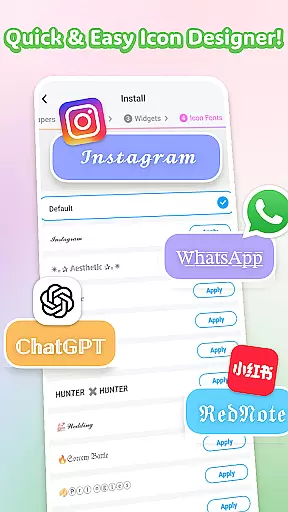
For those who love to fine-tune every detail, Themely provides creative DIY icons. These allow for the modification of social media icons with various styles, fonts, colors, and transparency levels, giving users the freedom to create distinctive icons that resonate with their aesthetic.
By offering one-click replacement and fast update speeds, Themely makes it easy for users to keep their devices fresh and up-to-date with minimal effort, enhancing both visual appeal and user experience.
Theme compatibility is crucial for a seamless customization experience, and Themely excels in this area. The app supports a wide array of themes, including puffy, cute, neon, sports, anime, K-pop, and pink styles, ensuring that there is something for everyone.
Users can enjoy themed aesthetics across different categories like wallpapers, widgets, and icons without worrying about inconsistencies or technical issues. This compatibility allows for cohesive design language throughout the deviceu2019s interface.
Moreover, Themelyu2019s themes are crafted by top designers, guaranteeing high-quality visuals and meaningful design elements. Each theme has been thoughtfully created to provide not just variety but also depth and uniqueness, making sure that usersu2019 screens stand out.
With regular updates and new additions, Themely ensures ongoing compatibility and relevance, allowing users to continually refresh their devices while maintaining optimal performance and visual harmony.
Extensive customization
Regular content updates
User-friendly interface
Professional design quality
Wide style variety
May overwhelm new users
Some features need permissions
Designs can feel repetitive
Advanced options complex
Occasional performance lag

Glass style colourful icons with a One UI look and feel
 4.60
4.60
Add cute Shimeji pets to screen, interact with them and relax with cute motions
4.60
Ultimate Gallery Lock App - Hide Pictures, Videos and Lock Apps Instantly!
4.60
⭐ OneUI inspired Fluffy Icon Pack – Soft. Stylish. Standout. ⭐
4.2
One 8 icons glass color version
4.80
300+ Beautifully crafted widgets inspired by OneUI.
4.60
Struggling to find apps? Use this app to locate and open any app on your phone!
2.20
Enjoy a variety of amazing live wallpapers and colorful EDGE lighting borders!
4.80
Fast SMS & group chat - use GIFs and emojis from your home screen launcher.
4.50
A Colorful and Minimal icon pack in an Outline Style - Over 13,600 icons!
4.70
Bring adorable pets to life on your screen. Playful, interactive and full of fun
4.60
Customize your home screen with stunning themes, blur, widgets & icons.
4.60
Beautiful realistic hybrid watch face with numerous customization options.
4.50 4.50
4.50
Vibrant Adaptive Icons with Material You and Enhanced Monet Colors.
4.50
Art & Emoji Keyboard with Cool Fonts, Cute Themes and Custom Designs.
4.40
Yandex Browser — stylish and secure, with voice search and data compression
4.40
Your home screen, just the way you like it.
4.30
Transform your phone with stunning video wallpapers and a unique, personal touch
3.80


User Reviews