
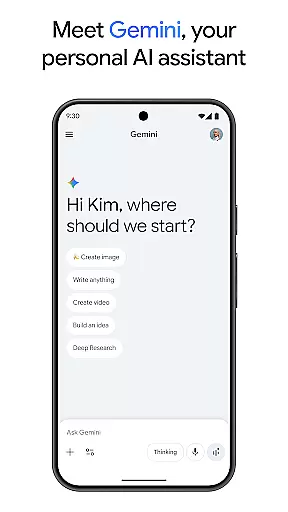
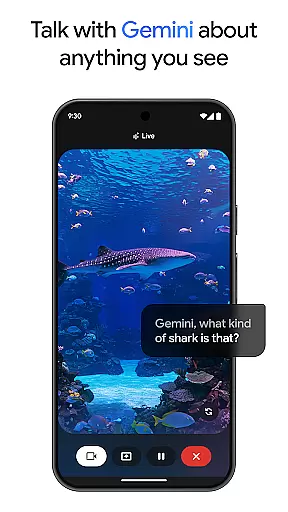
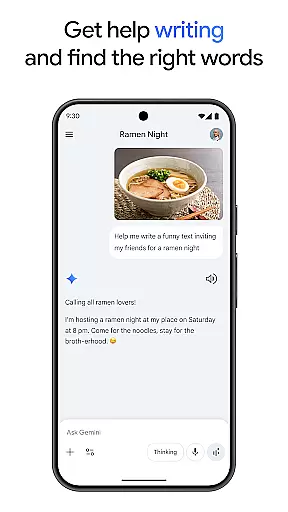
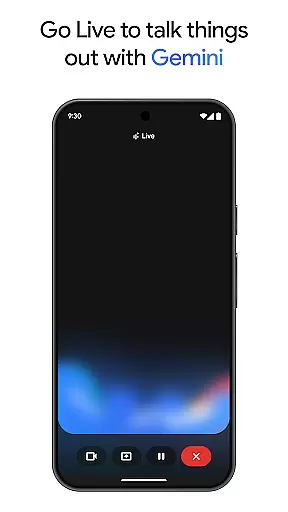
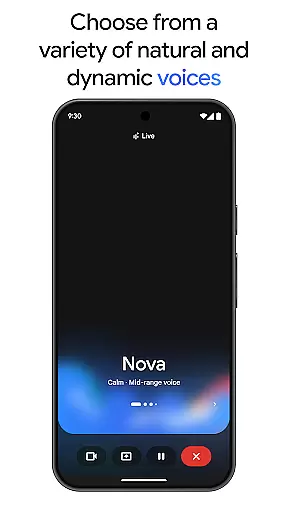
Gemini, developed by Google, is an advanced AI assistant designed to enhance both creativity and productivity. This powerful tool provides direct access to Google's premier family of AI models right on your mobile device. Whether you're looking to brainstorm ideas, simplify complex topics, or rehearse for important events, Gemini is equipped to assist. A standout feature is Gemini Live, which allows users to share their camera or screen during conversations, facilitating discussions about virtually anything you can see.
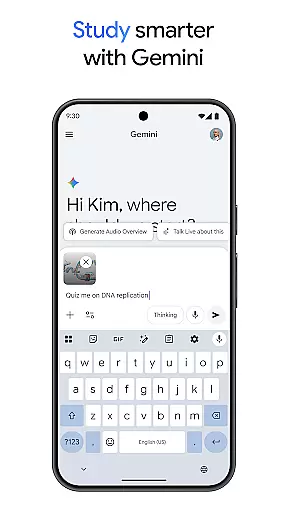
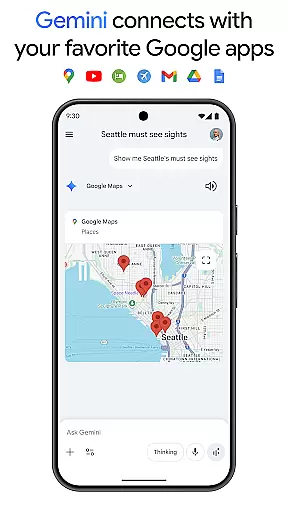
In addition to its conversational capabilities, Gemini offers a suite of creative tools. With Canvas, users can bring their ideas to life, creating apps, games, web pages, infographics, and more. The app also integrates seamlessly with popular Google services like Search, YouTube, Maps, and Gmail, enhancing your digital experience. Educational features such as quiz and flashcard creation, interactive visuals, and real-world examples make studying more effective. Moreover, Gemini can transform any file into a podcast, create and edit images from simple text descriptions, and even help plan trips efficiently. Its comprehensive summarization and research tools provide summaries, detailed analyses, and source links in one convenient location.
Gemini stands out with its robust set of features tailored to boost productivity and creativity. One of its key functionalities is Gemini Live, which enables real-time interaction by allowing users to share their screens or cameras during conversations. This feature is particularly useful for discussing visual content or collaborating on projects remotely. Another notable tool is Canvas, which empowers users to prototype various digital creations, including apps, games, web pages, and infographics, all within the app.
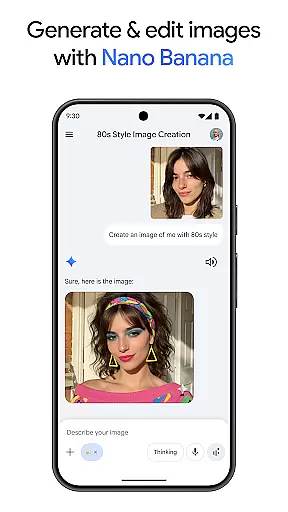
The integration with essential Google apps like Search, YouTube, Maps, and Gmail further enhances Gemini's utility. It streamlines workflows by connecting these services in a cohesive manner. For students and lifelong learners, Gemini offers educational aids such as quiz and flashcard generation, interactive visuals, and practical examples. Additionally, the app's ability to convert files into podcasts and generate high-quality images from textual descriptions adds another layer of versatility. Advanced features like Nano Banana for image generation and editing, along with options to blend images and design posters, cater to creative professionals seeking precision and efficiency.
Gemini, as a productivity tool, excels in core task management by offering users the ability to brainstorm ideas, simplify complex topics, and rehearse for important moments. Through its innovative Gemini Live feature, users can engage in dynamic conversations with the AI, making it an indispensable tool for organizing thoughts and planning projects.
The app's integration with popular Google services like Search, YouTube, Gmail, and Google Maps enhances its task management capabilities. This interconnected ecosystem allows users to seamlessly transition between different tasks, whether it's researching a topic, managing emails, or navigating through locations, all within a unified platform.
For those looking to elevate their productivity further, upgrading to Gemini's Pro or Ultra plans unlocks advanced features such as a 1M token context window and access to powerful models like 3 Pro. These premium tiers are designed to handle complex tasks and large-scale projects, providing professionals with the tools they need to succeed.
Ultimately, Gemini's approach to task management is not just about keeping track of to-dos; it's about enhancing creativity and efficiency. By leveraging AI technology, users can transform their workflow, turning any challenge into an opportunity for innovation and growth.
Cross-device synchronization is a critical component of the Gemini experience, ensuring that your data, preferences, and ongoing projects are consistently accessible across all your devices. Whether you're switching from your phone to your tablet or desktop, Gemini maintains the continuity of your work without missing a beat.
This reliable synchronization is powered by Googleu2019s robust infrastructure, which supports real-time updates and seamless transitions. As you interact with Gemini on one device, changes are instantly reflected on others, allowing for a fluid and uninterrupted user experience no matter where you are or what device you're using.
For users who upgrade to the Pro or Ultra plans, the synchronization capabilities are further enhanced. These premium tiers offer higher access to powerful models and features like Deep Research on 3 Pro and video generation with Veo 3.1 Fast, ensuring that even the most demanding tasks are synchronized accurately and efficiently.
By prioritizing cross-device synchronization reliability, Gemini empowers users to focus on their work without worrying about technical inconsistencies. This peace of mind is essential for anyone looking to maximize their productivity and creativity in today's fast-paced digital environment.
User-friendly interface
Seamless Google integration
Versatile creative tools
Comprehensive educational features
Advanced AI capabilities
Premium features require subscription
High system requirements
Limited offline functionality
Occasional connectivity issues
Privacy concerns with data sharing

When you Focus, so will your Bean in this cozy focus timer
 4.30
4.30
Create study competitions, track your hours, and stay consistent with friends
4.5
Remotely view listen control and record cameras.
3.70
* block pre-roll ads, pop-up and forced redirect ads * Samsung certification app
4.00
Great calculator for Android named one of USA TODAY's "25 Essential Apps".
4.90
Quickly and easily keep track of your work shifts
4.70
Secure your apps with lock screens, use custom themes and different features.
4.40
Understand anything with a personalized AI research assistant
4.80
Note taking, handwriting, record audio, PDF annotation, planner & journal
4.20
Client for Nextcloud Deck
4.60
All document reader, all in one file viewer read PDF, DOCX, XLS, PPT, TXT files.
4.60
Calendar 2023 widget for Android. Appointment scheduler, planner, and reminder
4.60
Easily read and manage all your PDF files
4.10
Device's storage information in a simple and clear graphical form (infographics)
4.10
Create and edit presentations with Google Slides, part of Google Workspace.
4.00
Ultimate Virtual AI Character for immersive Roleplay Chat. Perfect Companion
3.90
Make your handwriting beautiful, even more than pen on paper.
3.60
Code on-the-go with VScode for Android. Edit,debug and collaborate from mobile!!
3.10
The upgraded version of Name Wheel with AI and the power to add your own wheels.
4.2


User Reviews