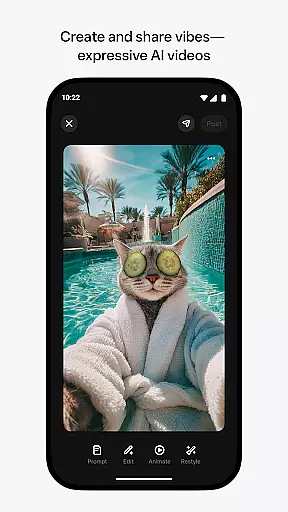
Meta AI is a productivity app that allows users to create and share AI-generated videos with custom animations, music, and more. The app provides tailored answers and inspiration through voice or text, making it an ideal tool for creative professionals and content creators.
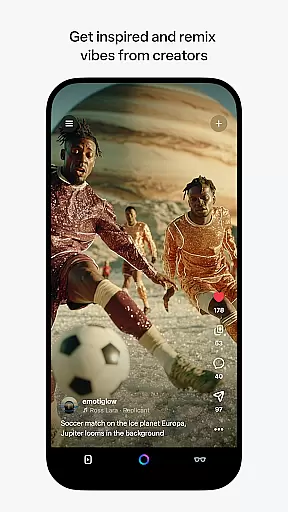
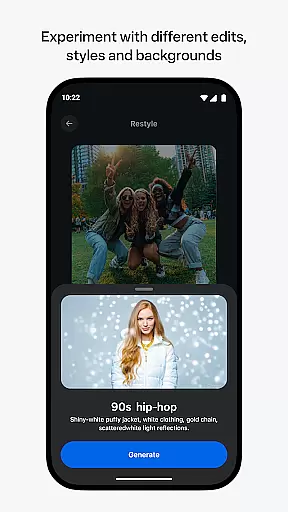
With Meta AI, users can describe their desired video concept and experiment with various edits and styles to produce the perfect vibe. The app also features a feed where users can discover and remix videos from other AI creators, offering endless possibilities for creativity and collaboration.
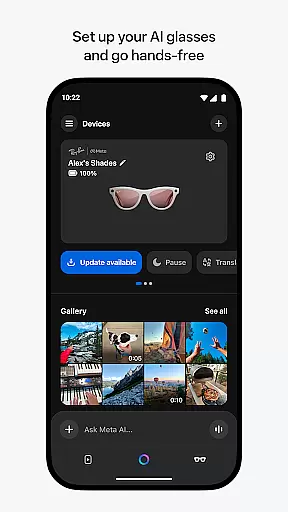
In addition to its video creation capabilities, Meta AI serves as a personal AI assistant throughout the day. Users can pair their AI glasses to go hands-free and manage media imports and sharing directly from the app. This makes Meta AI an essential companion for those seeking seamless integration of AI technology into their daily workflow.
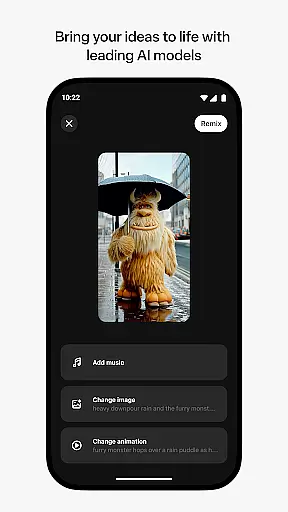
One of the standout features of Meta AI is its access to industry-leading AI models for generating creative videos. Users can customize animations, music, and other elements to bring their ideas to life. The app's intuitive interface allows for easy experimentation with different edits and styles, ensuring that each video is unique and expressive.
Meta AI also offers a collaborative platform where users can discover and remix videos from other AI creators. This feature fosters a community of creativity and innovation, encouraging users to build upon each other's work and explore new possibilities in video production.
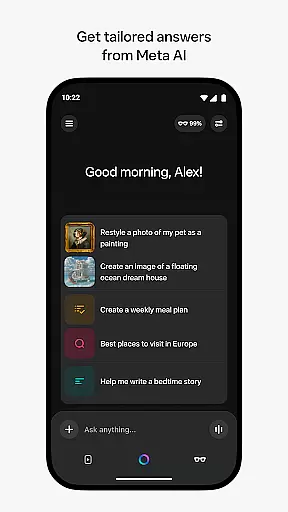
For those seeking personal AI assistance, Meta AI provides tailored answers and recommendations through voice or text. This functionality enhances productivity by streamlining tasks and providing instant support. Additionally, the app's compatibility with AI glasses enables hands-free operation, further enhancing its utility in various professional settings.
Meta AI offers a unique approach to task management by integrating AI-generated content creation into your daily workflow. This feature allows users to describe their desired video project and receive tailored animations, music, and edits that match their vision.
The app's industry-leading AI models ensure that each task, whether it be video generation or remixing, is executed with precision and creativity. Users can easily manage these tasks through an intuitive interface that supports both text and voice commands.
By pairing with Meta AI glasses, users gain hands-free control over their projects, streamlining the task management process even further. This seamless integration enhances productivity by allowing creators to focus on their content without being tied to a desk.
While certain features are rolled out gradually and may vary by region, the core task management capabilities of Meta AI provide a robust framework for creative professionals seeking efficient project handling.
Cross-device synchronization is a cornerstone of Meta AI's productivity suite, ensuring that all your devices work in harmony. Whether you're creating videos on your phone or managing media on your AI glasses, the app guarantees reliable data transfer across platforms.
This synchronization extends to the Meta AI feed, where users can discover and remix content from other creators. Any changes made on one device are instantly reflected on others, providing a cohesive experience no matter which device you choose to use.
The companion app functionality ensures that your AI glasses are always in sync with your mobile device. This includes importing photos and videos, sharing media, and receiving updates, all of which contribute to a seamless cross-device workflow.
Although some features might be limited based on geographic location, the fundamental cross-device synchronization remains consistent and dependable, empowering users to maintain their creative momentum without technical interruptions.
User-friendly interface
Extensive customization options
Collaborative community platform
Personal AI assistance
Compatibility with AI glasses
Limited feature availability in some regions
Potential learning curve for new users
Dependence on internet connectivity
Subscription fees for premium features
Privacy concerns with data sharing

AI Video AI Image Private LLM AI Browser Llama Gemma Ollama Connect LLM Studio
 4.3
4.3
Experience Reading - Night Mode for Documents
4.40
The long-awaited modern gallery app for your Nextcloud server
4.70
Native client for Forgejo and Gitea
5.00
Access, manage and transfer files on Android, PC, Mac, NAS and cloud storages.
4.30
This small app MUST BE INSTALLED after purchase, else license won't work
4.40
Intelligent AI Assistant
4.10
Understand anything with a personalized AI research assistant
4.80
Note taking, handwriting, record audio, PDF annotation, planner & journal
4.20
Scientific calculator for Android - looks and operates like the real thing!
4.90
Mind Map and brainstorm, note taking and idea collection
4.80
Use powerful, industry-leading AI tools to generate visual charts from any data
4.80
Quickly and easily keep track of your work shifts
4.70
Calendar 2023 widget for Android. Appointment scheduler, planner, and reminder
4.60
Send files, sync SMS, notifications & clipboard across devices via local network
4.40
Secure your apps with lock screens, use custom themes and different features.
4.40
Secure, open-source, SPICE and SSH Remote Desktop for QEMU KVM virtual machines
4.00
Take control of your clipboard with Clipper!
3.90
Code on-the-go with VScode for Android. Edit,debug and collaborate from mobile!!
3.10


User Reviews