


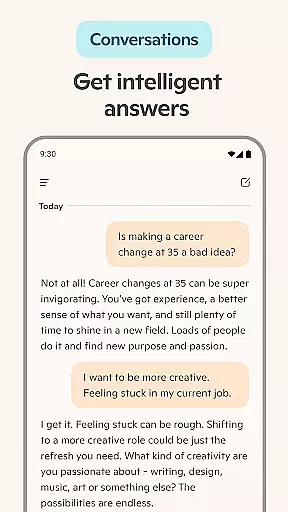
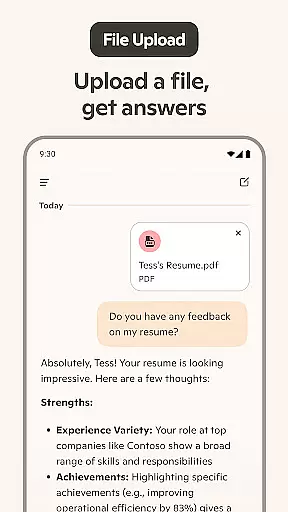
Microsoft Copilot represents a breakthrough in AI-powered productivity tools, serving as your personal AI companion for both professional and creative tasks. This cutting-edge application combines the latest advancements from OpenAI and Microsoft's AI models to deliver an intuitive experience that adapts to your needs.
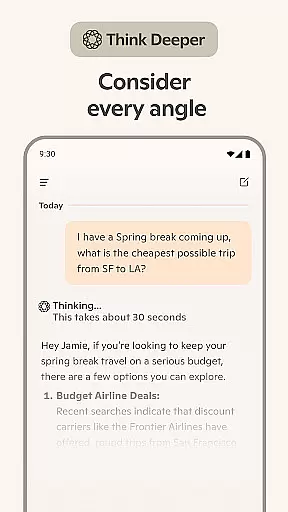
At its core, Copilot functions as an advanced AI chat assistant capable of handling complex queries with ease while providing valuable support through various daily tasks. Whether you're looking to generate images from text prompts using the built-in AI photo generator or seeking assistance with writing projects, this app proves invaluable. The newly introduced GPT-5 model, accessible via 'Smart' mode, elevates the conversational AI experience by offering more nuanced reasoning and natural interactions.
Designed for professionals, creatives, and casual users alike, Microsoft Copilot excels in multiple areas including content creation, language translation across hundreds of languages, document drafting, and even artistic visualization. Its versatility makes it particularly useful for remote workers who need comprehensive digital support throughout their day.
Microsoft Copilot distinguishes itself through several innovative features designed to enhance productivity and creativity. The application's most notable capability is its integration of GPT-5 technology, which provides users with access to one of the most advanced AI models available today. This powerful engine enables sophisticated reasoning, natural conversation flow, and enhanced problem-solving capabilities.
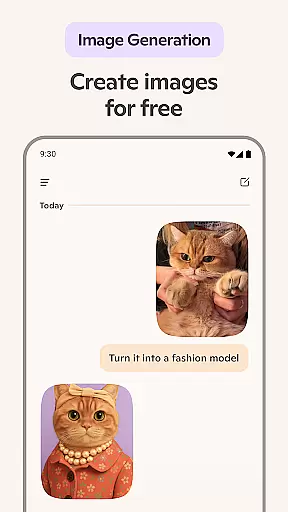
The app's functionality extends beyond traditional chat interfaces with specialized tools like the AI photo generator, which transforms textual descriptions into visual representations ranging from abstract concepts to photorealistic images. Additionally, Copilot serves as a versatile writing assistant that can help compose various documents including emails, cover letters, and resumes while offering proofreading services in multiple languages.
What sets Microsoft Copilot apart is its seamless combination of voice and text-based interaction methods. Users can engage with the AI through conventional typing or utilize voice commands for hands-free operation. The application also supports creative professionals by assisting with storyboarding, logo design, social media content creation, and even children's book illustrations, making it an indispensable tool for diverse projects.
At the heart of Microsoft Copilot lies its robust core task management capabilities, designed to streamline both personal and professional workflows. This AI-driven productivity tool excels in organizing tasks, setting priorities, and managing time effectively.
The application leverages advanced algorithms to provide users with summarized answers and insights, transforming complex queries into straightforward solutions. Whether it's drafting emails, creating shopping lists, or planning weekly meals, Copilot ensures that every task is executed with precision and ease.
Users benefit from an intuitive interface that simplifies task creation and monitoring. The AI assistant can translate, proofread, and optimize content across multiple languages, making it an invaluable asset for global communication and collaboration.
Ultimately, Copilot empowers users to accomplish more by offering a cohesive experience that blends smart task management with innovative AI functionalities, driving both personal efficiency and business success.
Microsoft Copilot sets a new standard in cross-device synchronization reliability, ensuring seamless access to information and services across various platforms. This feature is crucial for users who rely on multiple devices throughout their day, providing consistent performance and data integrity.
The app employs state-of-the-art synchronization protocols that guarantee real-time updates and accurate data replication. Whether switching from a smartphone to a desktop or vice versa, users can expect their conversations, preferences, and ongoing tasks to remain intact and up-to-date.
This reliability extends to Copilot's AI functionalities, including its writing assistant and photo generator. Users can initiate a creative project on one device and continue refining it on another without missing a beat, maintaining creative momentum and operational continuity.
By prioritizing synchronization excellence, Microsoft Copilot delivers a unified user experience that enhances productivity and supports modern, flexible working styles across all digital touchpoints.
Advanced AI capabilities
Multi-language support
Versatile content creation
Intuitive user interface
Comprehensive productivity tools
Requires stable internet
Premium features locked
Steep learning curve
Limited offline functions
Subscription costs

Secure, fast, open-source, VNC and SSH Remote Desktop for Windows, Linux and Mac
 4.70
4.70
QuickBooks Workforce lets teams view pay info and track time in one place.
4.70
A simple, portable logger for POTA, SOTA, Field Day, and more
4.2
Secure, fast, open-source, Remote Desktop Client for Windows and Linux with SSH
4.60
⏰ Finally a timer app which can run multiple timers simultaneously on your watch
3.90
All in One PDF Reader: Manage, Read and Edit your Documents
4.20
Simple and reliable communication between inmates, friends and family
3.20
Create and edit presentations with Google Slides, part of Google Workspace.
4.00
Tally and goal counter for Wear OS & mobile
4.50
Lightweight PDF, Word, Excel reader.
4.60
Translate text/voice/photos in 150+ languages. Offline & fast translator app.
4.50
A Pixel Art watchface inspired by other iconic 90s designs for Wear OS devices!
4.40
Pwnagotchi companion app
4.20
Todo reminder
4.10
Intelligent AI Assistant
4.10
Experience real multitasking on your Android!
4.00
Smart PDF reader & editor to view, organize and manage PDF documents easily.
3.70
Find and delete junk files & block unwanted notifications & manage files
3.70
IP Camera Viewer - Android TV : RTSP Surveillance camera viewer for Android TV
4.2


User Reviews