
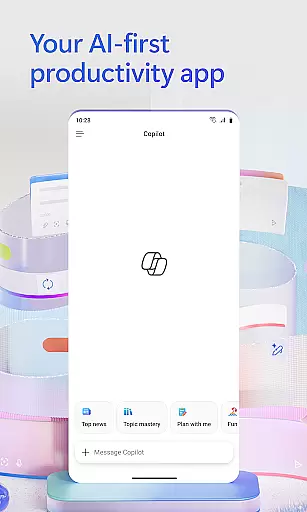
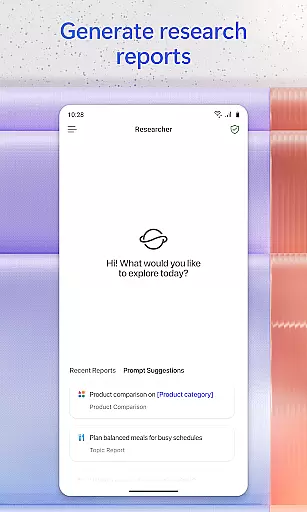
Microsoft 365 Copilot is an AI-powered productivity application designed to streamline work and personal tasks. The app serves as a centralized platform for interacting with an AI assistant, creating and editing various types of content, scanning documents, managing projects, and swiftly locating files while on the move. It leverages advanced AI capabilities to help users accomplish more without increasing their workload.
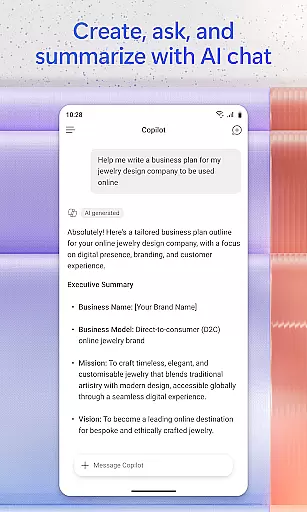
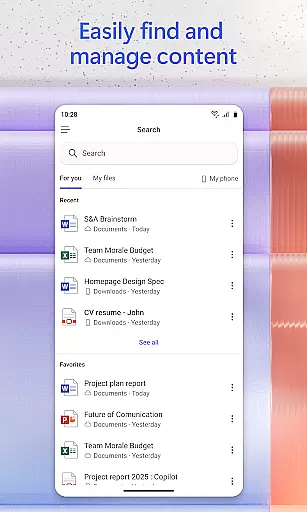
Key features include conversing with the AI assistant to summarize documents, draft emails, or analyze spreadsheets using natural language. Users can interact through voice commands, find important files quickly, accelerate learning by asking the AI to explain concepts, and gain expert insights via specialized AI agents. Additionally, it offers tools for creating polished content, scanning files, managing projects efficiently, and saving documents directly from mobile storage.
This versatile app is particularly useful for professionals who need quick access to Word, Excel, PowerPoint, and PDF functionalities in one place. By signing in with a work, school, or personal Microsoft account, users can take advantage of these robust features to enhance productivity both at work and home.
Microsoft 365 Copilot stands out due to its comprehensive feature set tailored for productivity. One of the main highlights is the ability to chat with an AI assistant that can perform complex tasks such as summarizing documents stored in the cloud, drafting emails, and analyzing spreadsheets through natural language processing.
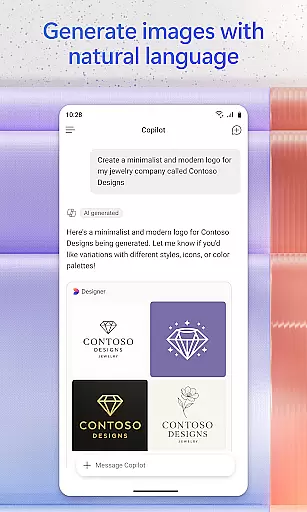
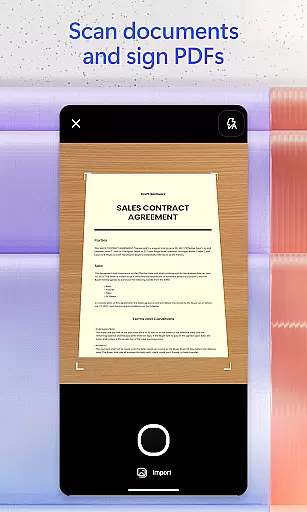
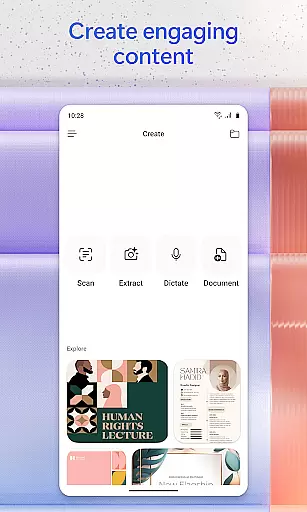
Voice interaction is another significant feature, allowing hands-free operation which is ideal for multitasking or when accessibility is needed. The app also excels in content creation and management, offering easy-to-use templates for images, posters, banners, videos, and surveys. Moreover, it includes document scanning capabilities and project management tools like Copilot Notebooks, which help organize ideas, documents, and links cohesively.
Furthermore, Microsoft 365 Copilot facilitates seamless file handling by enabling users to upload Word, Excel, or PDF files from their mobile devices and save AI-generated content back to their device. These features collectively ensure that users have powerful tools at their disposal to manage their digital content effectively and efficiently.
Task management is a cornerstone of productivity, and Microsoft 365 Copilot excels in this area by providing users with an all-encompassing platform to organize their work and personal life. The app consolidates various productivity tools into one place, allowing users to create, edit, and manage documents, spreadsheets, presentations, and PDFs efficiently.
Microsoft 365 Copilot's approach to task management includes features like Copilot Notebooks, which enable users to compile ideas, documents, and links. This functionality not only streamlines project management but also enhances collaboration by summarizing content and drawing connections between different pieces of information.
Users benefit from the ability to upload Word, Excel, or PDF files directly from their mobile device's storage, making it easy to access and edit important documents on the go. Additionally, the app allows for the saving of Copilot-created files directly to the user's phone, ensuring that all critical data is readily available whenever needed.
The integration of these task management features ensures that users can maintain productivity without being tied to a desktop computer, offering flexibility and efficiency in managing daily tasks both at work and home.
Cross-device synchronization is vital for maintaining workflow continuity, and Microsoft 365 Copilot addresses this need by ensuring reliable and seamless updates across all user devices. Whether switching from a desktop to a mobile device or vice versa, users can expect their data to be current and consistent, thanks to the app's robust cloud-based infrastructure.
The app leverages OneDrive and SharePoint to save documents to the cloud automatically, facilitating real-time access and edits from any location. This means that whether you're working on a document saved to the cloud or analyzing a spreadsheet using natural language commands, your progress is continuously backed up and synchronized.
Moreover, Microsoft 365 Copilot supports uploading files from a phoneu2019s storage and provides answers through Copilot, thus bridging the gap between local and cloud-based file management. This dual capability ensures that no matter where a file originates, it can be accessed, edited, and saved across devices without missing a beat.
By prioritizing cross-device synchronization reliability, Microsoft 365 Copilot empowers users to stay productive regardless of their physical location or the device they are using, fostering a truly flexible and dynamic working environment.
AI-powered assistance
Versatile content creation
Efficient file management
Voice command support
Integrated productivity tools
Limited free features
Requires Microsoft account
Some functions need specific licenses
Potential privacy concerns
Dependent on cloud storage

Create study competitions, track your hours, and stay consistent with friends
 4.1
4.1
Easily read and manage all your PDF files
4.10
Mind Map and brainstorm, note taking and idea collection
4.80
Functional QR scanner and barcode reader that requires little storage space.
4.60
Code on-the-go with VScode for Android. Edit,debug and collaborate from mobile!!
3.10
The ultimate file manager for rooted devices. The original and still the best.
4.00
Scientific calculator for Android - looks and operates like the real thing!
4.90
Daily processing of PDF documents.
4.40
Note taking, handwriting, record audio, PDF annotation, planner & journal
4.20
Great calculator for Android named one of USA TODAY's "25 Essential Apps".
4.90
Protect and view your important info on your phone and tablet with eWallet®
4.80
Secure, fast, open-source, VNC and SSH Remote Desktop for Windows, Linux and Mac
4.70
Absolutely the best CNC machinist speed and feed calculator around. fswizard.com
4.60
The AI assistant that thinks with you - write, code, and solve complex tasks
4.60
Tally and goal counter for Wear OS & mobile
4.50
Send files, sync SMS, notifications & clipboard across devices via local network
4.40
Professional calendar app for Google Calendar, MS Outlook & Exchange
4.20
All in One PDF Reader: Manage, Read and Edit your Documents
4.20
Create and edit presentations with Google Slides, part of Google Workspace.
4.00


User Reviews