
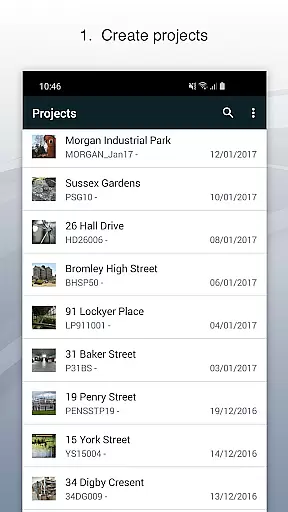
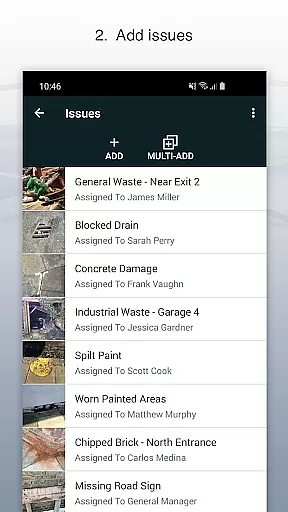
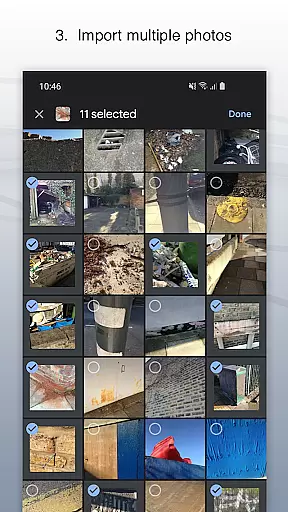
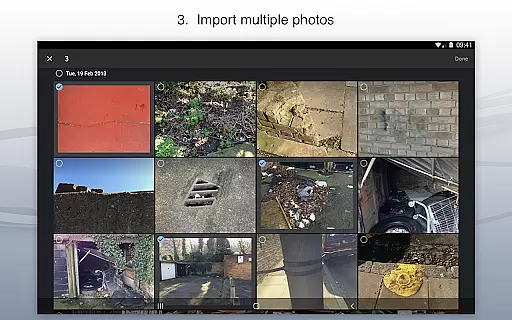
Site Audit Pro is a powerful productivity tool designed to streamline the auditing and inspection process for businesses across various industries. This mobile application allows users to efficiently record issues by capturing photos, adding detailed descriptions, assigning tasks, and including comments all within a single platform. With its intuitive interface, professionals can annotate images to emphasize critical details, organize findings into specific projects with relevant site and client information, and instantly generate professional audit reports without needing to return to the office.
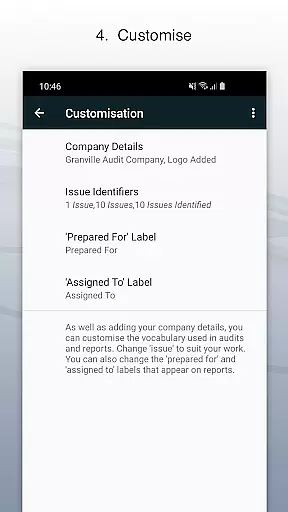
The app's versatility extends beyond basic auditing functions. Site Audit Pro supports multiple use cases such as safety inspections, snagging lists, punch lists, and quotation preparation. Its customizable reporting feature enables businesses to tailor reports with company branding elements like logos and signatures, while also adapting language and formats to suit different sectors. Whether you're conducting site walks or managing checklists, this app provides a comprehensive solution that enhances operational efficiency and facilitates seamless communication between team members and clients.
With over 40,000 businesses worldwide leveraging its capabilities, Site Audit Pro has proven to be an invaluable asset in improving workplace productivity. By offering instant sharing options via email or cloud services like Dropbox, it ensures that your findings are communicated promptly and professionally. The ability to customize content and choose from eight professional report designs makes it adaptable to numerous industries, ensuring that every user can create personalized, high-quality documentation that meets their specific needs.
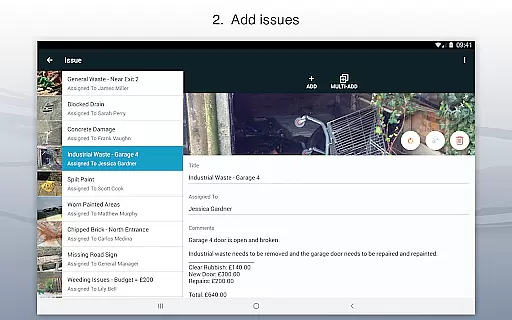
Site Audit Pro stands out with its robust set of features tailored specifically for enhancing productivity during audits and inspections. One of its key functionalities is the ability to document issues comprehensively; users can capture photos, add titles, assign tasks to team members, and include detailed comments directly within the app. This streamlined process not only saves time but also improves accuracy by keeping all related information in one place. Additionally, the photo annotation feature allows users to highlight important areas or details on images, making it easier to communicate specific concerns effectively.
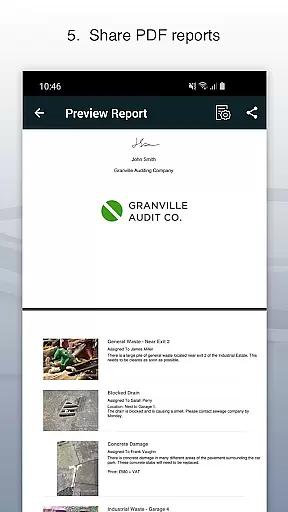
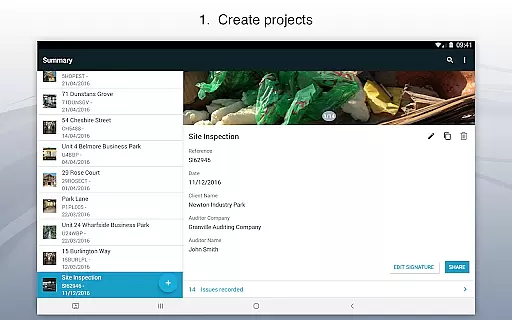
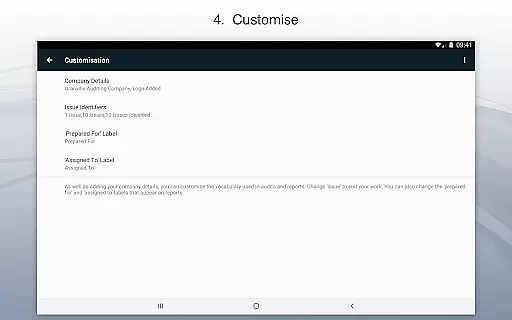
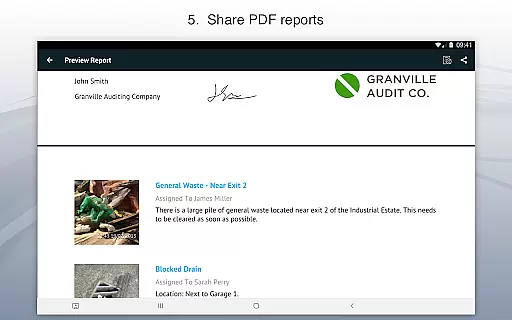
Beyond issue documentation, Site Audit Pro offers advanced organizational tools. Users can categorize findings into distinct projects, each with unique site and client details, ensuring that all data remains well-structured and easily accessible. The app's reporting capabilities are equally impressive, enabling users to instantly create and share professional audit reports in PDF format through various channels such as email or cloud storage services like Dropbox. These reports can be fully customized with company-specific branding elements including logos, auditor names, and signatures, providing a polished and personalized touch to every document generated.
Another significant advantage of Site Audit Pro is its adaptability across different industries. The app allows users to modify terminology used in reports—such as changing 'Identified X issues' to 'Found X problems'—to better align with industry-specific language. Furthermore, users have access to eight customizable report templates, giving them flexibility in how they present their findings. Whether performing routine inspections, creating punch lists, or conducting site walkthroughs, these features collectively empower businesses to optimize their workflows and achieve greater operational efficiency.
Effective task management is essential for productivity-focused applications like Site Audit Pro. This app simplifies the process of recording issues, assigning tasks, and managing projects on the go.
The application allows users to capture site-related problems with photos, annotate these images to highlight critical details, and assign tasks to specific team members. This ensures that every identified issue is addressed by the right person, streamlining workflow and responsibility allocation.
By organizing issues into distinct projects, Site Audit Pro enables businesses to maintain clear boundaries between different work areas or client engagements. Users can add specific site and client details to each project, ensuring all information remains contextually relevant and easily accessible.
This structured approach to task management helps over 40,000 businesses worldwide improve their operational efficiency, making audits and inspections quicker to execute and simpler to oversee.
In today's interconnected world, reliable cross-device synchronization is crucial for maintaining workflow continuity. Site Audit Pro excels in this area by ensuring that all recorded data, including photos, annotations, and task assignments, are consistently updated across all devices.
Users can start an audit on their mobile device during a site visit and seamlessly continue working on their report from a desktop or tablet back at the office. This flexibility significantly reduces downtime and eliminates the need to duplicate efforts when transitioning between different work environments.
The app supports instant sharing of professional audit reports without requiring users to return to the office. These reports can be shared as PDFs via email, Dropbox, and other platforms, ensuring that all stakeholders receive timely updates regardless of their location or device.
With its robust synchronization capabilities, Site Audit Pro empowers teams to collaborate more effectively, ensuring that everyone has access to the most current information, thus enhancing overall productivity and decision-making processes.
User-friendly interface
Customizable reports
Instant report sharing
Photo annotation tool
Cross-industry adaptability
Limited free version
Occasional bugs
Subscription costs
Learning curve
Offline limitations

Ads Free App! Editor, Hide File, Copy, Move, Delete and Rename.. all facility av
 1.70
1.70
Unlock AutoNotification
4.00
Smart PDF reader & editor to view, organize and manage PDF documents easily.
3.70
The upgraded version of Name Wheel with AI and the power to add your own wheels.
4.4
Customizable calendar widget for seamless event sync, planning & scheduling.
4.00
PDF scanner & converter for files, photos, lottery, QR codes. One swipe away!
4.50
Cloud storage, automatic phone backup, and more.
4.10
A Pixel Art watchface inspired by other iconic 90s designs for Wear OS devices!
4.40
2026 USPS Alpha/Color coded calendar Sunday/Rotating day off schedules
4.4
Scientific calculator for Android - looks and operates like the real thing!
4.90
Great calculator for Android named one of USA TODAY's "25 Essential Apps".
4.90
Android Wallet Password Manager
4.80
Use powerful, industry-leading AI tools to generate visual charts from any data
4.80
Translate text/voice/photos in 150+ languages. Offline & fast translator app.
4.50
A customizable calendar for your Wear OS watch
4.20
Device's storage information in a simple and clear graphical form (infographics)
4.10
Font maker keyboard with your own handwriting
4.10
Wake up & get tasks done! Add alarms & reminders on the Clock Launcher.
4.00
Find and delete junk files & block unwanted notifications & manage files
3.70


User Reviews