
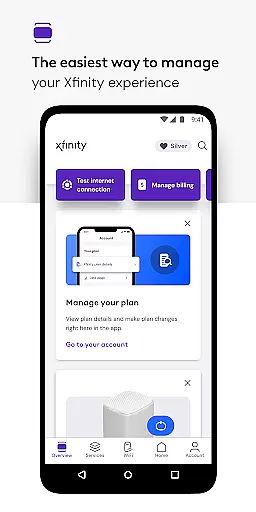
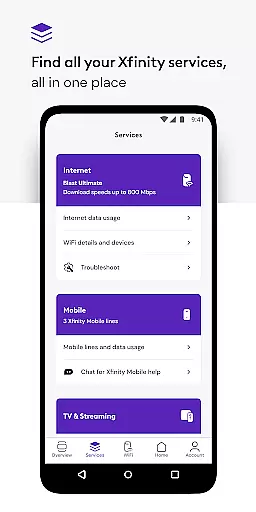
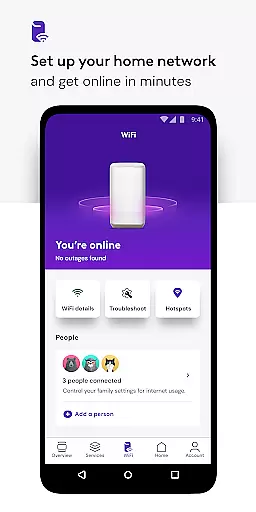
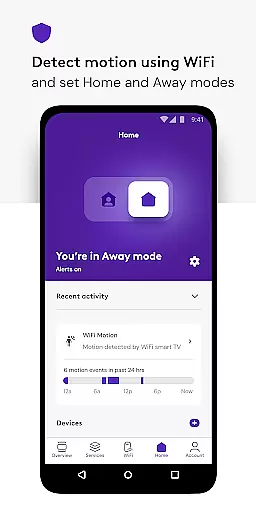
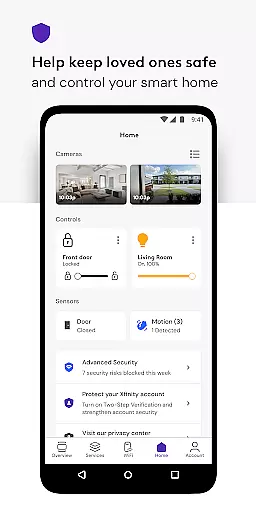
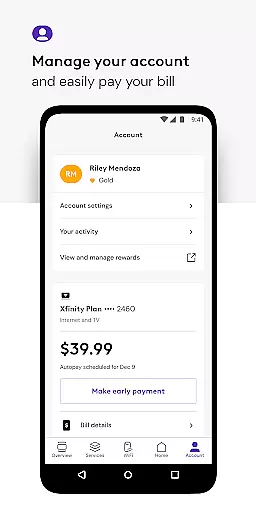
Xfinity is a productivity-focused app that allows users to manage all their Xfinity services in one place. The app provides an enhanced experience by offering tools for account management, real-time support, and personalized features to improve WiFi performance. With the Xfinity app, customers can pay bills, view plan details, and make service changes effortlessly.
One of the standout features is NOW, which offers simplified internet and mobile solutions with transparent pricing. Additionally, the app includes advanced security features, parental controls, and seamless device management. These capabilities ensure users have ultimate control over their home network while maintaining safety and efficiency.
The app is particularly useful for families and individuals who need to manage multiple connected devices. By providing 24/7 support and Xfinity Rewards, it adds significant value to its users, making daily tasks easier and more secure.
The Xfinity app boasts a variety of features designed to enhance user productivity and convenience. Firstly, it offers comprehensive account management tools, allowing users to pay bills, upgrade services, and view plan details from their mobile devices. This ensures that users can manage their accounts efficiently without needing to contact customer service.
Another key feature is the advanced security suite, which includes protection for devices connected to your home network and on-the-go data protection via a VPN service. This helps keep users safe from online threats both at home and when using unsecured WiFi networks. Additionally, the app provides parental controls, enabling parents to set family-safe browsing rules and pause WiFi access as needed.
Lastly, the app offers personalized tools such as WiFi performance tips and user profile management. These features help optimize the home network and ensure smooth operation across all connected devices. Overall, these functionalities make the Xfinity app a powerful tool for managing digital life effectively.
In the realm of productivity, core task management is pivotal for organizing and executing tasks efficiently. The Xfinity app excels in this area by providing users with a centralized platform to manage all their services effortlessly.
With the Xfinity app, customers can pay bills, view plan details, and make changes or upgrades to their services without hassle. This comprehensive approach ensures that users have everything they need at their fingertips, streamlining the management process significantly.
The real-time support feature further enhances task management capabilities, offering 24/7 assistance whenever required. Whether it's activating equipment or testing internet speed, the app equips users with tools that simplify these processes, saving time and reducing complexity.
By integrating personalized tools and tips to improve WiFi performance, along with advanced security features, the Xfinity app not only manages tasks but also enriches the overall user experience, making it an indispensable tool for efficient service management.
Cross-device synchronization is essential for maintaining consistency and reliability across multiple devices. The Xfinity app addresses this need by ensuring that all user data and preferences are seamlessly synchronized, providing a uniform experience regardless of the device used.
Customers benefit from features like parental controls and personalized user profiles, which remain consistent across devices. This means parents can manage family-safe browsing and pause WiFi on any connected device, knowing that these settings will apply universally.
Advanced Security on the go is another feature that underscores the app's commitment to reliable cross-device functionality. By enabling safe browsing and data protection on mobile devices, even when connected to unsecured networks, the app ensures continuous protection without interruption.
Overall, the Xfinity app delivers robust cross-device synchronization, empowering users to transition smoothly between devices while enjoying uninterrupted service and security features, thus enhancing both convenience and peace of mind.
User-friendly interface
Comprehensive account management
Advanced security features
24/7 real-time support
Personalized WiFi tools
Limited to Xfinity customers
Occasional connectivity issues
Some features require rental equipment
VPN permissions may concern some users
Complex initial setup process

A Revolutionary All-in-One Artificial Intelligence Tools
 3.80
3.80
When you Focus, so will your Bean in this cozy focus timer
4.30
Automates browsing any website and notifies you of important changes or events
4.30
Smart PDF reader & editor to view, organize and manage PDF documents easily.
3.70
Todo reminder
4.10
The AI assistant that thinks with you - write, code, and solve complex tasks
4.60
Access, manage and transfer files on Android, PC, Mac, NAS and cloud storages.
4.30
Scientific calculator for Android - looks and operates like the real thing!
4.90
QuickEdit is a fast, stable and full featured text and code editor.
4.20
8 custom complications. Custom Time Fonts. Beautiful color schemes. A++ Design.
5.00
Seamlessly integrate data and reports to build your presentation to impress
4.80
A simple Whisper AI keyboard for reliable speech transcription and rewording
4.60
PDF scanner & converter for files, photos, lottery, QR codes. One swipe away!
4.50
Experience Reading - Night Mode for Documents
4.40
Share files & memories safely. Keep your photos and videos secure.
4.40
A customizable calendar for your Wear OS watch
4.20
Device's storage information in a simple and clear graphical form (infographics)
4.10
Activate Two Factor Authentication (2FA or Multi OTP), Password manager and more
4.10
Find and delete junk files & block unwanted notifications & manage files
3.70


User Reviews