
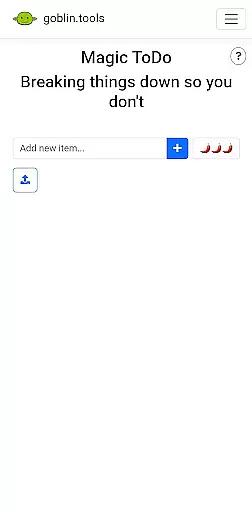
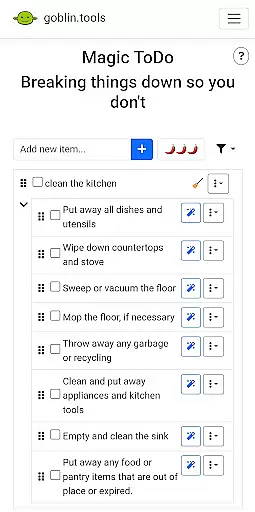
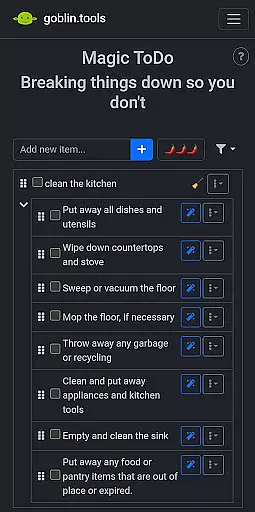
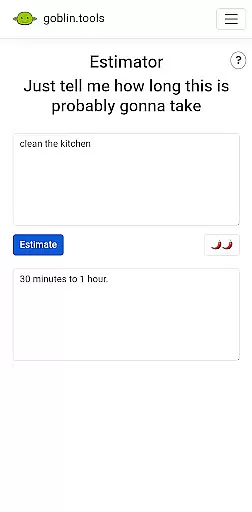
Goblin Tools is a productivity app designed to simplify everyday tasks through a collection of small, intuitive tools. It offers solutions for task management, text rewording, mood sensing, and more. These features are especially helpful for neurodivergent individuals facing challenges like ADHD or autism.
The app provides practical utilities such as breaking tasks into smaller steps, estimating activity durations, and even creating recipes from available ingredients. Its clever design untangles complicated processes, making it an essential companion for both personal and professional use.
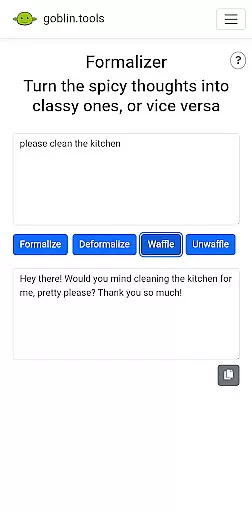
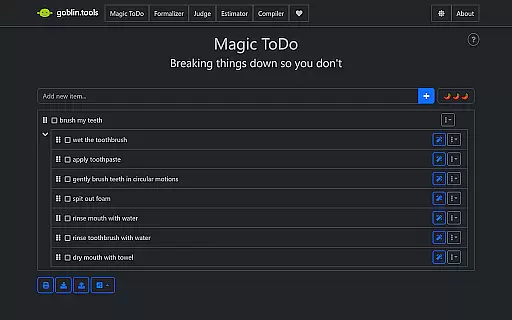
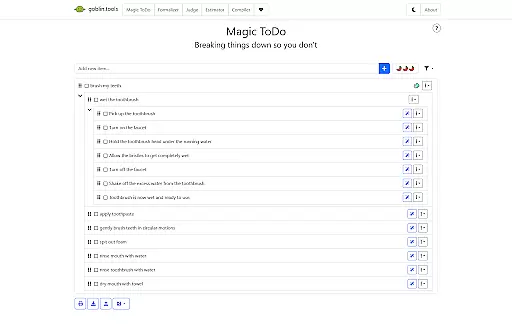
Goblin Tools stands out with its diverse range of innovative features tailored to assist with various daily activities. The Magic ToDo function helps users break down overwhelming tasks into manageable steps, while the Formalizer instantly adjusts text tone for better communication.
Other notable features include Judge, which analyzes the emotion behind messages, and Professor, simplifying complex topics for easier understanding. With additional tools like Consultant for decision-making and Chef for recipe creation, Goblin Tools ensures that every challenge has a simple solution.
At the heart of Goblin Tools lies its ability to simplify complex tasks through innovative features like Magic ToDo. This functionality allows users to break down overwhelming responsibilities into manageable steps, promoting productivity without the stress.
The app's approach to task management is especially beneficial for neurodivergent individuals. By offering structured guidance and clever helpers, it creates a supportive environment for those dealing with ADHD, autism, or executive dysfunction to thrive in their daily activities.
Each tool within the app serves as a building block for better organization and time management. From estimating activity durations with Estimator to transforming chaotic thoughts into actionable plans using Compiler, Goblin Tools equips users with everything needed to stay on top of their workload efficiently.
Goblin Tools ensures that your data remains consistent across all devices you use. Whether you're accessing the app from your phone, tablet, or computer, you can trust that your information will be up-to-date and reliable wherever you go.
This seamless synchronization means no more lost notes or forgotten tasks when switching between devices. The app keeps everything from your bite-sized todos to detailed project plans perfectly aligned, providing peace of mind and continuity in your workflow.
By maintaining real-time updates and backups, Goblin Tools guarantees not just convenience but also security. Users can rest assured knowing their valuable data is safely stored and easily accessible, allowing them to focus on what truly matters without worrying about technical glitches.
User-friendly interface
Innovative task breakdown
Supports neurodivergent needs
Versatile toolset
Free and ad-free
Limited advanced options
No offline functionality
Requires learning curve
Few customization settings
Occasional bugs

A Revolutionary All-in-One Artificial Intelligence Tools
 3.80
3.80
Take control of your clipboard with Clipper!
3.90
Experience real multitasking on your Android!
4.00
Direct Chat without saving contacts & Dual WA Account on Single Device
4.70
8 custom complications. Custom Time Fonts. Beautiful color schemes. A++ Design.
5.00
App Lock with fingerprint, password: Lock apps & hide photos with lock screens
4.60
Create and edit presentations with Google Slides, part of Google Workspace.
4.00
A Pixel Art watchface inspired by other iconic 90s designs for Wear OS devices!
4.40
Seamlessly read, manage, and organize all your PDF files solution in one place
4.40
Native client for Forgejo and Gitea
5.00
aCalendar+ makes your day, week and month
4.70
A beautiful digital clock with autostart and many other functions
4.70
Quickly and easily keep track of your work shifts
4.70
Okta MFA
4.70
When you Focus, so will your Bean in this cozy focus timer
4.30
A customizable calendar for your Wear OS watch
4.20
Easily read and manage all your PDF files
4.10
All in one sketching tool. Technical and General drawing. Online Maps support.
3.70
Ads Free App! Editor, Hide File, Copy, Move, Delete and Rename.. all facility av
1.70


User Reviews