
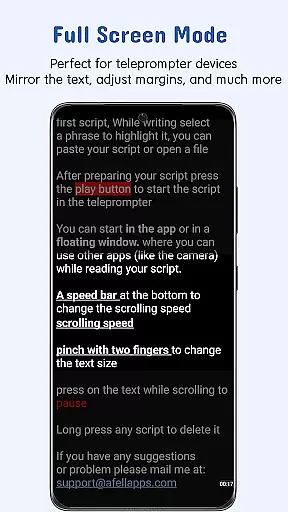
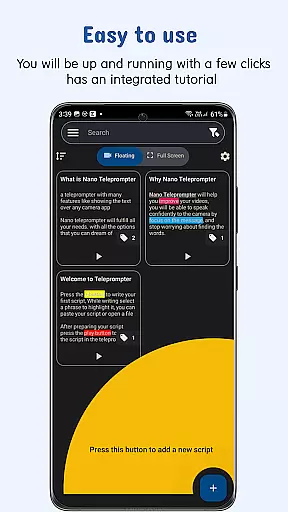
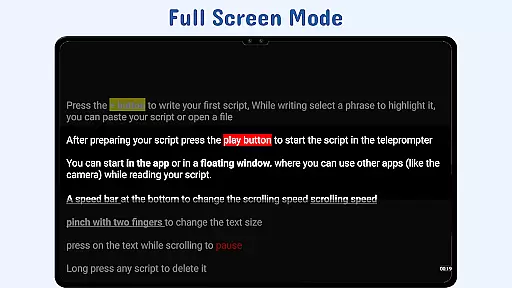
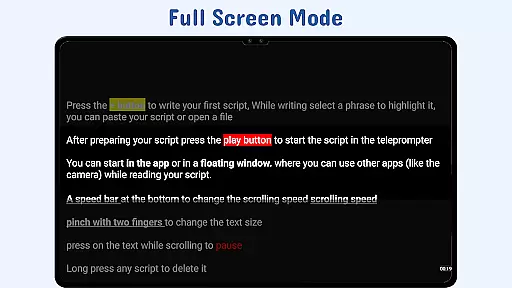
Nano Teleprompter is a versatile productivity tool designed to streamline your teleprompting needs. This app offers an intuitive interface with powerful features, making it ideal for video recording, live streaming, or delivering speeches. With its floating widget and remote control options, users can seamlessly integrate the teleprompter into their workflow while maintaining full control over script navigation.
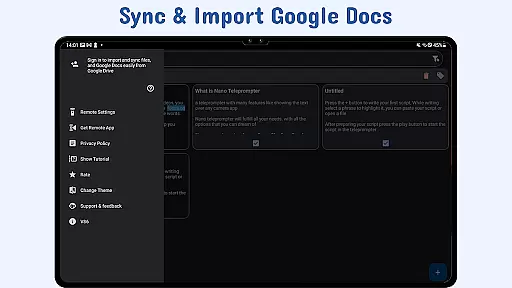
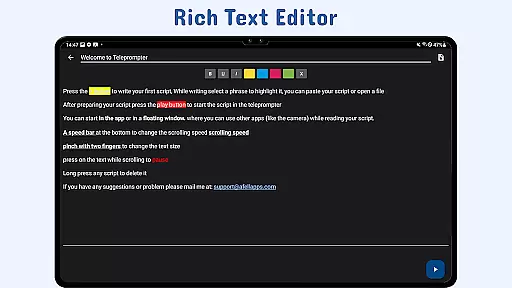
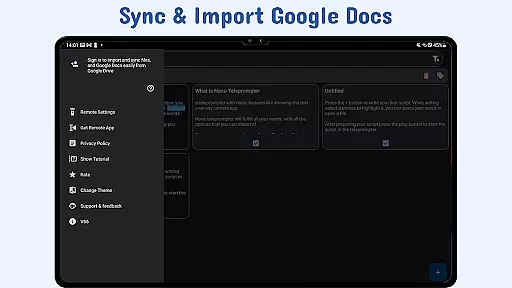
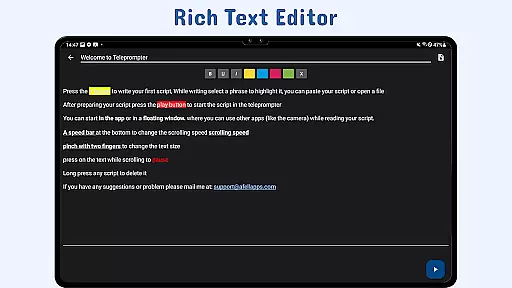
One standout feature is the real-time Google Drive sync, allowing users to create, edit, and manage scripts directly in Google Drive. Whether you're working from a PC or mobile device, changes are automatically reflected in the app. The customizable text and background settings further enhance readability, ensuring a smooth experience across various use cases.
This app is particularly valuable for content creators, educators, and public speakers who need reliable teleprompting solutions. By combining flexibility, ease of use, and advanced functionality, Nano Teleprompter ensures that users can focus on their delivery without distractions.
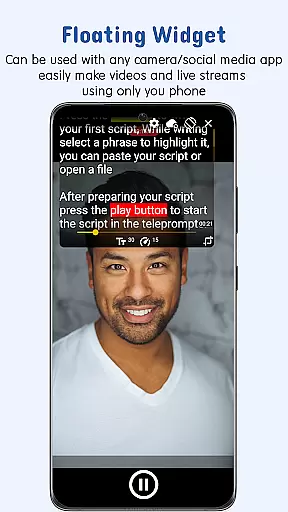
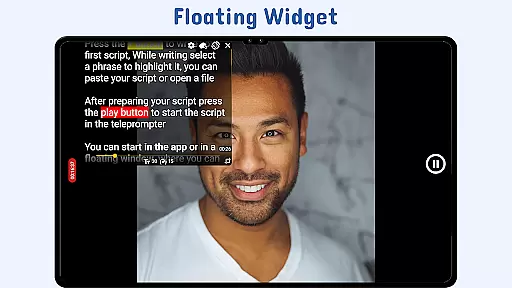
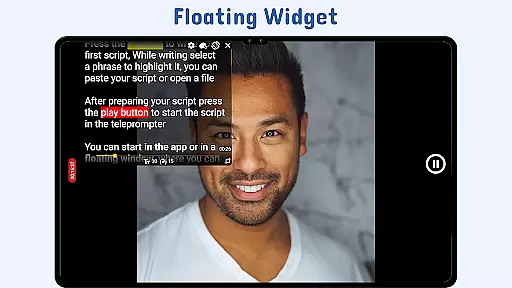
Nano Teleprompter stands out with its comprehensive set of features tailored to meet diverse teleprompting requirements. A key highlight is the Floating Teleprompter Widget, which allows users to overlay the teleprompter on any camera app. This widget is fully resizable and movable, supporting both landscape and portrait modes, providing unmatched convenience during recordings.
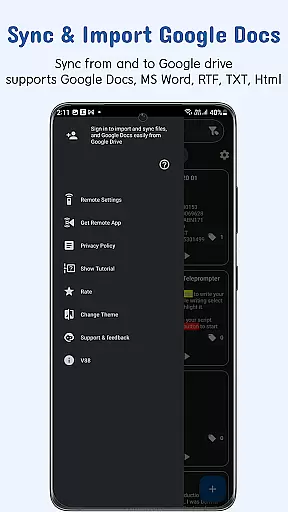
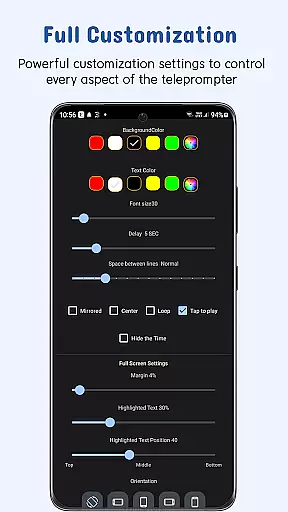
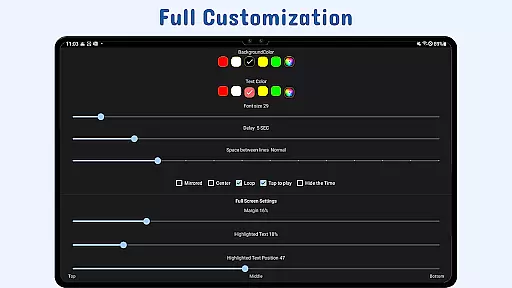
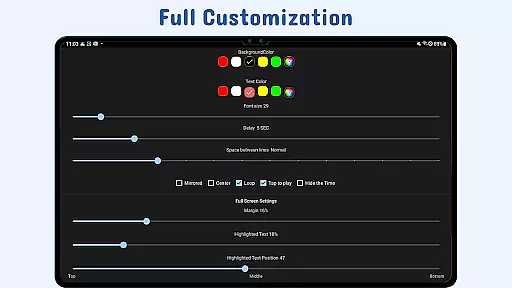
The app also excels in file management through its Real-Time Google Drive Sync & File Import capabilities. Users can work on scripts stored in Google Drive, and the app will automatically update with the latest changes. Supported formats include Google Docs, MS Word, RTF, TXT, and HTML, offering versatility in script preparation. Additionally, the customizable text and background settings let users adjust text size, color, opacity, margins, and line spacing for optimal readability.
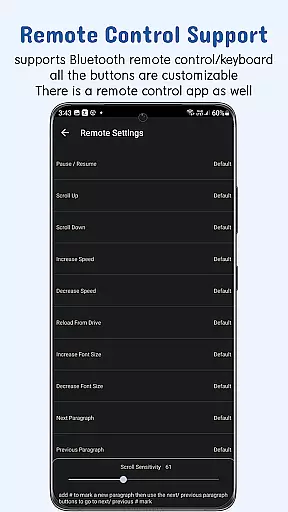
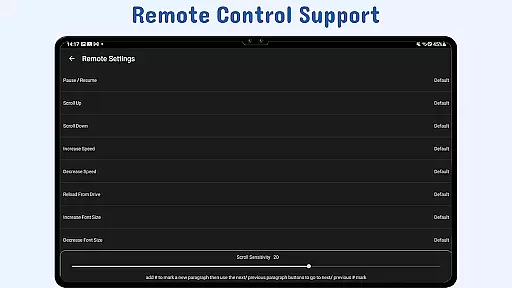
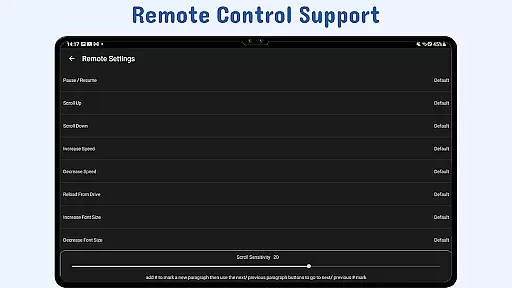
Other notable features include Gesture Controls for zooming and resizing, Adjustable Scroll Delay for better synchronization, and Remote Control Support for hands-free operation. These innovations ensure that Nano Teleprompter remains a top choice for professionals seeking efficiency and precision in their teleprompting tasks.
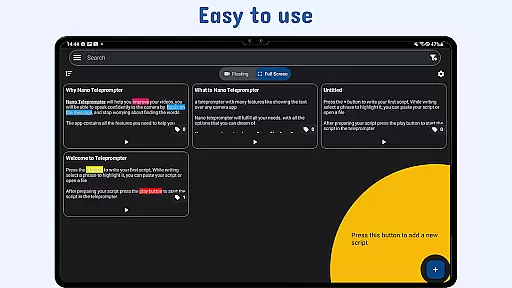
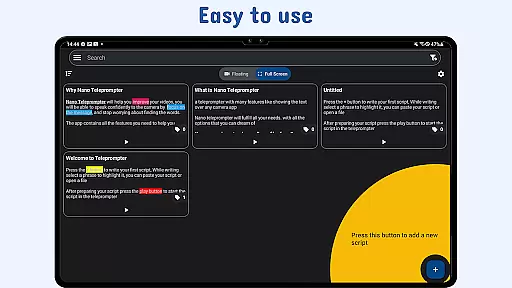
At the heart of Nano Teleprompter lies its robust core task management system, designed to streamline your workflow. This feature allows users to create, edit, and manage scripts directly through an intuitive interface that syncs seamlessly with Google Drive.
The app's real-time cloud integration ensures that any changes made to your documents are automatically updated across all devices. Whether you're working on a script from your PC or mobile device, Nano Teleprompter keeps everything current without manual intervention.
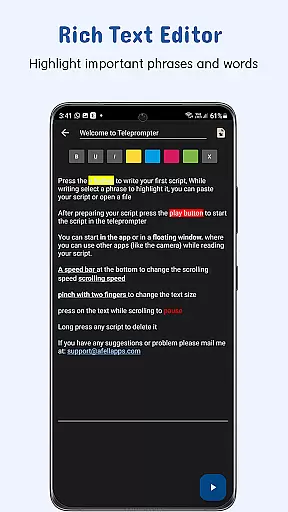
With customizable text options such as size, color, and background opacity, users can tailor their reading experience for optimal comfort and clarity. This level of personalization enhances readability and helps maintain focus during recordings or presentations.
Nano Teleprompter excels in cross-device synchronization reliability, ensuring that your work is always up-to-date no matter where you access it. By leveraging Google Drive, the app provides a dependable solution for keeping scripts synchronized across multiple platforms.
This seamless integration means that whether you're editing on your desktop or using the floating widget on your mobile device while recording, every change is instantly reflected everywhere else. Such consistency eliminates version control issues and streamlines collaborative efforts.
Moreover, remote control support adds another layer of convenience by allowing hands-free navigation through scripts. Users can adjust speed, pause, resume, and scroll effortlessly, making Nano Teleprompter an indispensable tool for professionals who demand efficiency and precision in their teleprompting tasks.
User-friendly interface
Real-time cloud syncing
Customizable text options
Remote control compatibility
Cross-device accessibility
Limited offline functionality
Premium features locked
Occasional sync delays
Requires stable internet
Learning curve for beginners

A customizable calendar for your Wear OS watch
 4.20
4.20
All in one sketching tool. Technical and General drawing. Online Maps support.
3.70
A lightweight JSON & XML files creator, editor and viewer (Premium Version)
4.40
App lock - lock apps with fingerprint, password, pin or pattern, protect privacy
4.70
Stay on top of your to-dos with Google Tasks, part of Google Workspace.
4.60
Simple and reliable communication between inmates, friends and family
3.20
* block pre-roll ads, pop-up and forced redirect ads * Samsung certification app
4.00
Experience and share your SolidWorks designs on your Android® phone and tablet.
2.50
Lightweight PDF, Word, Excel reader.
4.60
8 custom complications. Custom Time Fonts. Beautiful color schemes. A++ Design.
5.00
Multilingual translator for text, voice, and image translation!
4.90
QuickBooks Workforce lets teams view pay info and track time in one place.
4.70
Quickly and easily keep track of your work shifts
4.70
Absolutely the best CNC machinist speed and feed calculator around. fswizard.com
4.60
Functional QR scanner and barcode reader that requires little storage space.
4.60
All document reader, all in one file viewer read PDF, DOCX, XLS, PPT, TXT files.
4.60
Calendar 2023 widget for Android. Appointment scheduler, planner, and reminder
4.60
⏰ Finally a timer app which can run multiple timers simultaneously on your watch
3.90
A Revolutionary All-in-One Artificial Intelligence Tools
3.80


User Reviews