
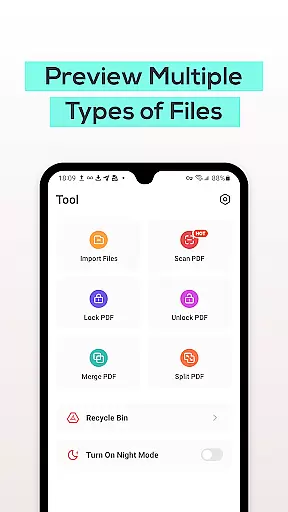
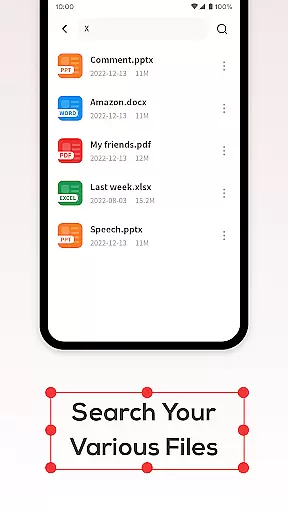
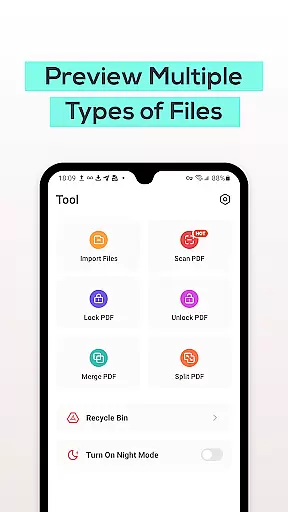
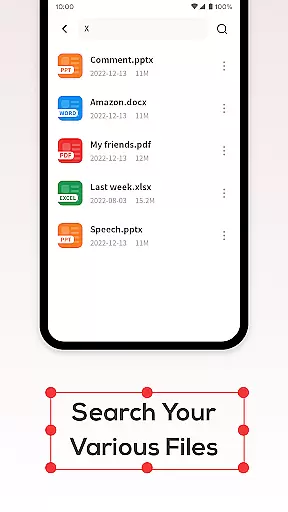
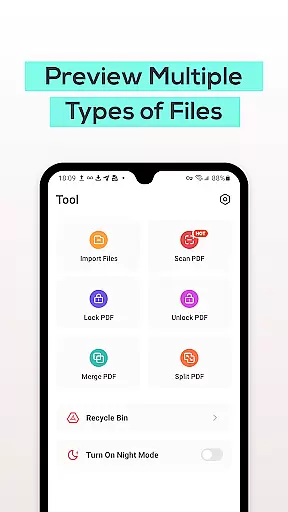
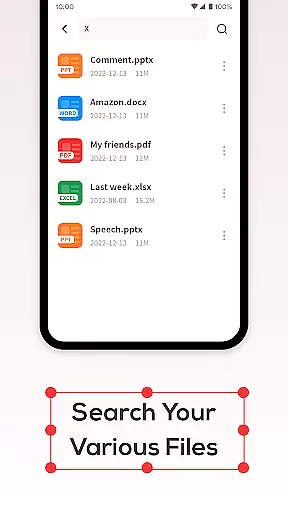
PDF File Reader is a productivity-focused application designed to streamline document management on mobile devices. This app allows users to efficiently handle PDF files, offering essential features such as viewing, highlighting, and underlining text within PDF documents. Additionally, it supports quick file search functionality, ensuring minimal wait times when locating specific documents. With its intuitive Recycle Bin feature, users can manage deleted files with ease, providing a safety net for accidental deletions. Whether you're a student or a professional, PDF File Reader simplifies your workflow by making document management accessible and efficient.
The app's ability to view Word, PowerPoint, and Excel files adds versatility to its primary function of PDF management. This makes it an invaluable tool for users who frequently work with various document formats on their mobile devices. By combining powerful processing capabilities with user-friendly features, PDF File Reader ensures that managing important files is both straightforward and reliable, enhancing productivity wherever you go.
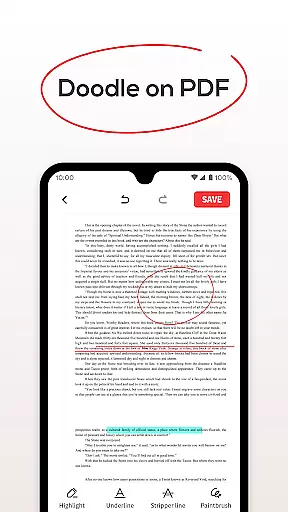
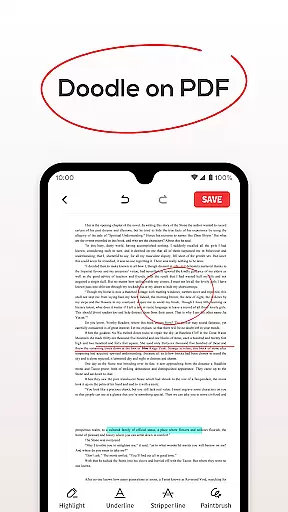
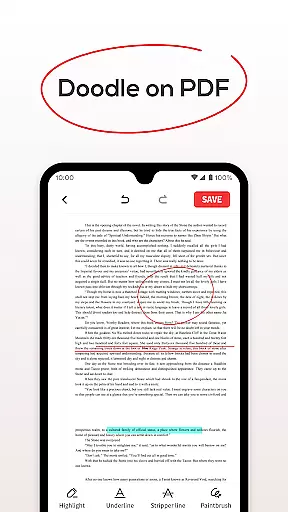
PDF File Reader stands out with its comprehensive set of features tailored for efficient document handling. The app enables users to open PDF files and perform essential operations like adding highlights and underlines to text, allowing for better document annotation and review. Its advanced search functionality ensures that finding specific PDFs is quick and effortless, saving valuable time when managing extensive document libraries.
One notable feature is the integrated Recycle Bin, which provides users with the option to either permanently delete files or temporarily store them for up to seven days. This thoughtful addition helps prevent accidental data loss while maintaining device storage efficiency. Furthermore, the app's capability to display Word, PowerPoint, and Excel files extends its utility beyond just PDFs, catering to diverse document management needs. These robust features collectively enhance user experience, making PDF File Reader an indispensable tool for anyone seeking to optimize their mobile productivity.
PDF File Reader excels in core task management by offering a suite of essential features tailored for productivity. The app allows users to open and interact with PDF files effortlessly, providing tools for highlighting, underlining, and adding notes to text. These capabilities ensure that users can manage their documents efficiently without switching between multiple applications.
The application goes beyond basic viewing by enabling users to perform simple yet crucial operations. For instance, users can add highlight fills and underlines to text within PDF files, making it easier to emphasize important information. This functionality is vital for students, professionals, and anyone who needs to annotate documents as part of their workflow.
Moreover, the integrated search function enhances productivity by allowing users to quickly locate specific PDF documents. Instead of sifting through numerous files, users can find what they need almost instantly. This feature saves valuable time and streamlines document management tasks, contributing to an overall more organized and efficient work process.
Cross-device synchronization is a critical aspect of modern productivity tools, and PDF File Reader addresses this need with its reliable syncing capabilities. Users can access their PDF files across multiple devices without worrying about data loss or inconsistencies. This ensures that whether you're working on your phone, tablet, or computer, your documents are always up-to-date and accessible.
The app also includes a Recycle Bin feature, which adds an extra layer of security to file management. When deleting files, users have the option to move them to the Recycle Bin instead of permanent deletion. Files in the Recycle Bin are saved for seven days, giving users ample time to recover any mistakenly deleted documents. After seven days, files are automatically removed, ensuring that storage space remains optimized.
By combining robust synchronization with thoughtful features like the Recycle Bin, PDF File Reader provides a dependable solution for managing PDF files across different devices. This reliability empowers users to focus on their tasks without concern for data integrity or availability, ultimately enhancing their productivity and peace of mind.
User-friendly interface
Fast document search
Recycle Bin for safe deletion
Supports multiple file formats
Efficient PDF management
Limited advanced editing tools
No cloud integration
Basic UI design
Occasional performance lags
Ads in free version

Client for Nextcloud Deck
 4.60
4.60
Native client for Forgejo and Gitea
5.00
Unlock AutoNotification
4.00
8 custom complications. Custom Time Fonts. Beautiful color schemes. A++ Design.
5.00
The Pro Version of Android's tiniest Notepad app. Just 0.3MB but feature-packed!
4.60
Device's storage information in a simple and clear graphical form (infographics)
4.10
We're working to become the best machining app on the market! www.cncdirt.com
4.80
IP Camera Viewer - Android TV : RTSP Surveillance camera viewer for Android TV
4.4
A simple Whisper AI keyboard for reliable speech transcription and rewording
4.60
Scientific calculator for Android - looks and operates like the real thing!
4.90
Great calculator for Android named one of USA TODAY's "25 Essential Apps".
4.90
Simple notepad & memo. Take notes, to-do list, shopping list with reminders.
4.80
App lock - lock apps with fingerprint, password, pin or pattern, protect privacy
4.70
App Lock with fingerprint, password: Lock apps & hide photos with lock screens
4.60
All document reader, all in one file viewer read PDF, DOCX, XLS, PPT, TXT files.
4.60
Send files, sync SMS, notifications & clipboard across devices via local network
4.40
A customizable calendar for your Wear OS watch
4.20
Create and edit presentations with Google Slides, part of Google Workspace.
4.00
⏰ Finally a timer app which can run multiple timers simultaneously on your watch
3.90


User Reviews