QR & Barcode Scanner is a versatile productivity tool designed to streamline various scanning tasks on Android devices. This all-in-one application combines multiple scanning capabilities in a single, user-friendly interface.
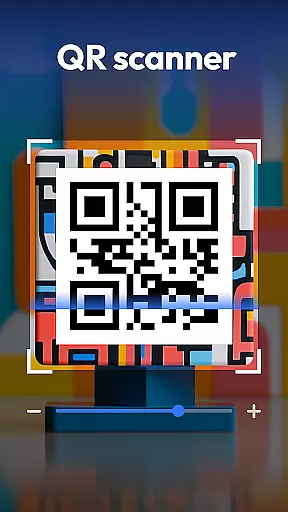
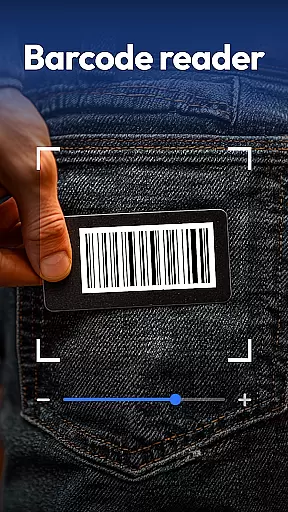
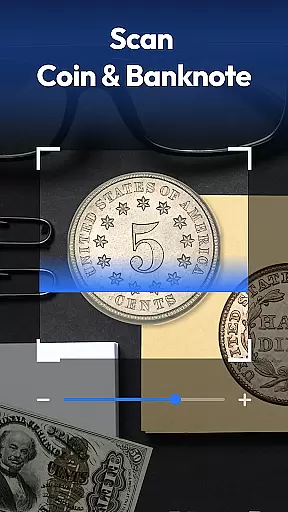
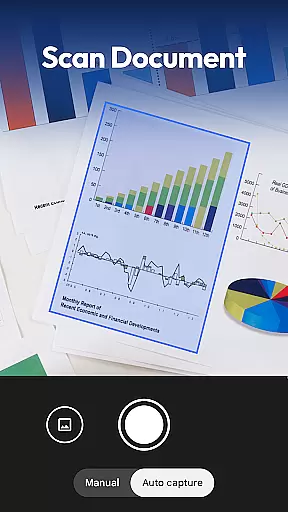
The app's core functionality revolves around its powerful QR and barcode scanning engine, which supports all major formats including QR, Data Matrix, UPC, EAN, and Code 39. Beyond basic scanning, it incorporates specialized features like coin and banknote identification, food label analysis, and document scanning with PDF conversion.
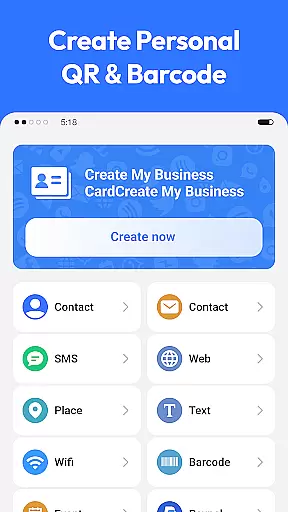
Users can leverage this application for diverse scenarios, from price comparison while shopping to digitizing important documents. The inclusion of a QR code generator adds extra utility, enabling users to create various types of QR codes instantly.
QR & Barcode Scanner distinguishes itself through its comprehensive feature set that extends far beyond traditional scanning applications. The app implements advanced recognition algorithms that ensure fast and accurate scanning across different categories.
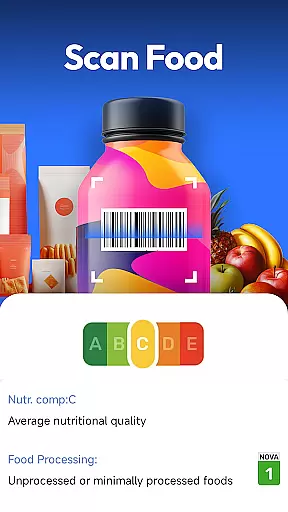
A key innovation lies in its specialized scanning modes. The coin and currency recognition feature utilizes sophisticated image processing to identify rare coins and banknotes, valuable for collectors. The food scanner provides instant nutritional analysis, displaying health grades, allergens, and ingredients directly from product barcodes.
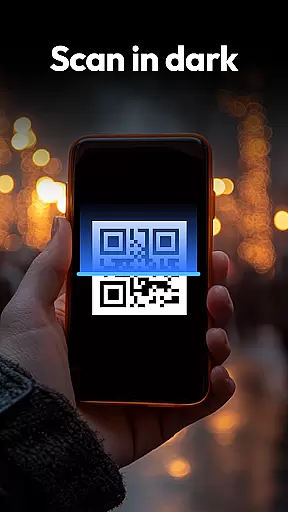
The document scanning capability demonstrates the app's versatility, converting physical documents into searchable PDFs with remarkable clarity. Additional features like auto-zoom, flashlight support for low-light conditions, and scan history management enhance the overall user experience while maintaining privacy with minimal permission requirements.
Task management is a critical aspect of productivity applications, and QR & Barcode Scanner excels in this area by offering an all-in-one solution for various scanning needs. The app consolidates multiple functions such as QR code scanning, barcode reading, coin and banknote identification, food label analysis, and document scanning into one platform.
The application's design allows users to switch seamlessly between different scanning modes without losing performance or speed. This versatility ensures that whether you're tracking inventory, collecting currency, or digitizing documents, the transition between tasks is smooth and efficient.
QR & Barcode Scanner also includes features like automatic zoom, flashlight activation for low-light conditions, and a scan history function. These elements contribute to a comprehensive task management experience that empowers users to handle diverse scanning jobs with ease and precision.
Cross-device synchronization is essential for users who rely on consistent data access across multiple devices. While QR & Barcode Scanner focuses primarily on standalone functionality, it offers reliable mechanisms to ensure your scanned data is accessible when needed.
Although the app does not provide traditional cloud-based synchronization, it maintains a local scan history feature that reliably stores past scans. This allows users to revisit previous results, which can be particularly useful when needing to reference information at a later time or date.
Furthermore, the app supports sharing capabilities that enable users to export their scanned data via various formats such as PDFs. This method of data handling ensures that even without direct cross-device syncing, users can still maintain control over their information and access it from different platforms through these exported files.
Fast and accurate scanning
All-in-one functionality
Privacy-focused design
Free with no ads
Multi-format support
Limited iOS availability
Advanced features locked
Occasional scan errors
Interface complexity
High storage usage

When you Focus, so will your Bean in this cozy focus timer
 4.30
4.30
Professional calendar app for Google Calendar, MS Outlook & Exchange
4.20
Easiest event planning, volunteer signups & parent teacher conference scheduling
2.20
Simple and reliable communication between inmates, friends and family
3.20
Secure, open-source, SPICE and SSH Remote Desktop for QEMU KVM virtual machines
4.00
Calendar 2023 widget for Android. Appointment scheduler, planner, and reminder
4.60
The ultimate file manager for rooted devices. The original and still the best.
4.00
Access your phone's notifications, calls, apps, photos & texts on your PC
3.90
Understand anything with a personalized AI research assistant
4.80
Seamlessly integrate data and reports to build your presentation to impress
4.80
Secure, fast, open-source, VNC and SSH Remote Desktop for Windows, Linux and Mac
4.70
QuickBooks Workforce lets teams view pay info and track time in one place.
4.70
aCalendar+ makes your day, week and month
4.70
Client for Nextcloud Deck
4.60
App Lock with fingerprint, password: Lock apps & hide photos with lock screens
4.60
The AI assistant that thinks with you - write, code, and solve complex tasks
4.60
Tally and goal counter for Wear OS & mobile
4.50
Automates browsing any website and notifies you of important changes or events
4.30
Mega cloud explorer plugin for Solid Explorer
3.80


User Reviews